Better Bites is a light vanilla-style food expansion datapack.
The pack aims to improve the variety of foods that the player can choose from, adding new alternatives and modifying some foods from the base game.
Features:
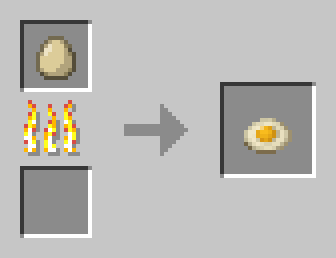
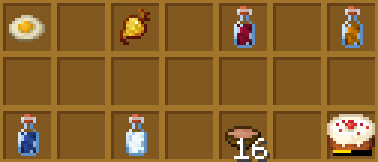
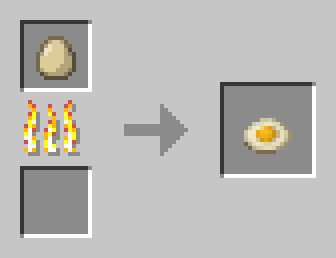
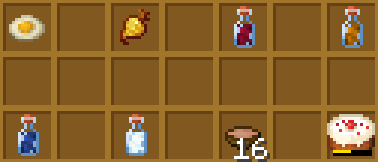
- Fried Egg: Now you can cook any kind of chicken egg.
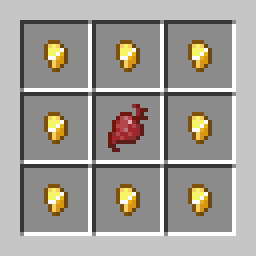
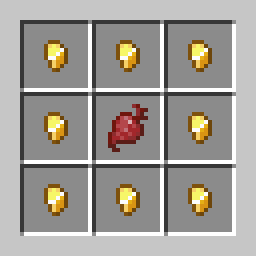
- Golden Beetroot: Grants the player 90 seconds of strenght and resistance when consumed
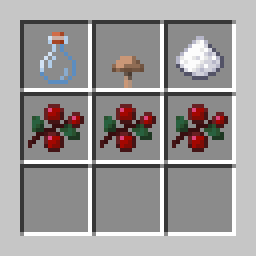
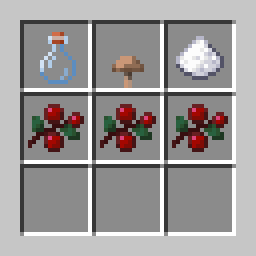
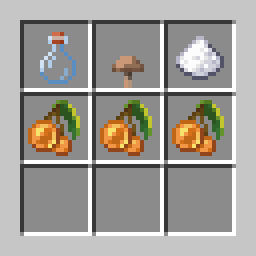
- Wine: Grants the player 120 seconds of nausea when consumed.
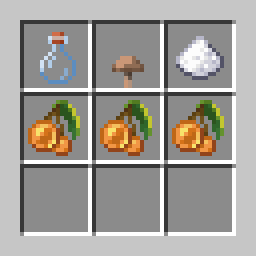
- Glowing Wine: Grants the player 90 seconds of nausea and 60 seconds of night vision when consumed.
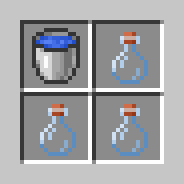
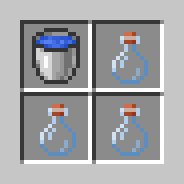
- Fancy Water Bottle: It works just like a normal water bottle but can be stacked (up to 16).
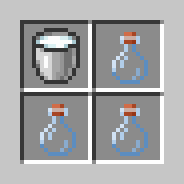
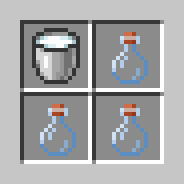
- Milk Bottle: It works just like a milk bucket but it can be stacked (up to 16).
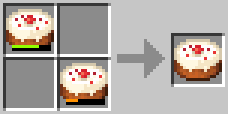
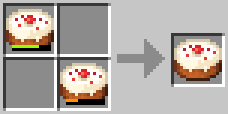
- Pick-up Cakes: Breaking a cake will drop it as an item, independent of how many slices have been consumed. Additionally, you can combine two half-eaten cakes to make one with more slices.
- Stackable Stews: All non-suspicious stews made by player are now stackable (up to 16). If you get a stew in another way, you can combine two on the crafting table to make them stackable.
Installation:
The datapack also works as a texturepack, so you need to install it in both your resource packs folder and your world's datapacks folder.