
An ME network stores items as data on storage cells. You put items into a terminal, they disappear into the cells, and the terminal shows everything in one sorted, searchable list. This page builds the smallest useful network, in the order the recipes of AE2 19.2 (Minecraft 1.21.1) require.
1. Meteorites: presses, sky stone and certus quartz
AE2 starts at a meteorite. Its outer shell is  Sky Stone (needed for the controller), it often contains budding certus quartz, and the Mysterious Cube in its center holds the four inscriber presses. Keep the presses: they are never used up, and the Inscriber can copy them with an iron block.
 Top
 MiddleBottom
Inscriber Logic Press + Block of Iron → Inscriber Logic Press
Certus quartz grows as buds on  Flawless Budding Certus Quartz and the other budding blocks; break the fully grown cluster for
 Certus Quartz Crystal. A
 Growth Accelerator next to the budding block speeds this up.
2. Charger, Inscriber and fluix
Build a  Charger and a
 Wooden Crank — turning the crank by hand powers the charger, no network needed. Charge certus quartz, then drop charged certus quartz, redstone dust and nether quartz together into water: they turn into two
 Fluix Crystals.
 Iron Ingot#c:ingots/iron
 Copper Ingot#c:ingots/copperIron Ingot#c:ingots/ironIron Ingot#c:ingots/ironIron Ingot#c:ingots/ironCopper Ingot#c:ingots/copperIron Ingot#c:ingots/iron
5 × any Iron Ingot + 2 × any Copper Ingot → Charger
 Stick#c:rods/woodenStick#c:rods/woodenStick#c:rods/woodenStick#c:rods/woodenCopper Ingot#c:ingots/copper
4 × any Stick + any Copper Ingot → Wooden Crank

Certus Quartz Crystal → Charged Certus Quartz Crystal
Charged Certus Quartz Crystal + Redstone Dust + Nether Quartz → 2 × Fluix Crystal
The Inscriber makes the three processors every network part needs. First it prints: a press plus one material gives a printed circuit (the press stays). Then it assembles: printed circuit on top, redstone in the middle, printed silicon at the bottom.  Silicon comes from smelting certus quartz dust.
Iron Ingot#c:ingots/iron Iron Ingot#c:ingots/ironCopper Ingot#c:ingots/copperIron Ingot#c:ingots/ironIron Ingot#c:ingots/ironIron Ingot#c:ingots/iron
5 × any Iron Ingot + 2 × Piston + any Copper Ingot → Inscriber
Inscriber Silicon Press + any Silicon → Printed Silicon


Inscriber Logic Press + any Gold Ingot → Printed Logic Circuit
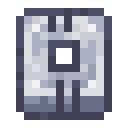 TopMiddleBottom

Inscriber Calculation Press + Certus Quartz Crystal → Printed Calculation Circuit
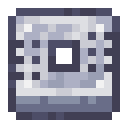

Inscriber Engineering Press + any Diamond → Printed Engineering Circuit
 Top
 Middle
 Bottom

Printed Engineering Circuit + Redstone Dust + Printed Silicon → Engineering Processor
| Processor | Printed with | Used for |
|---|---|---|
| Logic Processor | Gold ingot | Terminals, storage components, most buses |
| Calculation Processor | Certus quartz crystal | Autocrafting parts and bigger storage components |
| Engineering Processor | Diamond | Controller, ME Drive, Pattern Provider |
3. The five blocks of a first network
- Power — an
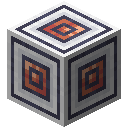 Energy Acceptor takes energy from any mod's generator (Forge Energy) and turns it into AE. Without other mods, a
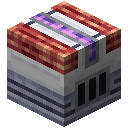 Vibration Chamber burns fuel for AE power, and an
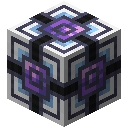 Energy Cell stores it.
- Controller — the
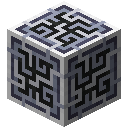 ME Controller powers the network and hands out channels.
- Storage — an
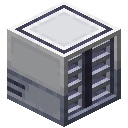 ME Drive holds up to 10 storage cells; start with a
 1k ME Item Storage Cell.
- Access — a
 ME Terminal (or better a
 ME Crafting Terminal) placed on a cable or a block face.
- Cables —
 Fluix ME Glass Cable connects everything; four cables come from one quartz fiber and two fluix.
Iron Ingot#c:ingots/iron Iron Ingot#c:ingots/ironCopper Ingot#c:ingots/copperIron Ingot#c:ingots/ironIron Ingot#c:ingots/iron
4 × any Iron Ingot + 4 × Quartz Glass + any Copper Ingot → Energy Acceptor
4 × Sky Stone Block + 4 × Fluix Crystal + Engineering Processor → ME Controller
Iron Ingot#c:ingots/ironIron Ingot#c:ingots/ironIron Ingot#c:ingots/ironIron Ingot#c:ingots/iron4 × any Iron Ingot + 2 × Engineering Processor + 2 × Fluix ME Glass Cable → ME Drive
Redstone Dust#c:dusts/redstoneRedstone Dust#c:dusts/redstone Redstone Dust#c:dusts/redstoneIron Ingot#c:ingots/ironCopper Ingot#c:ingots/copperIron Ingot#c:ingots/iron
2 × Quartz Glass + 3 × any Redstone Dust + 1k ME Storage Component + 2 × any Iron Ingot + any Copper Ingot → 1k ME Item Storage Cell






Formation Core + any Bright Illuminated Panel (#ae2:illuminated_panel) + Logic Processor + Annihilation Core → ME Terminal
Quartz Fiber + 2 × any Fluix Crystal → 4 × Fluix ME Glass Cable
Tap or click a block to see what it is.
The Vibration Chamber burns fuel into AE power; the Energy Cell buffers it; the controller sits next to them.
A cable from the controller to the ME Drive; put a 1k storage cell into the drive.
A terminal on a cable next to the drive line — open it to see and use the network's storage.
Materials 6 kinds · 7 items
- ME Controllerstep 1×1
- Energy Cellstep 1×1
- Vibration Chamberstep 1×1
- Fluix ME Glass Cablestep 2×2
- ME Drivestep 2×1
- ME Terminalstep 3×1
The layer plan appears with the 3D view.
4. Put it together
- Place the controller and connect a generator to the energy acceptor; connect the acceptor to the controller with cable.
- Run a cable from the controller to the ME Drive and put a storage cell into it.
- Place a terminal on the cable (it attaches to the side of the cable) and open it — you see the drive's empty space.
- Put items in: they are stored on the cell. Pull them out again with a click, or search by name.
Cell Component
 Returned
1k ME Item Storage Cell + 4k ME Storage Component → 4k ME Item Storage Cell + 1k ME Storage Component