
Most ME devices need a channel to work: terminals, drives, buses, interfaces, pattern providers and the like. A channel is a dedicated connection from the device back to the controller. If a device does not get one, it stays dark (shows offline) even though it has power. Every number on this page was checked on our own AE2 19.2 test server.
The numbers
| Part | Channels |
|---|---|
| Glass, covered or smart cable | up to 8 |
| Dense cable (covered or smart) | up to 32 |
| One face of the controller | up to 32 |
| Network without a controller (ad-hoc) | 8 in total |
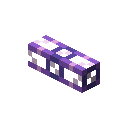 Fluix ME Glass CableItem
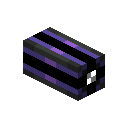 Fluix ME Smart CableItem
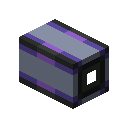 Fluix ME Dense Covered CableItem
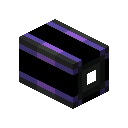 Fluix ME Dense Smart CableItem
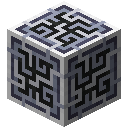 ME ControllerBlock
A normal cable can feed at most 8 devices, a dense cable 32. The 32 is a limit per controller face: in our test two faces, each with its own dense cable, served 48 devices — but one dense cable fed by two faces still carried only 32.
What uses a channel
- Uses one channel: all terminals, ME Drive, ME Chest, Interface and Pattern Provider (as block and as part), import / export / storage buses, ME and item P2P tunnels, Wireless Access Point, ME IO Port, Spatial IO Port, annihilation and formation planes, Conversion Monitor.
- Uses none: all cable types, Energy Acceptor, energy cells, Quartz Fiber (it only carries power), toggle buses, level emitters, Storage Monitor, cable anchors, Molecular Assembler, Inscriber, Charger, Growth Accelerator and Vibration Chamber.
Plan a bigger network
- Put the controller in the middle and give each face its own dense cable — up to 32 channels each.
- Lead each dense cable to a group of devices, then split into normal cables with up to 8 devices per branch.
- Keep the busy parts close: drives and pattern providers next to the controller, terminals at the end of short branches.



Tap or click a block to see what it is.
Controller with an Energy Cell and a Vibration Chamber.
A dense cable from the controller's east face carries up to 32 channels.
A smart cable branch with 8 terminals uses 8 of the dense cable's channels.
A second branch with 8 more terminals: 16 channels in use, 16 still free.
Materials 6 kinds · 30 items
- ME Controllerstep 1×1
- Energy Cellstep 1×1
- Vibration Chamberstep 1×1
- Fluix ME Dense Covered Cablestep 2×3
- ME Terminalstep 3×16
- Fluix ME Smart Cablestep 3×8
The layer plan appears with the 3D view.