Mineuniverse
Shaders
SoftShade

SoftShade

SHADER
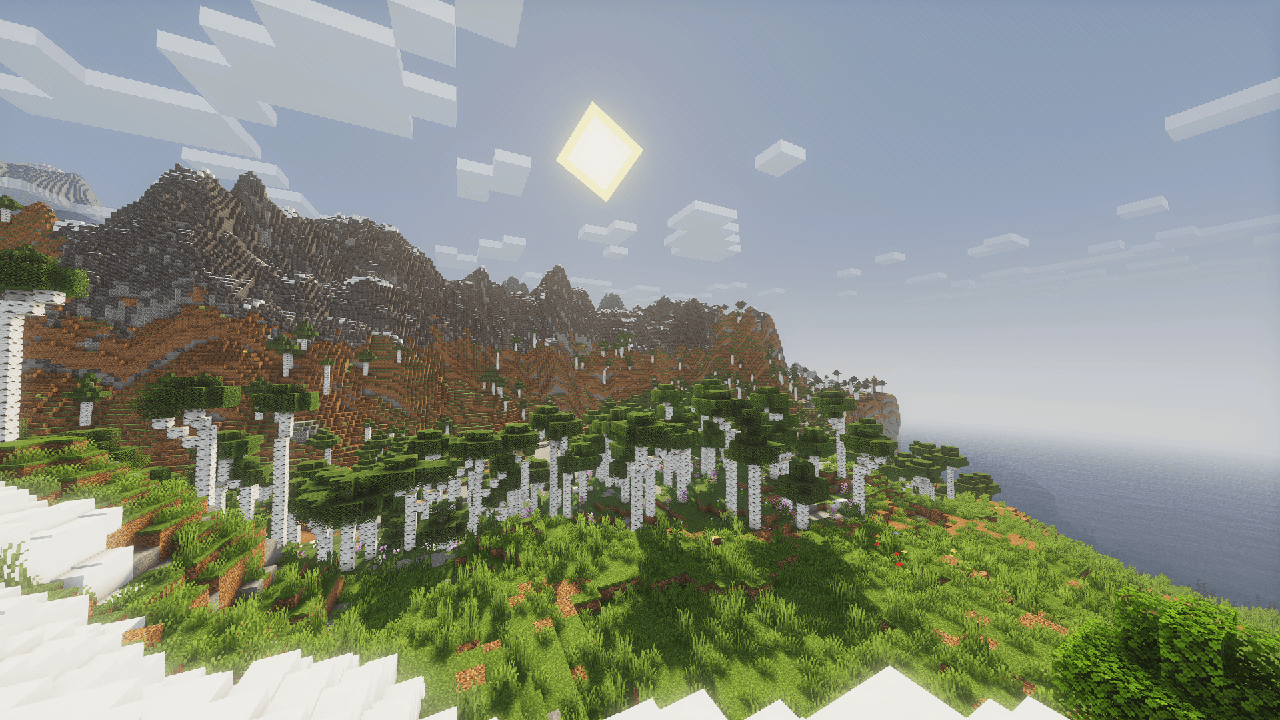
A stylized shaderpack with a soft artistic look, designed for players who care about smooth gameplay as much as visuals. Clean visuals, low performance impact, and comfortable to use for long sessions.
by PikaCat
Download Claim this project
1,137 downloads
0 likes
0 followers
Updated Oct 14, 2026
0 hypes
Follow0
Fantasy Vanilla
Advertisement Remove ads with Premium →

✨ SoftShade - Beautiful Shaders for Everyone

A vibrant, colorful Iris shader pack optimized for low-end PCs without sacrificing quality.

What You Get:

  • Stunning visuals with enhanced colors and dynamic lighting
  • Realistic water, shadows, and atmospheric effects
  • Bloom, SSAO, anti-aliasing, and post-processing
  • Fully customizable settings for your preference
  • Smooth performance on modest hardware
  • Vanilla-like visibility and gameplay feel

Perfect for: Low-end PC users who want beautiful Minecraft without lag.

Requirements:

  • Iris Shaders
  • Minecraft 1.20+
SoftShade
MC 1.16.3, 1.16-Snapshot, 1.17.1, 1.21.2-Snapshot, 1.21, 1.21.6-snapshot, 1.16.1, 1.18.1, 1.20.2-Snapshot, 1.20.5-Snapshot, 1.16, 1.19-Snapshot, 1.21.1-Snapshot, 1.16.5, 1.19.3, 1.20.2
Release 2026-06-12 Get

Requirements & install

How to use this shader in Minecraft
Shader loader
Iris or OptiFine
Minecraft
1.19.3 – 1.21.6-snapshot
Install folder
.minecraft/shaderpacks

How to install shaders

  1. Install a shader loader for your Minecraft version: Iris (with Sodium) or OptiFine.
  2. Download the shader pack .zip file (do not extract it).
  3. Put the .zip into the shaderpacks folder (.minecraft/shaderpacks).
  4. In game open Options → Video Settings → Shader Packs, select the pack and apply it.
Browse more: Iris shaders OptiFine shaders Shaders for 1.21.6-snapshot All shaders

More from PikaCat

Advertisement Remove ads with Premium →

You Might Also Like