Mineuniverse
Shaders
Obsidian Shader

Obsidian Shader

SHADER
A Minecraft shader pack with a fantasy look.
by DiamondsHereWeCome
Download Claim this project
3,126 downloads
0 likes
0 followers
Updated Oct 14, 2026
0 hypes
Follow0
Fantasy
Advertisement Remove ads with Premium →

Obsidian Shaders

CURRENTLY IN ACTIVE DEVELOPMENT!

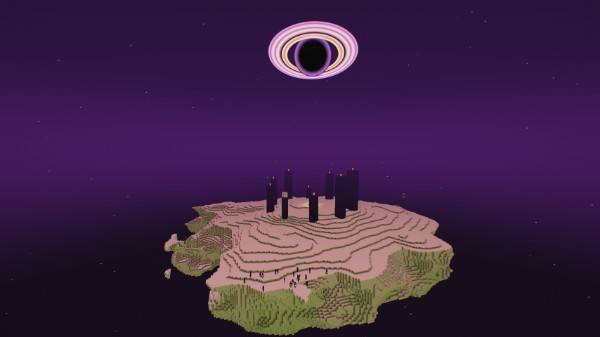
Obsidian is a lightweight fantasy-inspired Minecraft shader designed to transform your world into something more magical, atmospheric, and beautiful—without sacrificing performance.

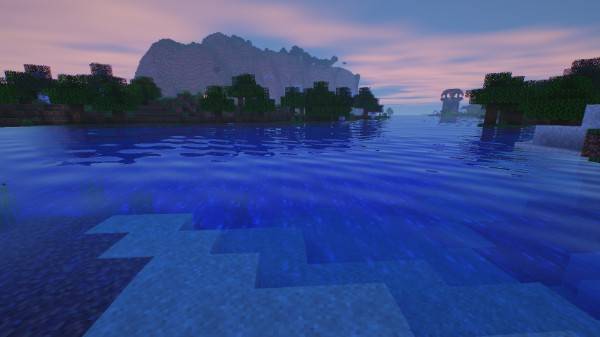
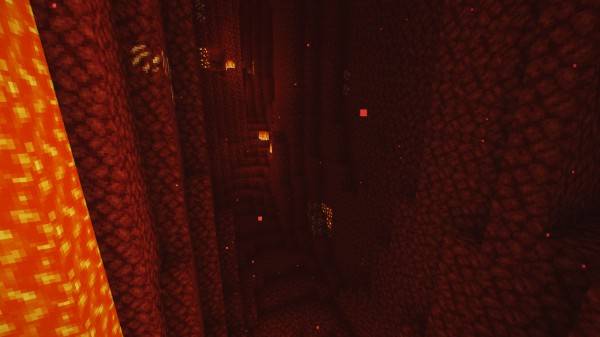
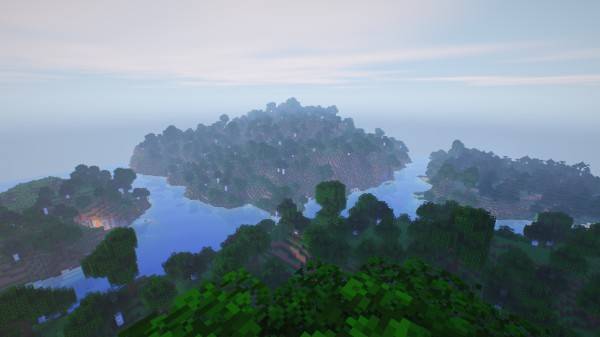
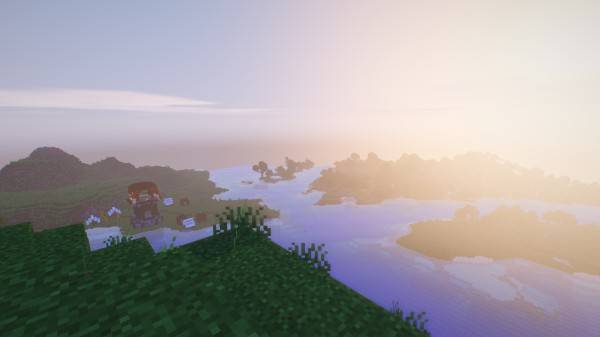
Explore lush landscapes with vibrant lighting, soft shadows, glowing sunsets, atmospheric skies, and a subtle cinematic feel. Obsidian brings out the beauty of Minecraft while keeping the shader lightweight enough for a wide range of hardware.

✨ Features

🌄 Fantasy-inspired lighting and atmosphere

☀️ Beautiful sunrises and sunsets

🌊 Enhanced water and reflections

🌿 Vibrant yet natural colors

☁️ Atmospheric skies and clouds

🌙 Improved nighttime lighting

🕯️ Soft, immersive lighting

⚡ Lightweight and performance-friendly

🎮 Designed for everyday gameplay

Whether you're exploring vast mountains, building medieval kingdoms, wandering through enchanted forests, or simply enjoying a peaceful Minecraft sunset, Obsidian aims to make every moment feel a little more magical.

Beautiful worlds. Magical atmosphere. Lightweight performance.

Enter Minecraft through a darker, more fantastical lens with Obsidian.

OPTIFINE NOT RECOMMENDED

THE SCREENSHOTS HAVE BEEN SHRUNK TO UNDER 2MB FOR UPLOAD

THE ACTUAL SHADER IS NOT PIXILATED

Obsidian_v0.9.zip
MC 1.16.3, 1.13.1, 1.16-Snapshot, 1.17.1, 1.21.2-Snapshot, 1.21, 1.21.6-snapshot, 1.15-Snapshot, 1.16.1, 1.18.1, 1.20.2-Snapshot, 1.20.5-Snapshot, 1.14.3, 1.15, 1.16, 1.13
Release 2026-10-15 Get
Obsidian_v0.8.zip
MC 1.16.3, 1.13.1, 1.16-Snapshot, 1.17.1, 1.21.2-Snapshot, 1.21, 1.21.6-snapshot, 1.15-Snapshot, 1.16.1, 1.18.1, 1.20.2-Snapshot, 1.20.5-Snapshot, 1.14.3, 1.15, 1.16, 1.13
Release 2026-09-30 Get
ObsidianV0.7.zip
MC 1.16.3, 1.13.1, 1.16-Snapshot, 1.17.1, 1.21.2-Snapshot, 1.21, 1.21.6-snapshot, 1.15-Snapshot, 1.16.1, 1.18.1, 1.20.2-Snapshot, 1.20.5-Snapshot, 1.14.3, 1.15, 1.16, 1.13
Release 2026-09-28 Get
Obsidian-V0.6b.zip
MC 1.16.3, 1.13.1, 1.16-Snapshot, 1.17.1, 1.21.2-Snapshot, 1.21, 1.21.6-snapshot, 1.15-Snapshot, 1.16.1, 1.18.1, 1.20.2-Snapshot, 1.20.5-Snapshot, 1.14.3, 1.15, 1.16, 1.13
Release 2026-09-22 Get
Obsidian_v0.6a.zip
MC 1.16.3, 1.13.1, 1.16-Snapshot, 1.17.1, 1.21.2-Snapshot, 1.21, 1.21.6-snapshot, 1.15-Snapshot, 1.16.1, 1.18.1, 1.20.2-Snapshot, 1.20.5-Snapshot, 1.14.3, 1.15, 1.16, 1.13
Release 2026-09-19 Get
ObsidianShaders-V0.5a.zip
MC 1.16.3, 1.13.1, 1.16-Snapshot, 1.17.1, 1.21.2-Snapshot, 1.21, 1.21.6-snapshot, 1.15-Snapshot, 1.16.1, 1.18.1, 1.20.2-Snapshot, 1.20.5-Snapshot, 1.14.3, 1.15, 1.16, 1.13
Release 2026-09-17 Get
ObsidianV0.6
MC 1.16.3, 1.13.1, 1.16-Snapshot, 1.17.1, 1.21.2-Snapshot, 1.21, 1.21.6-snapshot, 1.15-Snapshot, 1.16.1, 1.18.1, 1.20.2-Snapshot, 1.20.5-Snapshot, 1.14.3, 1.15, 1.16, 1.13
Release 2026-09-17 Get
ObsidianShaders-V0.5.zip
MC 1.16.3, 1.13.1, 1.16-Snapshot, 1.17.1, 1.21.2-Snapshot, 1.21, 1.21.6-snapshot, 1.15-Snapshot, 1.16.1, 1.18.1, 1.20.2-Snapshot, 1.20.5-Snapshot, 1.14.3, 1.15, 1.16, 1.13
Release 2026-09-15 Get
ObsidianShaders-0.4zip
MC 1.16.3, 1.13.1, 1.16-Snapshot, 1.17.1, 1.21.2-Snapshot, 1.21, 1.21.6-snapshot, 1.15-Snapshot, 1.16.1, 1.18.1, 1.20.2-Snapshot, 1.20.5-Snapshot, 1.14.3, 1.15, 1.16, 1.13
Release 2026-09-14 Get
ObsidianShaders-V0.3.zip
MC OptiFine, Iris, 26.2
Release 2026-09-13 Get
ObsidianShaders-V0.3.1.zip
MC 1.16.3, 1.13.1, 1.16-Snapshot, 1.17.1, 1.21.2-Snapshot, 1.21, 1.21.6-snapshot, 1.15-Snapshot, 1.16.1, 1.18.1, 1.20.2-Snapshot, 1.20.5-Snapshot, 1.14.3, 1.15, 1.16, 1.13
Release 2026-09-13 Get
ObsidianShaders-V0.2a
MC OptiFine, Iris, 26.2
Release 2026-09-11 Get
ObsidianShaders-V0.2
MC OptiFine, Iris, 26.2
Release 2026-09-10 Get
ObsidianShaders-alpha-V0.1
MC OptiFine, Iris, 26.2
Alpha 2026-09-10 Get

Requirements & install

How to use this shader in Minecraft
Shader loader
Iris OptiFine
Minecraft
1.17.1 – 26.2
Install folder
.minecraft/shaderpacks

How to install shaders

  1. Install a shader loader for your Minecraft version: Iris (with Sodium) or OptiFine.
  2. Download the shader pack .zip file (do not extract it).
  3. Put the .zip into the shaderpacks folder (.minecraft/shaderpacks).
  4. In game open Options → Video Settings → Shader Packs, select the pack and apply it.
Browse more: Iris shaders OptiFine shaders Shaders for 26.2 All shaders

More from DiamondsHereWeCome

Advertisement Remove ads with Premium →

You Might Also Like