Mineuniverse
Resource Packs
ZLTweaks

ZLTweaks

RESOURCE PACK
Vanilla-flavored tweaks and changes for my preference.
by ZeroLevels
Download Claim this project
3,195 downloads
0 likes
Updated Oct 14, 2026
0 hypes
16x Traditional
Advertisement Remove ads with Premium →

A vanilla-style set of changes meant to cut out repetition and inconsistencies.  This is mainly made for me, but I've been asked to share my changes on a few occasions.  I have much to convert and re-texture due to the new Vanilla textures, so I thought now would be the best time to start and share.

Better Sheep Colors


Features:

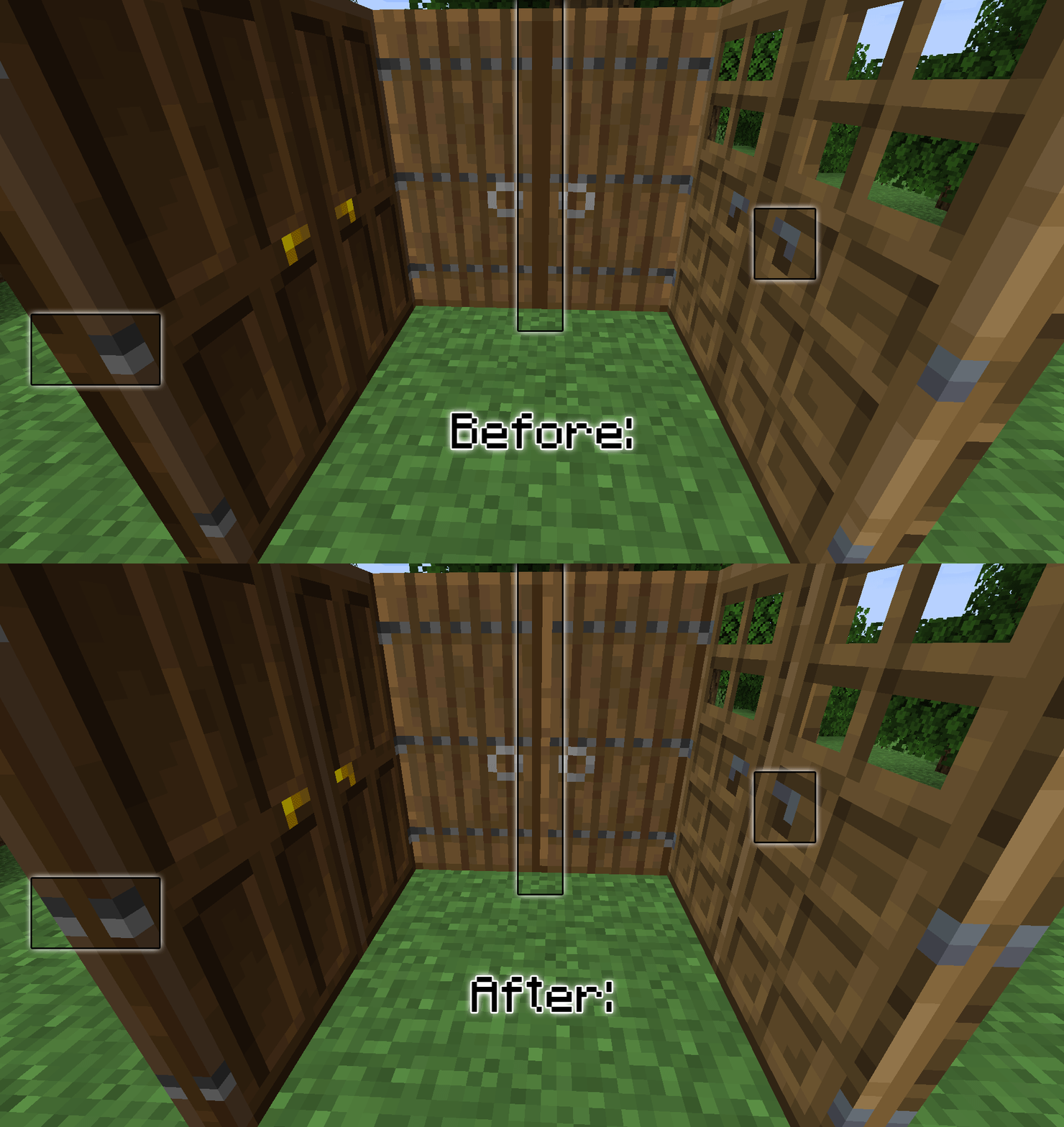
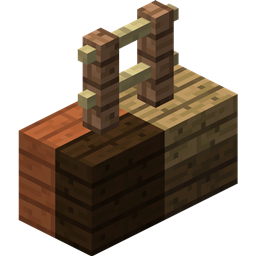
  • Double doors no longer mirror one another and now have unique tops and siding on both hinge and handle sides.  Retains pixel-lighting direction to the upper-left on all rotations.
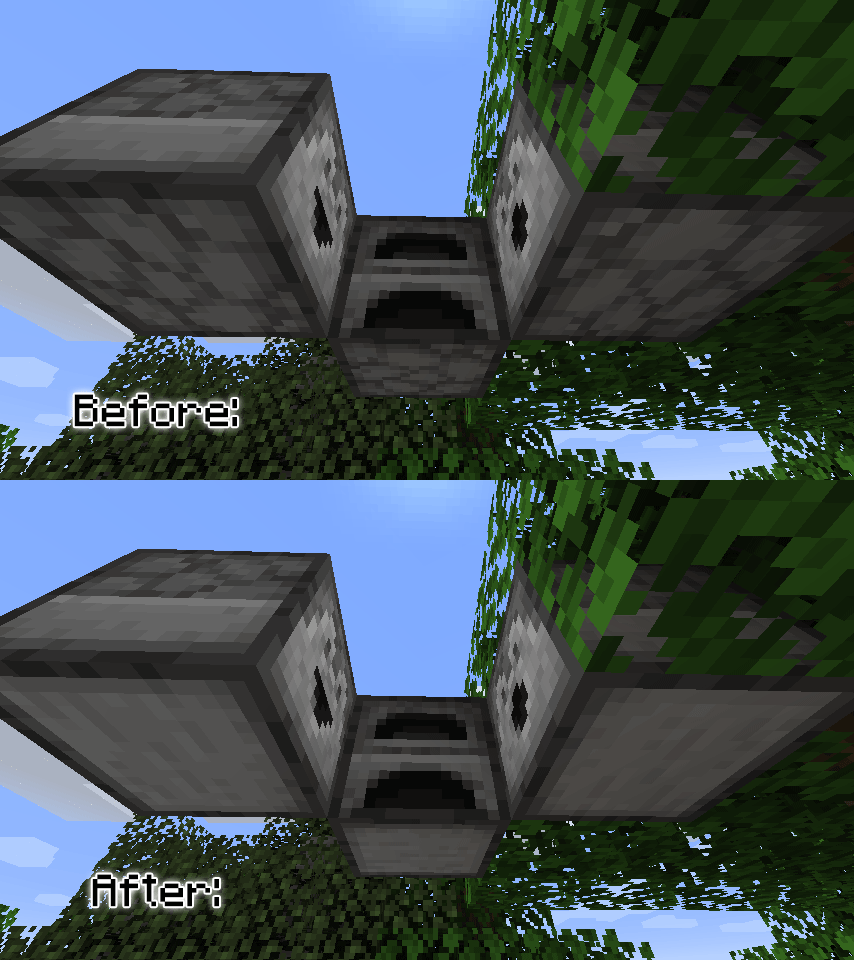
  • Furnaces, Dispensers, and Droppers now have a unique bottom texture instead of a copy of the top texture.  This only applies to the horizontal orientation of the latter two. (Might expand on this later)
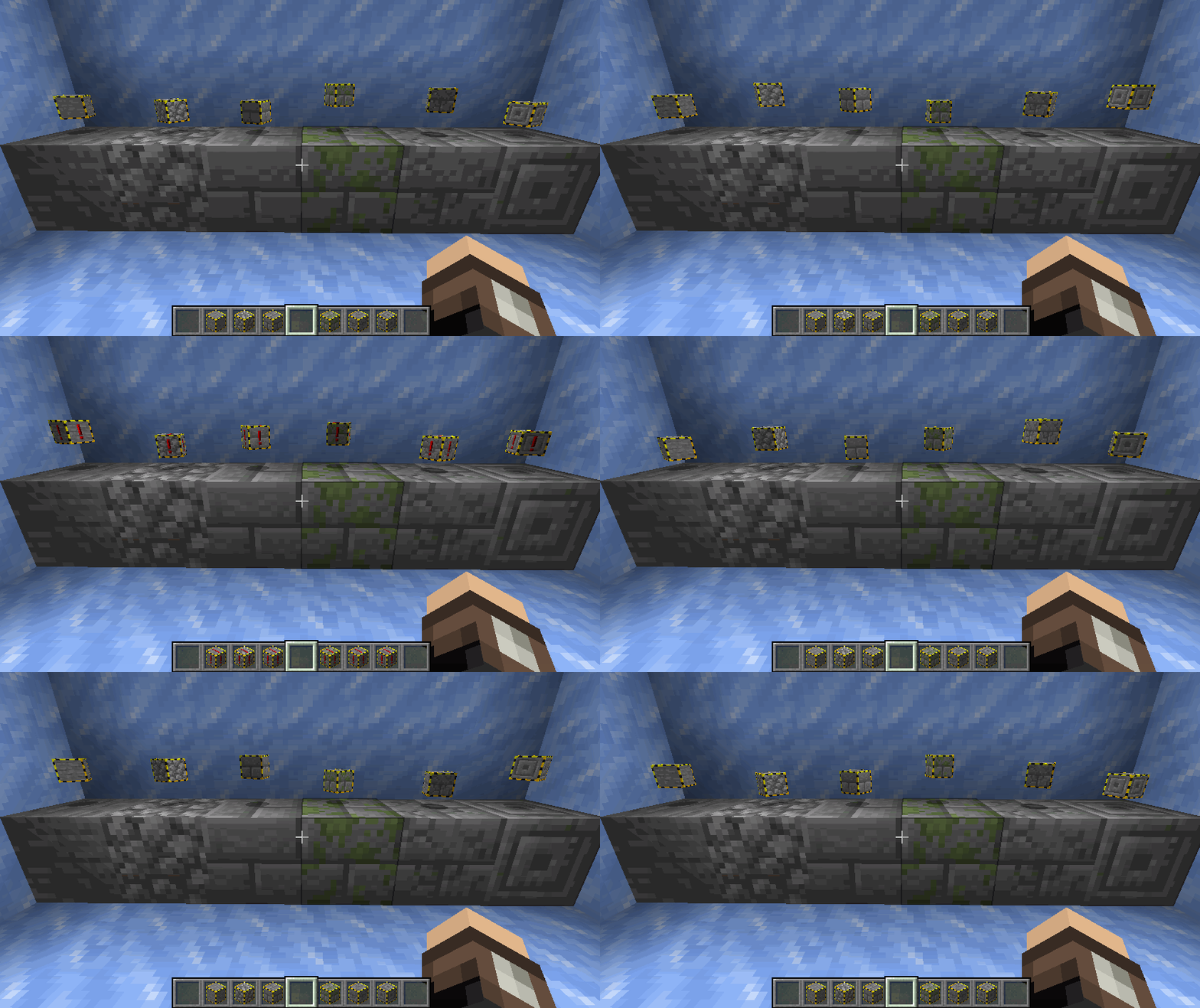
  • Infested blocks (Silverfish Stone) now have inventory-only caution tape around the outside to serve as a warning that you're not holding normal stone.
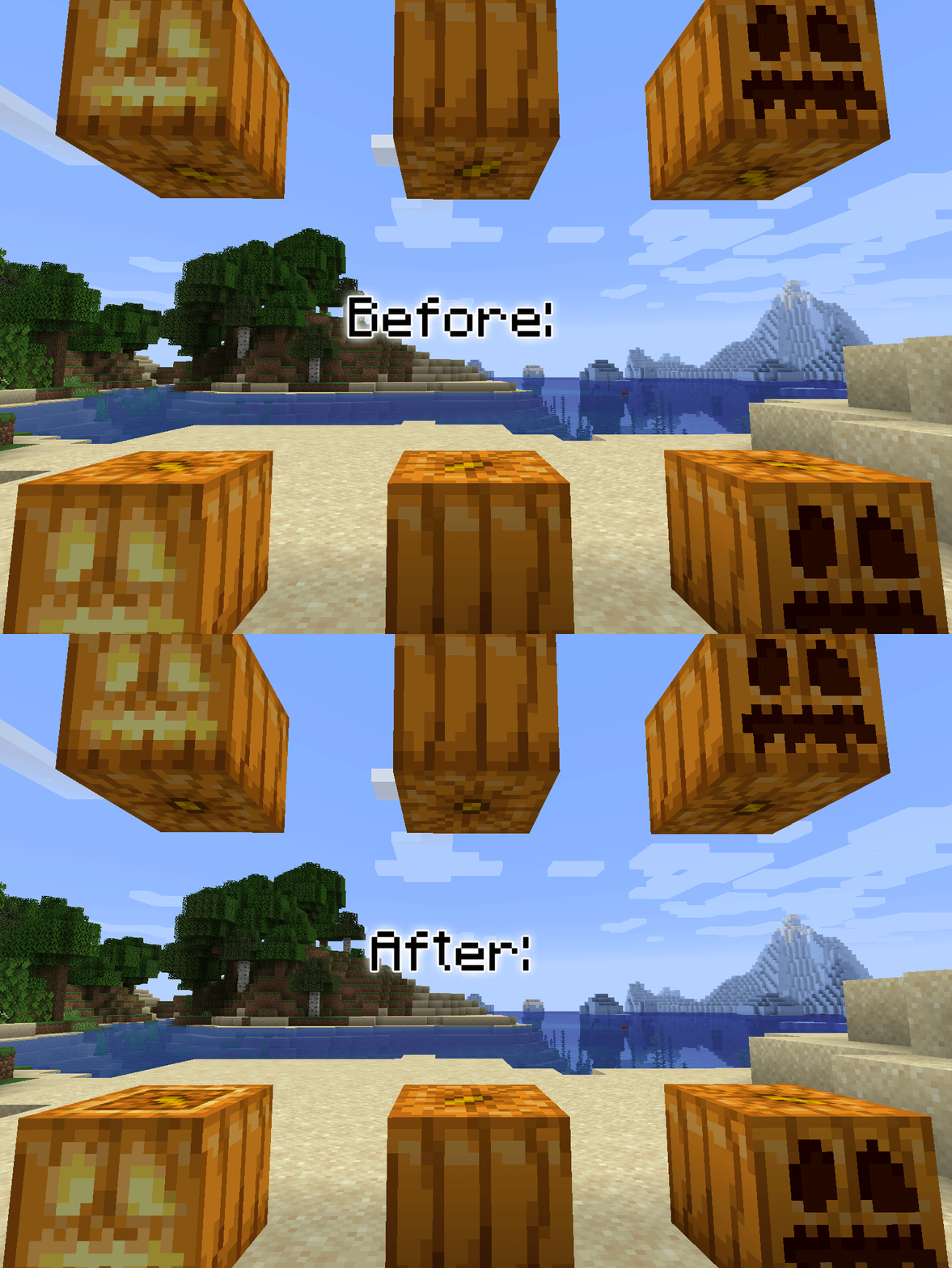
  • Pumpkins, Carved Pumpkins, and Jack-O'-Lanterns now have a separate bottom texture.  Jack-O'-Lantern tops now to have been cut out as to allow the torch to be placed inside.  Light shines through.
  • Basic wooden chests now, subjectively, have less annoying opening and closing sounds.  Objectively, at least, they are quieter.  A before and after here.
  • Grass top and side overlay have been simplified to 8 shades instead of 66.
  • Switching dimensions between the Nether and End have different loading screens now.  Soul Sand for Nether and End Stone for The End.
  • Glass top shades now match more closely to glass sides. 
  • Colored Glass has been given more shades to more closely match the tops.
  • Pink petals have been given extra height-variation in each of its quadrants.
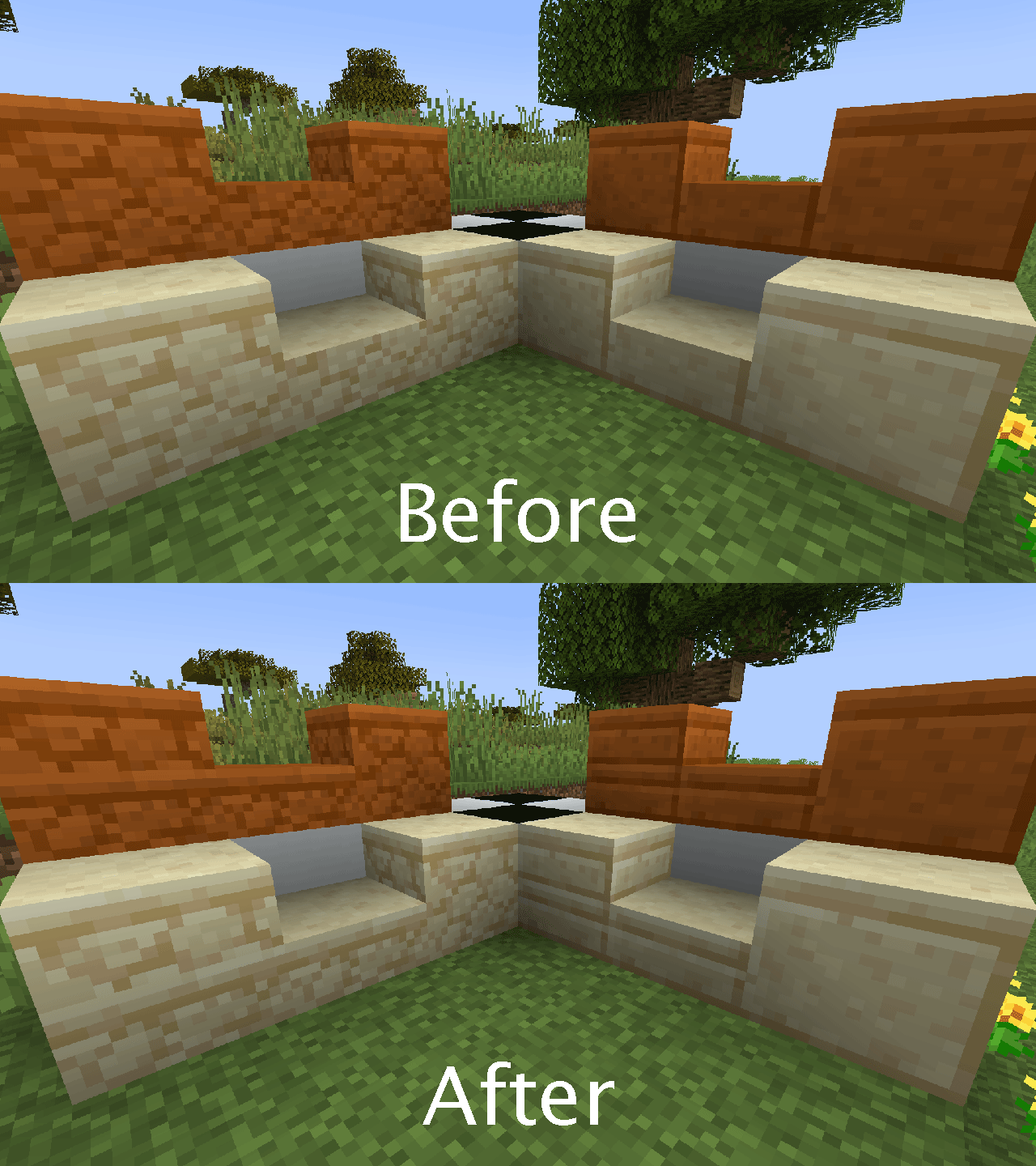
  • Sandstone lips present on sandstone_slab sides. (red, cut, normal)


Optifine Features:

  • Overrode Optifine's included ctm for sandstone and red sandstone sides.  They now point to vanilla's bottom textures of the respective blocks.  The effect is more Jappa.
  • Overrode Optifine's regular glass to not have repeating shades in the center stretch of glass, as well as made it mostly streakless for now.  I have other plans for it.  Soon™.
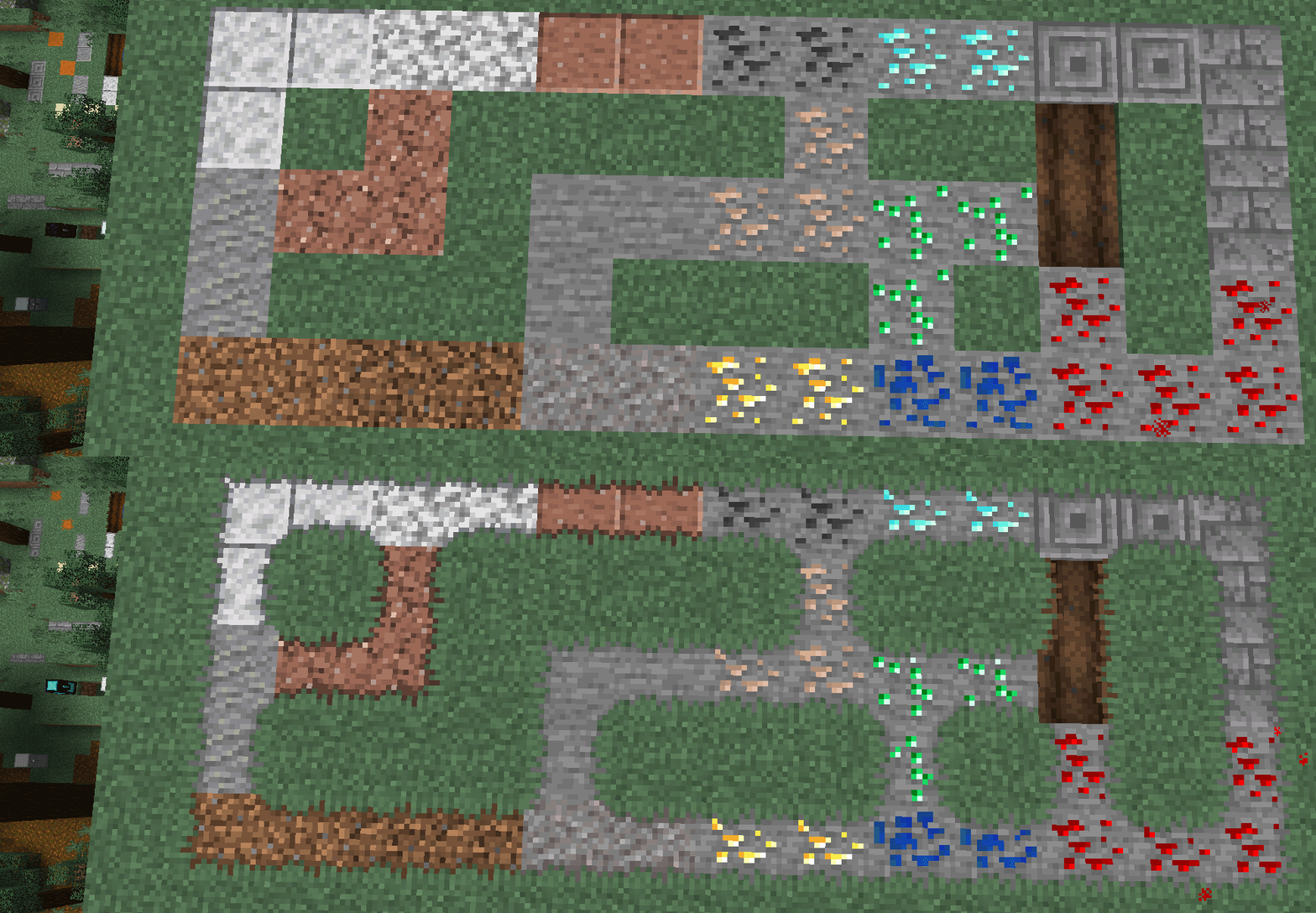
  • Grass now grows slightly onto and over certain blocks.  Vanilla blocks include clay, cobblestone, stone/granite/diorite/andesite and their smooth/polished variants, diorite, both wet and dry farmland, gravel, red sand and sandstone, normal sand and sandstone, and the various non-mossy stone bricks.  These spread to the tops of full blocks, as well as upper slabs and upside-down stair variants of the above-mentioned blocks.  Differing blocks have been given unique shadowing for overlayed grass.
  • Colored glass has been given basic connected textures as well.
  • Cut Sandstone and Cut Red Sandstone have been given a treatment similar to rough sandstone sides using top-method connected textures.
  • Sugar Cane's top texture has been made less even and somewhat randomized to feel more natural.


Mod Support:

  • Biomes O' Plenty:  Fixed tiling on doors much like with the vanilla doors, unique textures on sides/top/bottom.  Didn't take as long as I expected.  Lots of files, though.
  • Bunch of Biomes:  Clay Dirt had its texture renamed to clay_dirt instead of claydirt to more closely reflect vanilla's style.
  • Bunch of Biomes:  Simplified block shades of mud and clay dirt to 8 shades each.
  • Cursed Earth:  Cursed Earth has been given the same shading treatment as vanilla grass.  I've also separated the overlay and top to their own textures and updated the model/blockstate files to reflect this.  This allows them to be selected separately from vanilla glass within Optifine.
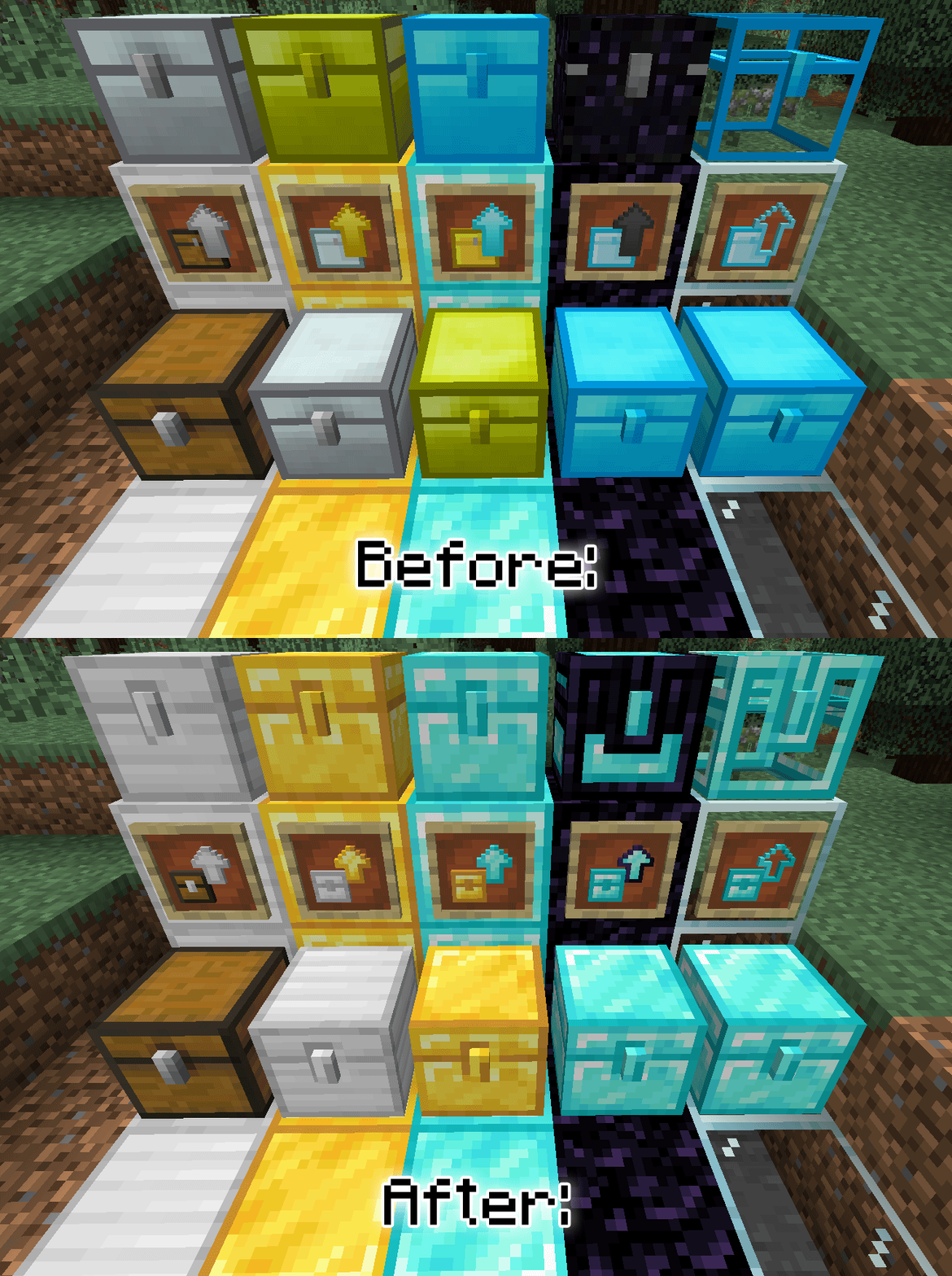
  • Iron Chests: Chests are at least somewhat more fitting with 1.14 style.  Though, I think the vanilla chest might need a facelift.


Fabric Mod Support:

  • Modern Glass Doors:  Fixed tiling and slightly changed textures on the doors to my liking.  Especially noticeable on tops of oak and iron.  Required less files than normal since they're already based on vanilla textures. 


Optifine + Mod Support:

  • Biomes O' Plenty:  Several blocks supported for grass overgrowth.  Mud, Mud Bricks, Dried Sand, Flesh, Ash Blocks, and White Sand/Sandstone.  This includes the tops of upper slabs and stairs.
  • Biomes O' Plenty:  White sandstone's lower layers now connect more seamlessly.
  • Bunch of Biomes:  Vanilla grass and Cursed Earth overlays mud and clay dirt.
  • Cursed Earth:  Cursed Earth now overgrows in the same manner that vanilla grass does.
  • Quark: Grass overgrowth for Cobblestone Bricks, Dirt Bricks, Marble, Limestone, Jasper, Slate, Voidstone, Myalite, Duskbound, Cobbedstone, Sandstone Bricks, and Red Sandstone Bricks.
  • Quark: Gave horizontal connected textures to the Dark Oak Bookshelf similar to Optifine's default oak variant.
  • Quark: Soul Sandstone, both rough and cut, have been given top-method connected textures.
ZLTweaks - Release 16
MC 1.20.4
Release 2024-05-22 Get
ZLTweaks - Release 15
MC 1.18.2, 1.19.2, 1.19.1
Release 2022-08-23 Get
ZLTweaks - Release 13
MC 1.18.2
Release 2022-08-16 Get
ZLTweaks - Release 14
MC 1.18.1, 1.18.2, 1.19.2, 1.19.1
Release 2022-08-16 Get
ZLTweaks - Release 12
MC 1.16.5
Release 2021-06-02 Get
ZLTweaks - Release 11
MC 1.16.5
Release 2021-06-01 Get
ZLTweaks - Release 10 - 1.15+
MC 1.16, 1.15.2, 1.16.4
Release 2020-04-29 Get
ZLTweaks - Release 10
MC 1.14.4
Release 2019-09-09 Get
ZLTweaks - Release 9
MC 1.14.4
Release 2019-09-06 Get
ZLTweaks - Release 7
MC 1.14.4
Release 2019-08-31 Get
ZLTweaks - Release 6
MC 1.14.4
Release 2019-08-30 Get
ZLTweaks - Release 5
MC 1.14.4
Release 2019-08-27 Get
ZLTweaks - Release 4
MC 1.14.4
Release 2019-08-23 Get
ZLTweaks - Release 1
MC 1.14.4
Release 2019-08-21 Get
ZLTweaks - Release 2
MC 1.14.4
Release 2019-08-21 Get
ZLTweaks - Release 3
MC 1.14.4
Release 2019-08-21 Get

Requirements & install

How to use this resource pack in Minecraft
Resolution
16x
Minecraft
1.16 – 1.20.4
Install folder
.minecraft/resourcepacks

How to install resource packs

  1. Download the resource pack .zip file (do not extract it).
  2. In Minecraft open Options → Resource Packs → Open Pack Folder.
  3. Drop the .zip into the resourcepacks folder (.minecraft/resourcepacks).
  4. Move the pack to the Selected column and click Done.
Browse more: 16x resource packs 32x resource packs 64x resource packs 128x resource packs 256x resource packs 512x+ resource packs Resource Packs for 1.20.4 All resource packs

More from ZeroLevels

Advertisement Remove ads with Premium →

You Might Also Like