Mineuniverse
Resource Packs
World Border Variant (RPG Theme)

World Border Variant (RPG Theme)

RESOURCE PACK
RPG Theme, Changes the world border to a clear and distinguished border
by GamerPotion
Download Claim this project
2,514,368 downloads
0 likes
Updated Oct 14, 2026
0 hypes
32x Animated Modern Traditional
Advertisement Remove ads with Premium →

DESCRIPTION

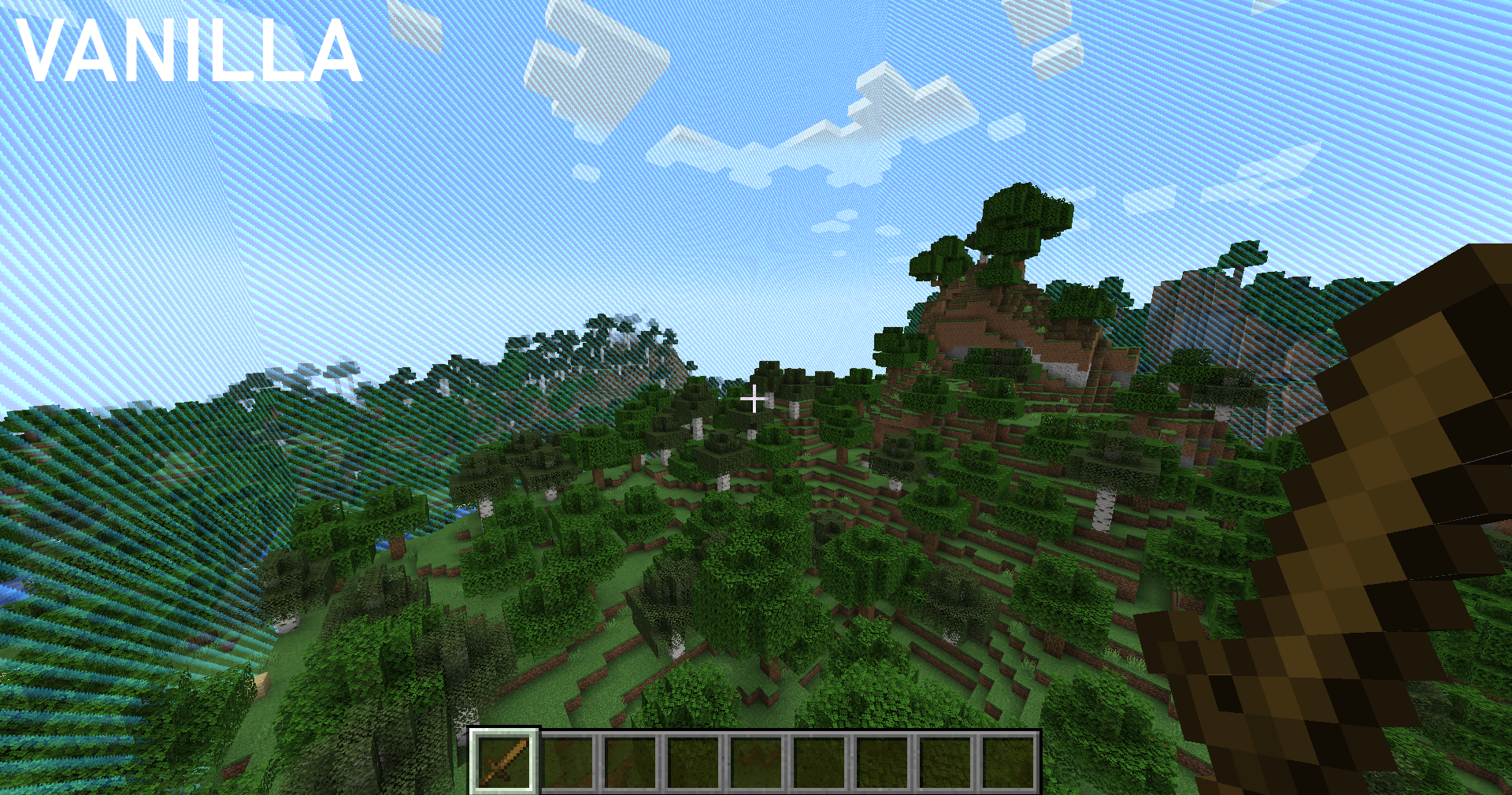
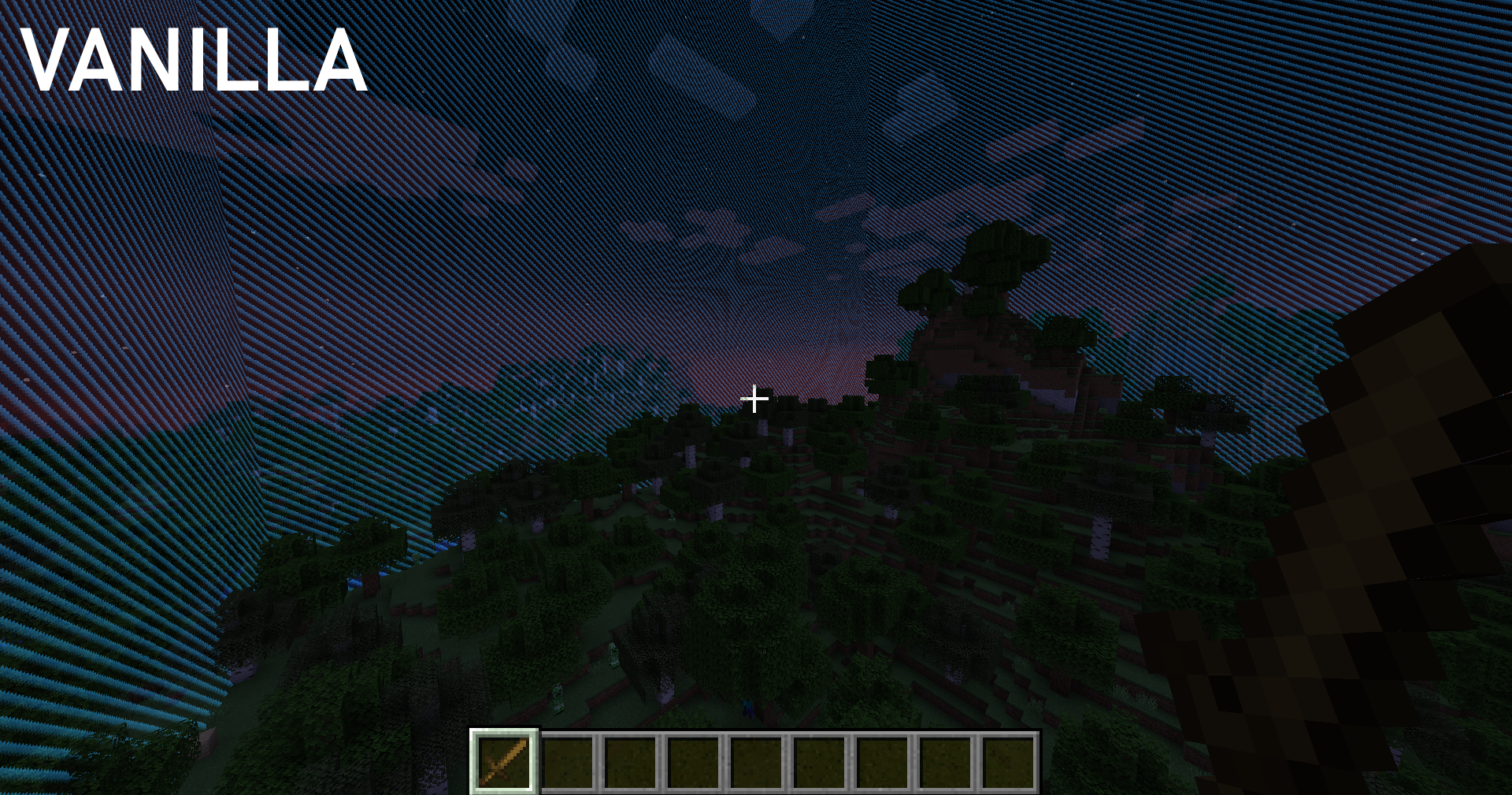
This simple world border variant resource pack replaces the default vanilla border image to a modern and easier to spot world border. 

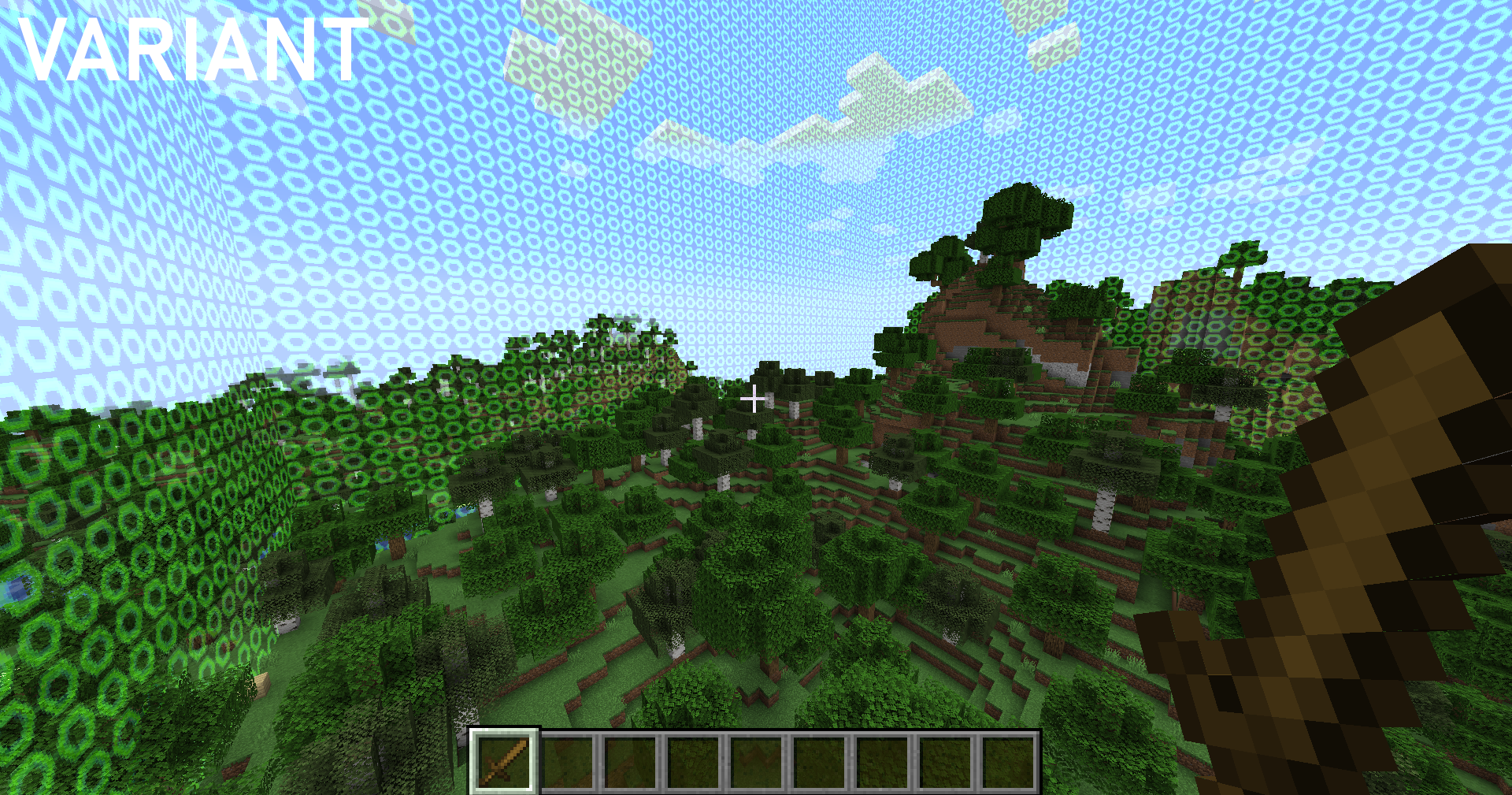
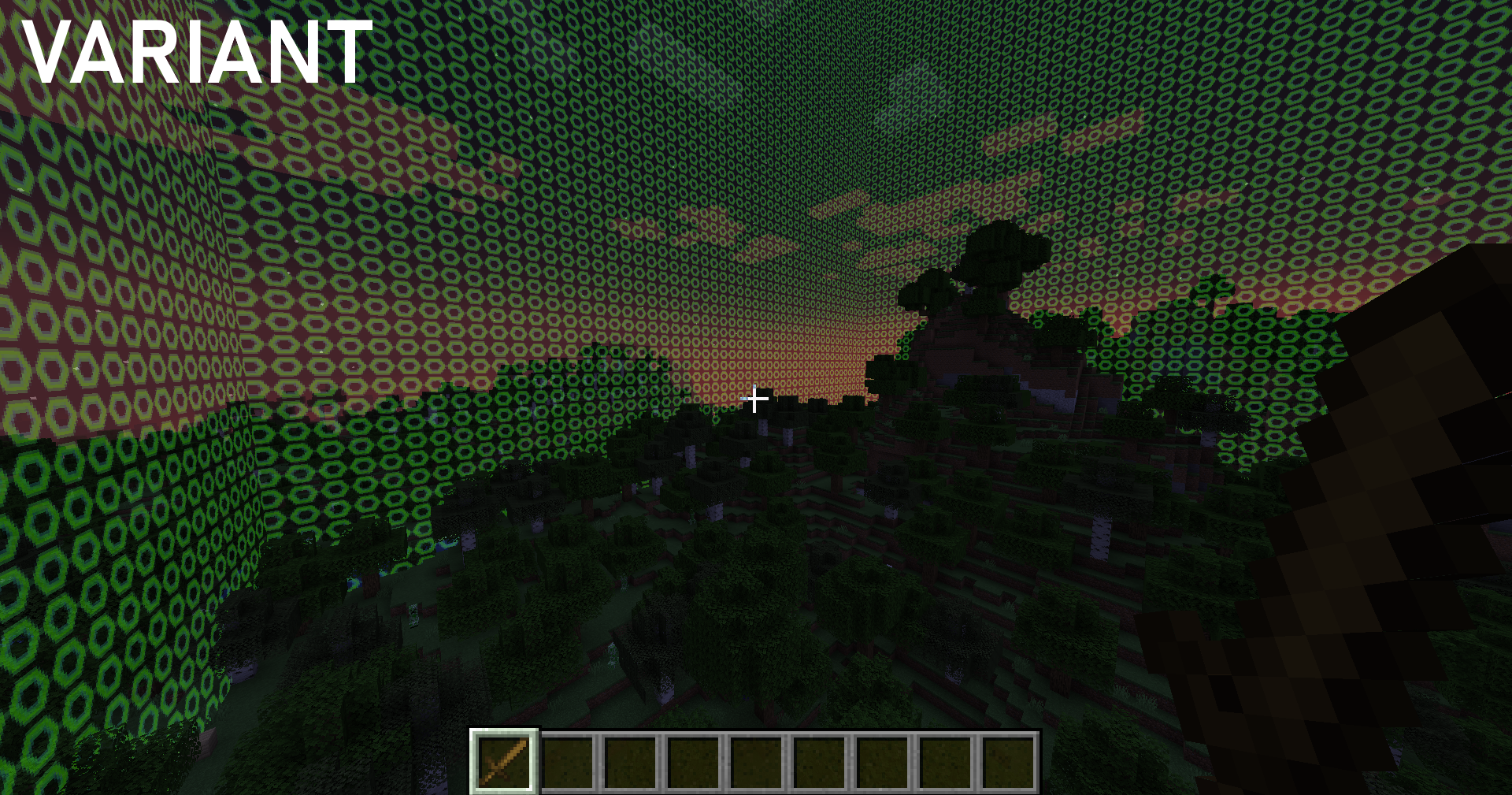
The vanilla border can sometimes be hard to spot in day time and you have to get really close to it to view. You can now view your world border from a distance with ease.  This also shows a different coloured tint at night time.

See below examples

Day Time:
Night Time:
 

Get a server today and play with your friends! Click HERE or below banner & Use Code GAMERPOTION to get 25 off!




World Border Variant.zip
MC 1.21.8, 1.21.6, 1.21.7, 1.21.9, 1.21.10, 1.21.11, 26.1, 26.1.1, 26.1.2, 26.2, 26.3
Release 2025-06-18 Get
World Border Variant.zip
MC 1.17.1, 1.19.3, 1.20.2, 1.18.1, 1.20.5, 1.17, 1.19.4, 1.16.5, 1.18.2, 1.19.2, 1.20.3, 1.20.1, 1.20, 1.20.6, 1.19.1, 1.20.4, 1.18, 1.19
Release 2024-09-01 Get
World Border Variant.zip
MC 1.21, 1.21.5, 1.21.4, 1.21.3, 1.21.1, 1.21.2
Release 2024-09-01 Get

Requirements & install

How to use this resource pack in Minecraft
Resolution
32x
Minecraft
1.21.9 – 26.3
Install folder
.minecraft/resourcepacks

How to install resource packs

  1. Download the resource pack .zip file (do not extract it).
  2. In Minecraft open Options → Resource Packs → Open Pack Folder.
  3. Drop the .zip into the resourcepacks folder (.minecraft/resourcepacks).
  4. Move the pack to the Selected column and click Done.
Browse more: 16x resource packs 32x resource packs 64x resource packs 128x resource packs 256x resource packs 512x+ resource packs Resource Packs for 26.3 All resource packs

More from GamerPotion

Advertisement Remove ads with Premium →

You Might Also Like