Mineuniverse
Resource Packs
Winter Katana - Menu GUI

Winter Katana - Menu GUI

RESOURCE PACK
Give your title screen a cold, sharp, and cinematic transformation!
by Freestyle_modding
Download Claim this project
Add a badge to your pageLink to Winter Katana - Menu GUI from a README, website or forum post.
Preview: Badge

Badges update automatically and link to the resource pack page on MineUniverse.

379 downloads
0 likes
0 followers
Updated Oct 14, 2026
0 hypes
Follow0
16x Miscellaneous Mod Support Modern Photo Realistic
Advertisement Remove ads with Premium →

⚔️ Winter Katana - Menu GUI

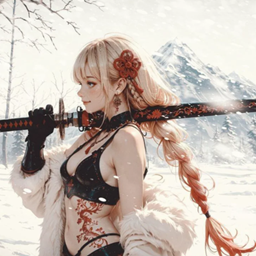
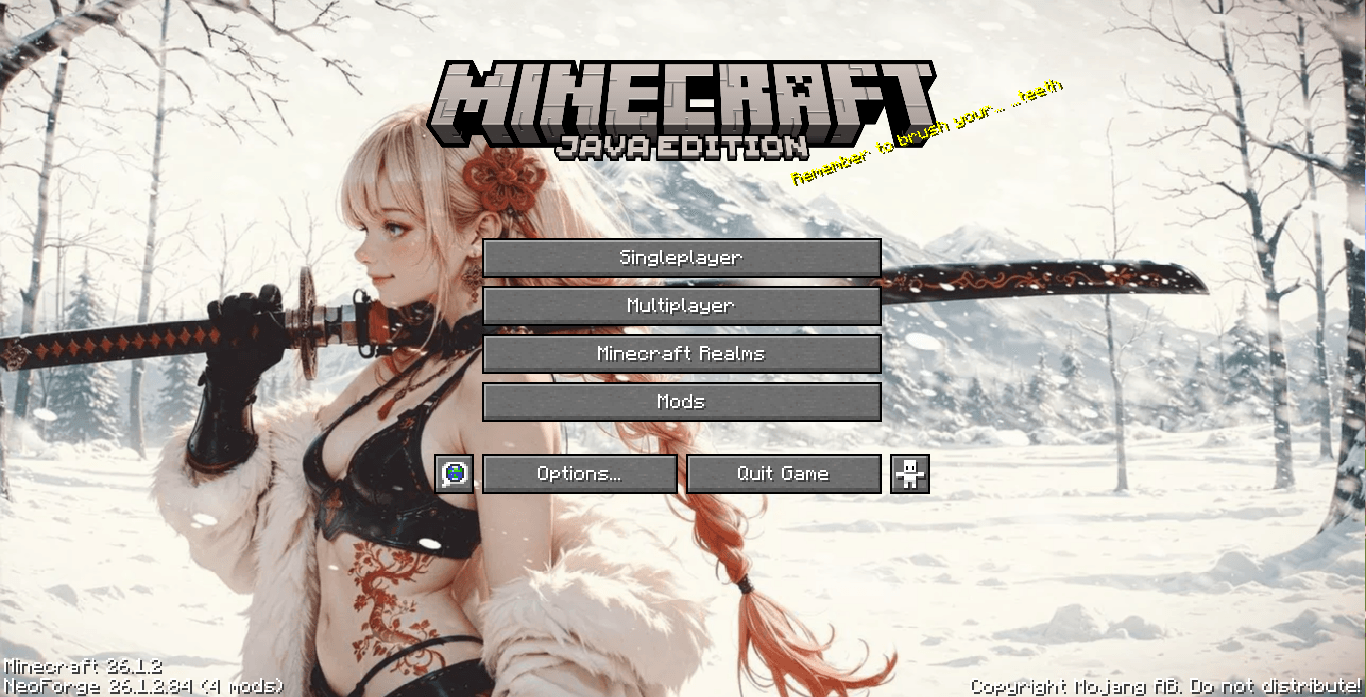
Give your title screen a cold, sharp, and cinematic transformation! Winter Katana - Menu GUI replaces Minecraft’s default spinning main menu panorama with a high-quality static wallpaper featuring a blonde warrior with a detailed katana against a snowy mountain backdrop.

✨ Features

  • Cinematic Art: Features a detailed, high-resolution main menu image with a serene winter vibe.

  • Lightweight & Fast: Only replaces the title screen background to keep load times snappy and performance smooth.

  • 100% Safe & Compatible: Modifies only the main menu panorama—your in-game HUD, inventory, blocks, and mobs remain completely untouched.

🛠️ Installation

  1. Drop the .zip file into your .minecraft/resourcepacks folder.

  2. Go to Options > Resource Packs in-game and activate it.

  3. Drag Winter Katana - Menu GUI to the top of your list so it overrides default menu backgrounds!

Winter Katana - Menu GUI.zip
MC 1.21.2-Snapshot, 1.21, 1.21.6-snapshot, 1.20.2-Snapshot, 1.20.5-Snapshot, 1.21.1-Snapshot, 1.20.2, 1.21.8, 1.20.5, 1.21.5, 1.21.4, 1.21.5-Snapshot, 1.20.1, 1.20, 1.20.6
Release 2026-07-27 Get

Requirements & install

How to use this resource pack in Minecraft
Resolution
16x
Minecraft
1.21 – 1.21.8
Install folder
.minecraft/resourcepacks

How to install resource packs

  1. Download the resource pack .zip file (do not extract it).
  2. In Minecraft open Options → Resource Packs → Open Pack Folder.
  3. Drop the .zip into the resourcepacks folder (.minecraft/resourcepacks).
  4. Move the pack to the Selected column and click Done.
Browse more: 16x resource packs 32x resource packs 64x resource packs 128x resource packs 256x resource packs 512x+ resource packs Resource Packs for 1.21.8 All resource packs

More from Freestyle_modding

Advertisement Remove ads with Premium →

You Might Also Like