Mineuniverse
Resource Packs
Weaponry 3D

Weaponry 3D

RESOURCE PACK
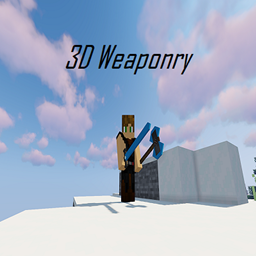
Adds 3D models to the weapons, tools, and some items.
by ThomasMichael1777
Download Claim this project
Add a badge to your pageLink to Weaponry 3D from a README, website or forum post.
Preview: Badge

Badges update automatically and link to the resource pack page on MineUniverse.

6,016 downloads
0 likes
0 followers
Updated Oct 14, 2026
0 hypes
Follow0
16x Medieval Miscellaneous
Advertisement Remove ads with Premium →

Resource Pack for

1.13 Discontinued

1.14  Discontinued

1.15

1.16


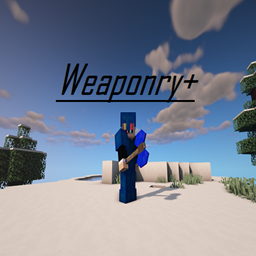
Made as a companion for my mod Weaponry+

Weaponry+


3D Items

-Netherite tools

-Diamond tools

-Iron tools

-Gold tools

-Stone tools

-Wooden tools

-Books/Book and quill/ Enchanted books

-Stick

-Bamboo

-Name tag

-Totem of Undying

-Banner Patterns

-Flint and steel


Texture Changes (Moved to separate pack found here)

-Diamond Ore

-Prismarine Bricks

-Blacktone

-Gilded Blackstone

Ancient Debris


 *You may use assets in your own PRIVATE pack, but may not release it as your own. You may use this pack in your server, if permission and credit is given. If there are any questions, leave a comment.*


-Models made with Blockbench

Feel free to leave suggestions for items and models

3Dweaponry1.15-1.16
MC 1.16-Snapshot, 1.15.2
Release 2020-05-10 Get
3dweaponry1.13-1.14
MC 1.14.4, 1.13.2
Release 2020-04-12 Get
3dweaponry1.15-1.16
MC 1.16-Snapshot, 1.15.2
Release 2020-04-12 Get
3dweaponry_ver1.1_1.15-1.16
MC 1.16-Snapshot, 1.15.2
Release 2020-02-24 Get
3dweaponry_ver1.1_1.13-1.14
MC 1.14.4, 1.13.2
Release 2020-02-24 Get
3DWeaponry1.15-1.16
MC 1.16-Snapshot, 1.15.2
Alpha 2020-02-16 Get

Requirements & install

How to use this resource pack in Minecraft
Resolution
16x
Minecraft
1.13.2 – 1.16-Snapshot
Install folder
.minecraft/resourcepacks

How to install resource packs

  1. Download the resource pack .zip file (do not extract it).
  2. In Minecraft open Options → Resource Packs → Open Pack Folder.
  3. Drop the .zip into the resourcepacks folder (.minecraft/resourcepacks).
  4. Move the pack to the Selected column and click Done.
Browse more: 16x resource packs 32x resource packs 64x resource packs 128x resource packs 256x resource packs 512x+ resource packs Resource Packs for 1.16-Snapshot All resource packs

More from ThomasMichael1777

Advertisement Remove ads with Premium →

You Might Also Like