Mineuniverse
Resource Packs
Vexal Liveries Fictionals and Realistics

Vexal Liveries Fictionals and Realistics

RESOURCE PACK
All dependent packs can be found in the discord server, PLEASE DO NOT EXPECT AMAZING CONTENT FRIM THIS PACK, we are a small minecraft server baed on the Immersive railroading mod, Join through our discord!
by Vexal_Railroading
Download Claim this project
Add a badge to your pageLink to Vexal Liveries Fictionals and Realistics from a README, website or forum post.
Preview: Badge

Badges update automatically and link to the resource pack page on MineUniverse.

274 downloads
0 likes
0 followers
Updated Oct 14, 2026
0 hypes
Follow0
Data Packs
Advertisement Remove ads with Premium →

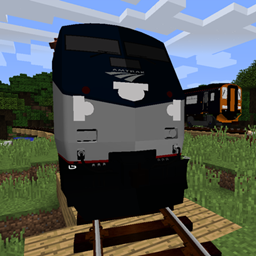
Vexal Liveries Fictionals and Realistics is a pack made for Vexal Railroading(our server). I have decided to make it opublicly available to all of you! If you wnt any custom liveries made, join my server linked and ping @vexal (me), this pack adds quite a few new liveries to your Immersive Railroading stock(Liveries will only show up if the dependent packs(find in our discord) are present in your config file). These include some real-world brands and companies, also some fictional companies me and some other members of my server have made, this pack is used in our server mainly. This pack offers liveries for your IR Stock, allowing a more immersive feeling based on where you are, i do take requests in our discord so if you want anything to be added, join the server and ask in #liveries. Server can be joined through our discord.

vexal_liveries_v2.7
MC 1.16.5, 1.10.2, 1.14.4, 1.20.1, 1.7.10, 1.15.2, 1.11.2, 1.12.2
Release 2026-10-15 Get
Vexal_Liveries_V2.4.zip
MC 1.16.5, 1.10.2, 1.14.4, 1.20.1, 1.7.10, 1.15.2, 1.11.2, 1.12.2
Release 2026-06-05 Get
Vexal_Liveries_V2.2
MC 1.16.5, 1.10.2, 1.14.4, 1.20.1, 1.7.10, 1.15.2, 1.11.2, 1.12.2
Release 2026-06-04 Get

Requirements & install

How to use this resource pack in Minecraft
Resolution
Not specified
Minecraft
1.7.10 – 1.20.1
Install folder
.minecraft/resourcepacks

How to install resource packs

  1. Download the resource pack .zip file (do not extract it).
  2. In Minecraft open Options → Resource Packs → Open Pack Folder.
  3. Drop the .zip into the resourcepacks folder (.minecraft/resourcepacks).
  4. Move the pack to the Selected column and click Done.
Browse more: 16x resource packs 32x resource packs 64x resource packs 128x resource packs 256x resource packs 512x+ resource packs Resource Packs for 1.20.1 All resource packs

More from Vexal_Railroading

Advertisement Remove ads with Premium →

You Might Also Like