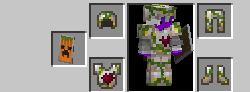
A resourcepack that has merged all the necessary resources for the TurtelSMP Minecraft Server. No more broken models or missing textures. This is made for the datapacks on the server and all their required resources.
Playing without the texturepack on the TurtelSMP server is not impossible but not advised as many things will look off. It includes many models and textures as well as sounds that are needed for the best experience.
This lets users view things that would otherwise appear as normal slabs or other vanilla items, some textures may even appear like mobs such as villagers when in fact they should be a snail. Without the texturepack you wont be able to see the awesome items that are in our server.
<textarea id="BFI_DATA" style="width: 1px; height: 1px; display: none;"></textarea>
TRANSLATE with ![]() x
x
<input id="LanguageMenu_svid" style="display: none;" autocomplete="on" name="LanguageMenu_svid" type="text" value="en" /> <input id="LanguageMenu_textid" style="display: none;" autocomplete="on" name="LanguageMenu_textid" type="text" />
English
TRANSLATE with
![]()
COPY THE URL BELOW
<input id="ShareTextbox" name="ShareTextbox" readonly="readonly" type="text" />
![]()
![]() Back
Back
<input id="EmailSubject" name="EmailSubject" type="hidden" value="Check out this page in {0} translated from {1}" /> <input id="EmailBody" name="EmailBody" type="hidden" value="Translated: {0}%0d%0aOriginal: {1}%0d%0a%0d%0aAutomatic translation powered by Microsoft® Translator%0d%0ahttp://www.bing.com/translator?ref=MSTWidget" /> <input id="ShareHelpText" type="hidden" value="This link allows visitors to launch this page and automatically translate it to {0}." />
EMBED THE SNIPPET BELOW IN YOUR SITE ![]()
<input id="EmbedSnippetTextBox" name="EmbedSnippetTextBox" readonly="readonly" type="text" value="<div id='MicrosoftTranslatorWidget' class='Dark' style='color:white;background-color:#555555'></div>" />