Mineuniverse
Resource Packs
TruePixelR — Modern Realistic PBR Textures

TruePixelR — Modern Realistic PBR Textures

RESOURCE PACK
A Modern Realistic PBR Texture Pack
by TruePixelR
Download Claim this project
Add a badge to your pageLink to TruePixelR — Modern Realistic PBR Textures from a README, website or forum post.
Preview: Badge

Badges update automatically and link to the resource pack page on MineUniverse.

21,639 downloads
0 likes
0 followers
Updated Oct 14, 2026
0 hypes
Follow0
512x and Higher Modern Photo Realistic
Advertisement Remove ads with Premium →

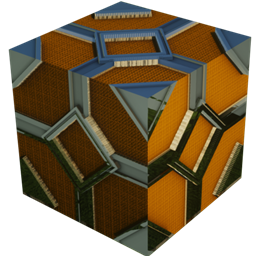
TruePixelR is a modern, cinematic texture pack built for realistic Minecraft. Every block is crafted with clean, architectural materials and full PBR support — making your worlds feel sharper, deeper, and more immersive.


High resolution download from Patreon


Features

  • Modern, photoreal materials designed for clean builds
  • Full PBR workflow (Albedo / Normal / Roughness / Height)
  • POM (Parallax Occlusion Mapping) for extreme surface depth
  • Four-way seamless tiling to reduce visible repeats
  • Consistent art style from 64× to 1024×
  • Monthly updates, ~20% of core blocks covered so far

Compatibility

  • Minecraft Java Edition: 1.16.5 → Latest
  • Shaders: Bliss, Complementary Unbound, Kappa, SEUS PTGI HRR 2.1
  • Requires: OptiFine or Iris (for shader support)
  • POM: Supported on shaders that allow Parallax Occlusion Mapping

Available Resolutions

  • Free: 64×
  • Pro: 128× / 256×
  • Elite: 512× / 1024× (cinematic tier)

How to Install

  1. Download the TruePixelR .zip for your chosen resolution
  2. Place it in the resourcepacks folder
  3. Enable it in Options → Resource Packs
  4. Install OptiFine or Iris + Sodium
  5. Select a shader (Bliss / Complementary Unbound / Kappa / SEUS PTGI HRR 2.1)
  6. Enable PBR/POM in shader settings
TruePixelR Texture Pack v0.1 64x.zip
MC 1.16.3, 1.16-Snapshot, 1.17.1, 1.21.2-Snapshot, 1.21, 1.21.6-snapshot, 1.16.1, 1.18.1, 1.20.2-Snapshot, 1.20.5-Snapshot, 1.16, 1.19-Snapshot, 1.21.1-Snapshot, 1.16.5, 1.19.3, 1.20.2
Release 2025-11-26 Get

Requirements & install

How to use this resource pack in Minecraft
Resolution
512x+
Minecraft
1.19.3 – 1.21.6-snapshot
Install folder
.minecraft/resourcepacks

How to install resource packs

  1. Download the resource pack .zip file (do not extract it).
  2. In Minecraft open Options → Resource Packs → Open Pack Folder.
  3. Drop the .zip into the resourcepacks folder (.minecraft/resourcepacks).
  4. Move the pack to the Selected column and click Done.

512x packs need a strong GPU and at least 4 GB of RAM for Minecraft; a performance mod such as Sodium is strongly recommended.

Browse more: 16x resource packs 32x resource packs 64x resource packs 128x resource packs 256x resource packs 512x+ resource packs Resource Packs for 1.21.6-snapshot All resource packs
Advertisement Remove ads with Premium →

You Might Also Like