

Mineuniverse
Resource Packs
Trails & Tales panorama with shader (Java Edition)

Trails & Tales panorama with shader (Java Edition)

RESOURCE PACK
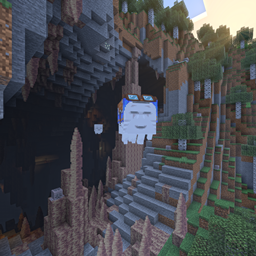
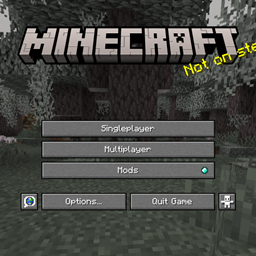
This resource pack enhances the default Minecraft 1.20 Trails & Tales panorama with improved shaders for a more visually appealing title screen.
by ThreeSeven0Zero
Download Claim this project
15,067 downloads
0 likes
0 followers
Updated Oct 14, 2026
0 hypes
Follow0
512x and Higher Miscellaneous Photo Realistic
Advertisement Remove ads with Premium →

1.20 Trails & Tales Shader Panorama - Java Edition

Bedrock Edition (Curseforge)   Bedrock Edition (MCPEDL)   Java Edition (Curseforge)


📃 Description

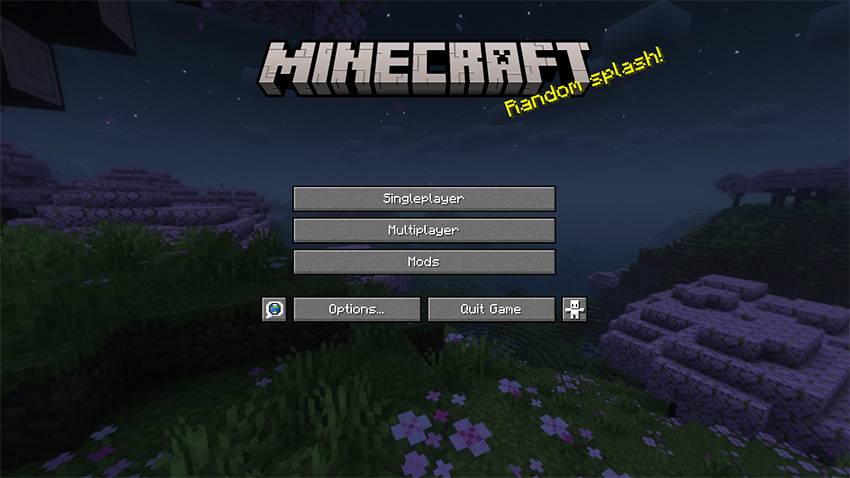
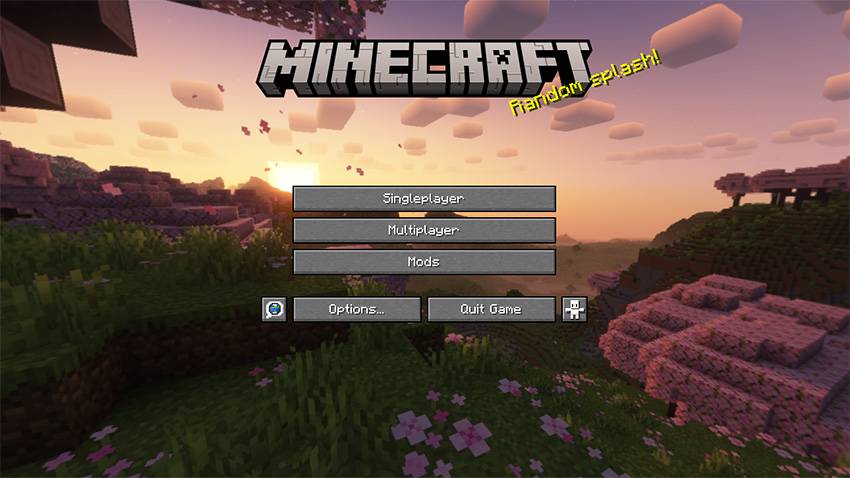
If you want to make the Minecraft title screen look beautiful, this resource pack is for you. This pack gives you the default 1.20 Trails & Tales panorama but enhanced with shaders. The beautiful sunrise in the cherry blossom forest on top of the mountains looks even better with shaders applied than I expected!

The MinecraftAtHome community discovered the seed for the 1.20 panorama. Using that, I captured the panorama with the Complementary Reimagined shader.


🫧 Versions

There are 2 versions of this panorama

  • ☀️ Default (Day): The original version of this panorama
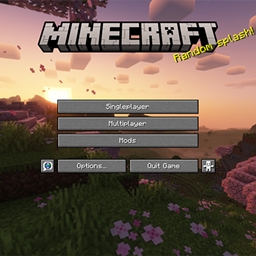
  • 🌙 Night: A new night mode version of the original

🔴 Note

This is not a shader and does not include one; this is a resource pack to just change the panorama/background to those shown in the screenshots.

This pack should work on almost all versions of Minecraft Java; just ignore the "Incompatible" warning.

 

ℹ️ Credits & Info

🏅 Credits

Complementary Reimagined - Shader used to take this panorama

Website •  Github •  Curseforge
 

MinecraftAtHome - found the panorama seed

Website •  YouTube •  Panorama seed


⚠️ Warning

My packs are only available on Curseforge and MCPEDL. A lot of people are stealing my packs, so don't download from any other websites. Here is a list of websites that you should avoid, I even found malware once while testing on them. If you see someone coping this texture pack or giving direct download link to the file instead of MCPEDL, please report them at [email protected]


❔ Help

Here’s a guide if you need help installing: https://adib3700.notion.site/ThreeSeven0Zero-Minecraft-Resource-Pack-Installation-tutorial-1ac9ff516372807ca61cf8ad8afd5339

[email protected] - If you need any help, you can email me (say that you need help with 1.20 panorama with shader for Java)


🪨 Bedrock

This is for Minecraft Java edition; you can get the Bedrock version here: https://www.curseforge.com/minecraft-bedrock/texture-packs/shader-panorama-1-20


Also known as the 1.20 shader panorama, 1.20 Panorama with shaders or Trails and Tales shader panorama

(Night Mode) 1.20 Shader panorama
MC 1.20.2, 1.21, 1.20.5, 1.20.2-Snapshot, 1.20.5-Snapshot, 1.20.3-Snapshot, 1.20.3, 1.20.1, 1.20, 1.20.6, 1.20.4, 1.21-Snapshot, 1.20-Snapshot
Release 2024-07-28 Get
1.20 Shader panorama
MC 1.20.2, 1.21, 1.20.5, 1.20.2-Snapshot, 1.20.3-Snapshot, 1.20.3, 1.20.1, 1.20, 1.20.6, 1.20.4, 1.21-Snapshot, 1.20-Snapshot
Release 2024-07-28 Get

Requirements & install

How to use this resource pack in Minecraft
Resolution
512x+
Minecraft
1.20.3-Snapshot – 1.21
Install folder
.minecraft/resourcepacks

How to install resource packs

  1. Download the resource pack .zip file (do not extract it).
  2. In Minecraft open Options → Resource Packs → Open Pack Folder.
  3. Drop the .zip into the resourcepacks folder (.minecraft/resourcepacks).
  4. Move the pack to the Selected column and click Done.

512x packs need a strong GPU and at least 4 GB of RAM for Minecraft; a performance mod such as Sodium is strongly recommended.

Browse more: 16x resource packs 32x resource packs 64x resource packs 128x resource packs 256x resource packs 512x+ resource packs Resource Packs for 1.21 All resource packs

More from ThreeSeven0Zero

Advertisement Remove ads with Premium →

You Might Also Like