Mineuniverse
Resource Packs
Toyta yaris totem

Toyta yaris totem

RESOURCE PACK
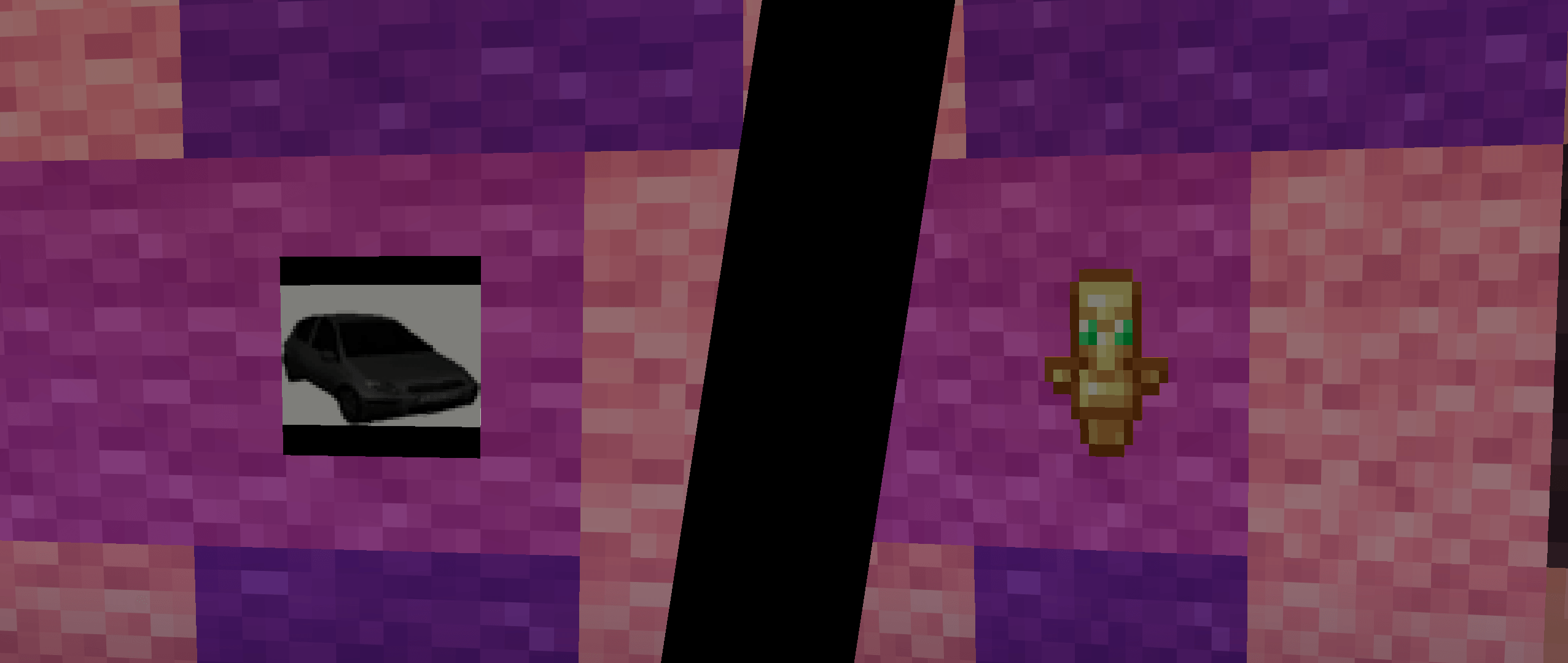
This resource pack changes the Totem of Undying into a Toyota Yaris.
by przekliniak_od_czesia
Download Claim this project
Add a badge to your pageLink to Toyta yaris totem from a README, website or forum post.
Preview: Badge

Badges update automatically and link to the resource pack page on MineUniverse.

50 downloads
0 likes
0 followers
Updated Oct 14, 2026
0 hypes
Follow0
64x Animated
Advertisement Remove ads with Premium →

Toyota Yaris Dancing Totem (EN)

Turn your Minecraft Totem of Undying into the legendary dancing Toyota Yaris! 

This resource pack replaces the Totem of Undying with a funny Toyota Yaris based on the iconic dancing Yaris meme.

Features

  •  Toyota Yaris replaces the Totem of Undying

  •  Based on the popular dancing Toyota Yaris meme

  •  Works as a visual replacement for the Totem of Undying

  •  Perfect for memes, fun survival worlds and servers

  •  Lightweight and easy to install

Activate your totem and let the Toyota Yaris save you from death!

Have fun and enjoy your dancing Yaris! 


Totem Tańczącej Toyoty Yaris (PL)

Zamień swój Totem Nieśmiertelności w legendarną, tańczącą Toyotę Yaris! 

Ten resource pack zastępuje Totem Nieśmiertelności Toyotą Yaris inspirowaną kultowym memem z tańczącym Yarisem.

Funkcje

  •  Toyota Yaris zamiast Totemu Nieśmiertelności

  •  Inspiracja popularnym memem z tańczącą Toyotą Yaris

  •  Wizualna zamiana Totemu Nieśmiertelności

  •  Idealny do memów, survivalu i serwerów

  •  Lekki i łatwy w instalacji

Aktywuj totem i pozwól tańczącej Toyocie Yaris uratować Cię przed śmiercią!

Miłej zabawy i niech Yaris tańczy! 

Totem_Toyota_Yaris_by_Przekliniak.zip
MC 26.2
Beta 2026-09-21 Get

Requirements & install

How to use this resource pack in Minecraft
Resolution
64x
Minecraft
26.2
Install folder
.minecraft/resourcepacks

How to install resource packs

  1. Download the resource pack .zip file (do not extract it).
  2. In Minecraft open Options → Resource Packs → Open Pack Folder.
  3. Drop the .zip into the resourcepacks folder (.minecraft/resourcepacks).
  4. Move the pack to the Selected column and click Done.
Browse more: 16x resource packs 32x resource packs 64x resource packs 128x resource packs 256x resource packs 512x+ resource packs Resource Packs for 26.2 All resource packs
Advertisement Remove ads with Premium →

You Might Also Like