Mineuniverse
Resource Packs
Totem Blink

Totem Blink

RESOURCE PACK
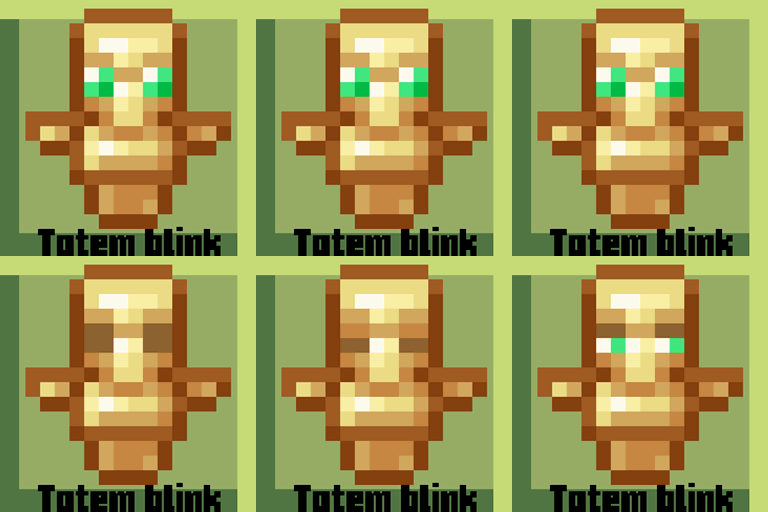
πŸ‘€-Totems can blink with this pack!!
by C_univerz
Download Claim this project
1,945 downloads
0 likes
Updated Oct 14, 2026
0 hypes
16x Animated Miscellaneous Mod Support Traditional
Advertisement Remove ads with Premium →

π“π¨π­πžπ¦ 𝐛π₯𝐒𝐧𝐀 - 𝐀 π…π«πžπ¬π‘ π“πšπ€πž 𝐨𝐧 π“π¨π­πžπ¦π¬!

Upgrade your totems. Make them yours. Stay tuned for more features!

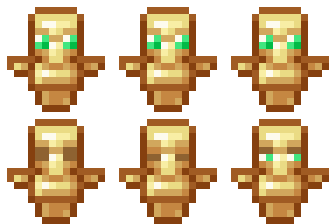
In this unique resource pack, totems aren’t just lifeless icons anymore—they blink! That’s right, the totems now have subtle, animated eyes that bring them to life in a whole new way. And that’s not all—customization is coming soon! You'll soon be able to personalize your totem with your own Minecraft skin, making every revival feel even more personal and epic.
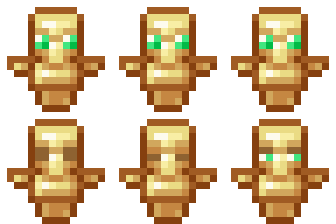
  <---Preview


Official one is added. This mod is finally revived. updates to current versions!!

                                                                                                                                                join our discord

 planet minecraft page


-----Credits ----

  • C univerz - owner


Totem blink-Official (1.21-1.21.5)
MC 1.21.2-Snapshot, 1.21, 1.21.5, 1.21.1-Snapshot, 1.21.4, 1.21.5-Snapshot, 1.21-Snapshot, 1.21.3, 1.21.1, 1.21.4-Snapshot, 1.21.2
Release 2025-04-20 Get
totem blink 1.12.1 beta
MC 1.13.1, 1.12.1, 1.12, 1.12.2, 1.13.2
Beta 2022-09-14 Get
totem blink v3 official
MC 1.17.1, 1.18.1, 1.18.2
Release 2022-07-01 Get
Totem blink v3-1.19 (non official)
MC 1.19-Snapshot, 1.19.1, 1.19
Beta 2022-07-01 Get
totem blink v2 1.19
MC 1.19-Snapshot, 1.18.2, 1.19
Release 2022-06-24 Get
totem blink v1
MC 1.16.5, 1.16.4
Release 2022-06-24 Get
Totem_blink
MC 1.18.1, 1.18.2, 1.18
Beta 2022-06-02 Get

Requirements & install

How to use this resource pack in Minecraft
Resolution
16x
Minecraft
1.21.1 – 1.21.5
Install folder
.minecraft/resourcepacks

How to install resource packs

  1. Download the resource pack .zip file (do not extract it).
  2. In Minecraft open Options β†’ Resource Packs β†’ Open Pack Folder.
  3. Drop the .zip into the resourcepacks folder (.minecraft/resourcepacks).
  4. Move the pack to the Selected column and click Done.
Browse more: 16x resource packs 32x resource packs 64x resource packs 128x resource packs 256x resource packs 512x+ resource packs Resource Packs for 1.21.5 All resource packs

More from C_univerz

Advertisement Remove ads with Premium →

You Might Also Like