Mineuniverse
Resource Packs
Tiny Shields and Totems

Tiny Shields and Totems

RESOURCE PACK
A simple, performance-friendly resource pack that shrinks the totem of undying and shield in first-person view, giving you cleaner visibility without changing vanilla textures.
by qlttqb
Download Claim this project
Add a badge to your pageLink to Tiny Shields and Totems from a README, website or forum post.
Preview: Badge

Badges update automatically and link to the resource pack page on MineUniverse.

13,676 downloads
0 likes
0 followers
Updated Oct 14, 2026
0 hypes
Follow0
16x
Advertisement Remove ads with Premium →

Tiny Shields and Totems

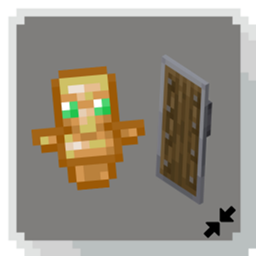
Tiny Shields and Totems is a lightweight resource pack that reduces the size of the totem of undying and shield in first-person view, giving you a cleaner, less obstructed perspective, especially useful in combat, exploration, and recording/streaming.

Before:

an image of how the default totems and shields look

After:

an image of how the updated shield and totems look

Tiny Totem When Activated

postmortal

Features

  1. Compact Totem: The totem of undying is scaled down so it no longer dominates the right side of your screen while holding it.

  2. Slimmer Shield: The shield is trimmed to take up less of your view when blocking, so you can actually see what's coming at you.

  3. No Performance Impact: Pure model and texture changes only. Zero FPS cost.

  4. Vanilla-Faithful: Keeps the original textures and animations intact, just smaller.

Why Use This?

Holding a totem or shield in vanilla Minecraft can block a significant chunk of your screen. This pack is built for players who want maximum visibility without sacrificing the functionality or aesthetic of either item, making it great for PvP, speedrunning, hardcore mode, or just everyday play. Compatibility

Compatible with most other resource packs (load this above packs that modify HUD or item models to ensure priority) Works with OptiFine, Sodium + Iris, and vanilla

Tiny Shields and Totems.zip
MC 1.21.11-snapshot, 1.21.11, 26.1, 26.1.1, 26.1.2, 26.2, 26.3
Release 2026-04-17 Get

Requirements & install

How to use this resource pack in Minecraft
Resolution
16x
Minecraft
1.21.11-snapshot – 26.3
Install folder
.minecraft/resourcepacks

How to install resource packs

  1. Download the resource pack .zip file (do not extract it).
  2. In Minecraft open Options → Resource Packs → Open Pack Folder.
  3. Drop the .zip into the resourcepacks folder (.minecraft/resourcepacks).
  4. Move the pack to the Selected column and click Done.
Browse more: 16x resource packs 32x resource packs 64x resource packs 128x resource packs 256x resource packs 512x+ resource packs Resource Packs for 26.3 All resource packs

More from qlttqb

Advertisement Remove ads with Premium →

You Might Also Like