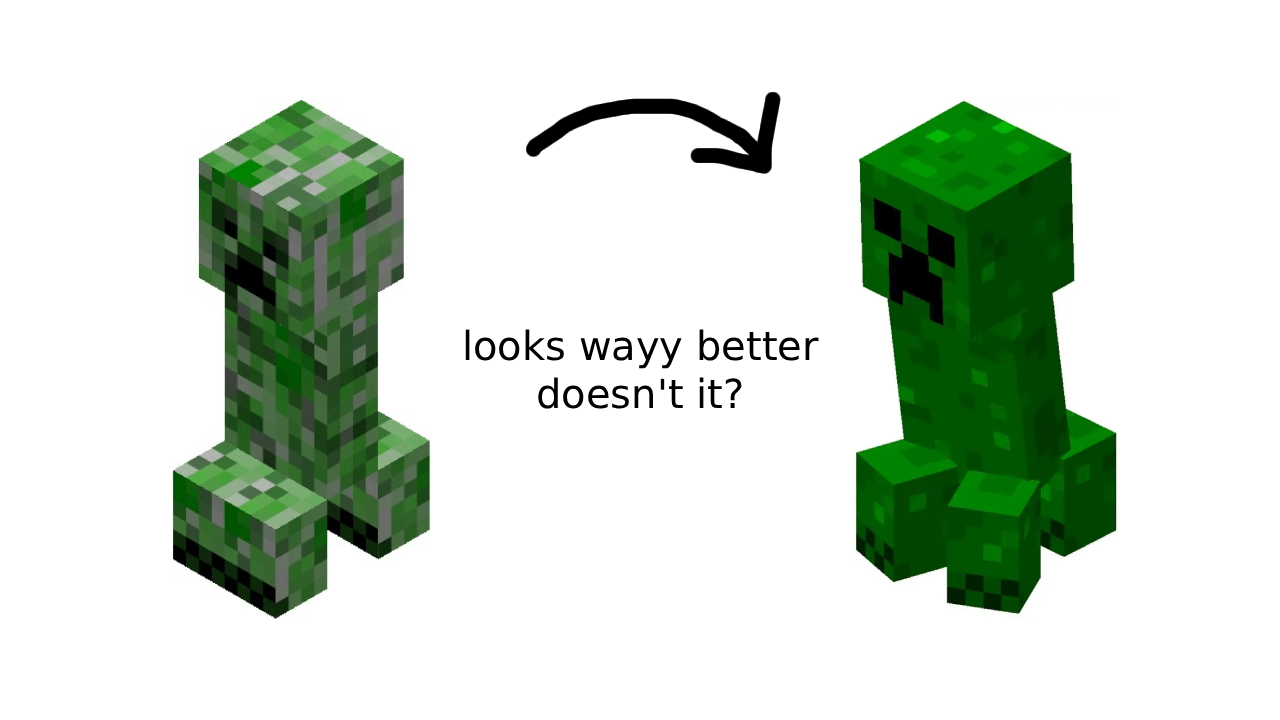
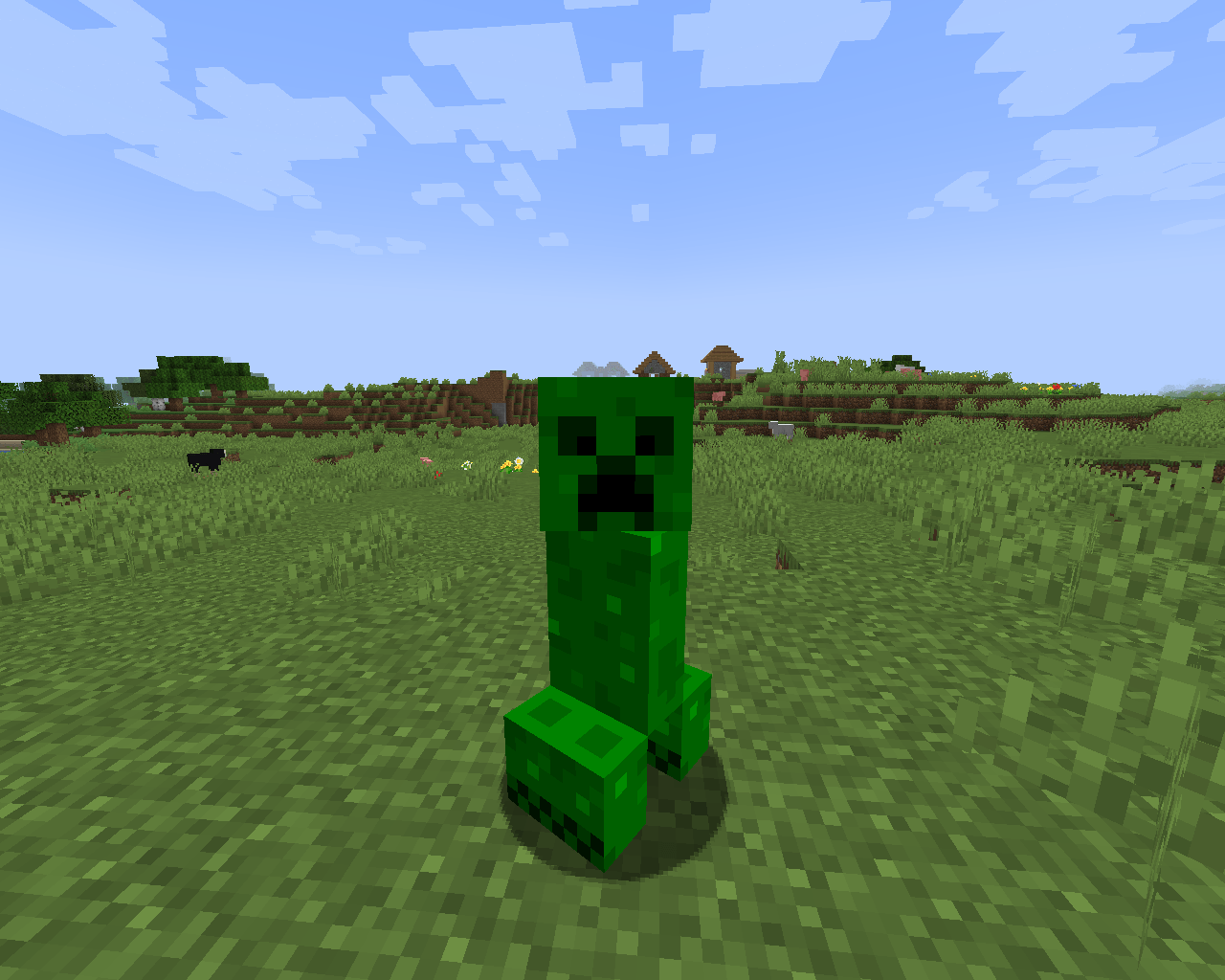
DungeonCreepers is a lightweight, client-side resource pack that brings the Creeper from Minecraft Dungeons into the classic Minecraft world. Players who enjoy a more immersive and visually striking experience will appreciate how this pack transforms the standard Creeper into its detailed, dungeon-inspired counterpart, giving every encounter a fresh and intense feel. Whether you’re navigating forests, caves, or villages, DungeonCreepers adds a bold, polished look to your game without altering other textures.
Key Features:
DungeonCreepers: Replaces the standard Creeper with the fully detailed, menacing design from Minecraft Dungeons.
Minimal & Lightweight: Only modifies the Creeper texture; all other mobs and blocks remain untouched.
Compatible with Any Pack: Works seamlessly alongside your favorite texture packs without conflicts.
Immersive Gameplay: Perfect for players who want their Creeper encounters to feel more dramatic and visually engaging.
Installation Instructions:
Download the DungeonCreepers zip.
Move the DungeonCreepers folder into your Minecraft resourcepacks directory.
Windows: %appdata%.minecraft\resourcepacks
macOS: ~/Library/Application Support/minecraft/resourcepacks
Launch Minecraft, go to Options → Resource Packs, and enable DungeonCreepers.
Layer it on top of any other resource pack if desired.
Notes:
Fully client-side; no server mods required.
Works on all supported Minecraft versions (1.20+ recommended).
Ideal for survival, hardcore, or anyone looking to add a bold, dungeon-inspired twist to Creeper encounters.