Mineuniverse
Resource Packs
The Soul Fire Keeper Java

The Soul Fire Keeper Java

RESOURCE PACK
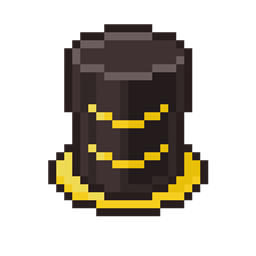
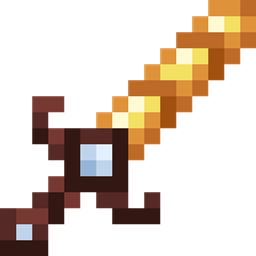
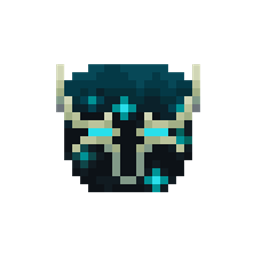
Give your tools and armor a look inspired by soulfire
by SirRiesling
Download Claim this project
Add a badge to your pageLink to The Soul Fire Keeper Java from a README, website or forum post.
Preview: Badge

Badges update automatically and link to the resource pack page on MineUniverse.

1,598 downloads
0 likes
0 followers
Updated Oct 14, 2026
0 hypes
Follow0
32x Medieval
Advertisement Remove ads with Premium →


[​ES]

Este paquete de texturas modifica las texturas de las herramientas y armaduras de hierro, oro, diamante o netherite, para darles un estilo de fuego de almas, además, esta brillará en la oscuridad (siempre y cuando tengas Minecraft Java con Optifine y la opción de "Texturas emisivas" activada) de de aumentar la resolución a 32 pixeles para más detalles.

Intentaré hacen una versión 16x16 para aquellos que no acostumbren usar paquetes de texturas de 32x32 (hecho), pero no aseguro que salga igual a esta versión, puede sufrir modificaciones para que encaje mejor con la resolución de 16x16 pixeles.

[​EN]

This texture pack modifies the textures of iron, gold, diamond or netherite tools and armor to give them a soulfire style, plus it will glow in the dark (as long as you have Minecraft Java with Optifine and the option to "Emissive textures" activated) of increasing the resolution to 32 pixels for more details.

I'll try to make a 16x16 version for those who aren't used to using 32x32 texture packs (done), but I'm not sure it will come out the same as this version, it may be modified to fit better with the 16x16 pixel resolution.

§8§lThe §b§lSoul §b§lFire §8§lKeeper §8§lNetherite.zip
MC 1.17, 1.16, 1.20, 1.18, 1.19
Release 2023-11-10 Get
§8§lThe §c§lFire §8§lKeeper §8§lNetherite.zip
MC 1.17, 1.16, 1.20, 1.18, 1.19
Release 2023-11-10 Get

Requirements & install

How to use this resource pack in Minecraft
Resolution
32x
Minecraft
1.16 – 1.20
Install folder
.minecraft/resourcepacks

How to install resource packs

  1. Download the resource pack .zip file (do not extract it).
  2. In Minecraft open Options → Resource Packs → Open Pack Folder.
  3. Drop the .zip into the resourcepacks folder (.minecraft/resourcepacks).
  4. Move the pack to the Selected column and click Done.
Browse more: 16x resource packs 32x resource packs 64x resource packs 128x resource packs 256x resource packs 512x+ resource packs Resource Packs for 1.20 All resource packs

More from SirRiesling

Advertisement Remove ads with Premium →

You Might Also Like