Mineuniverse
Resource Packs
Technoblade Memorial

Technoblade Memorial

RESOURCE PACK
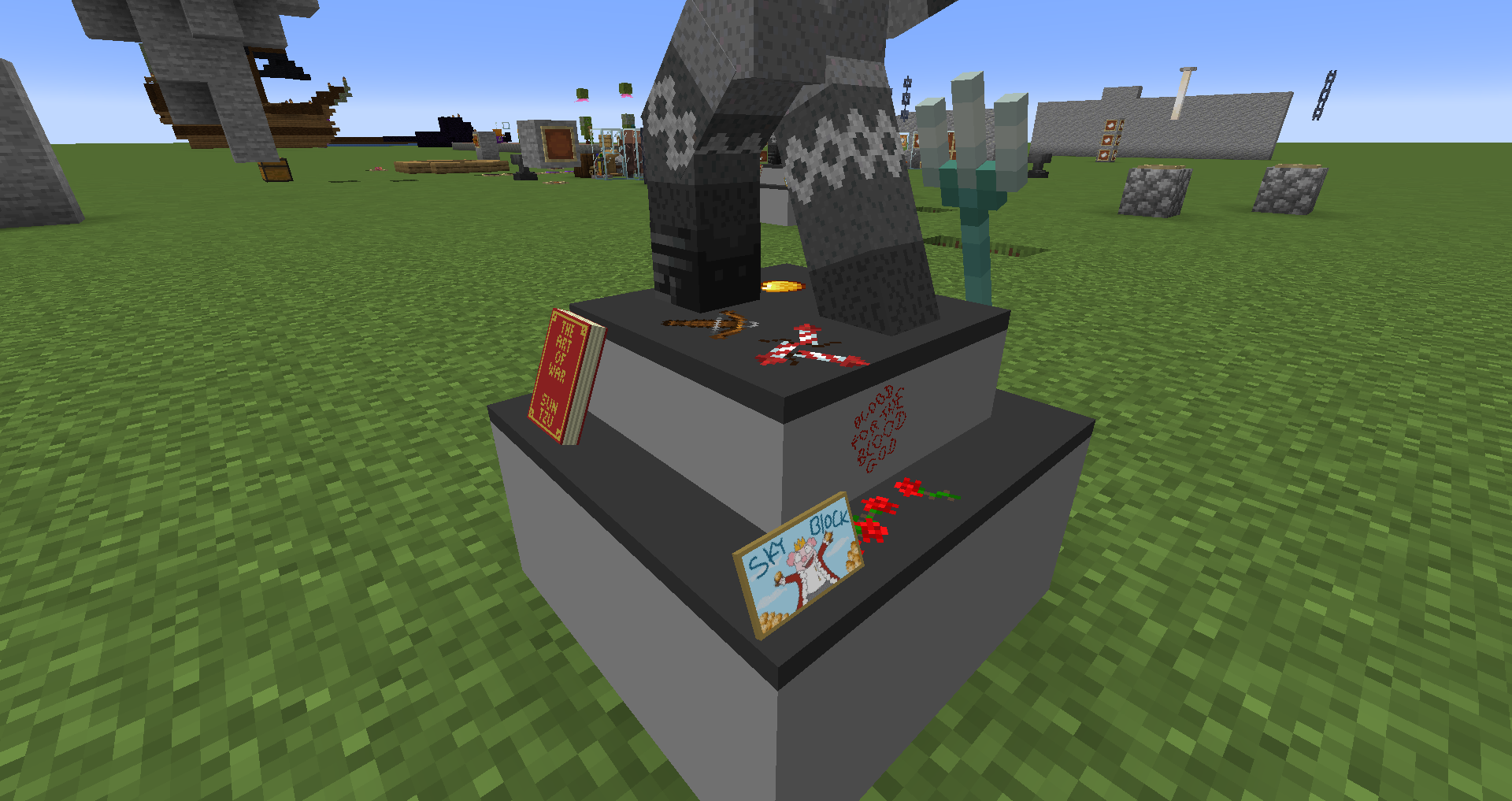
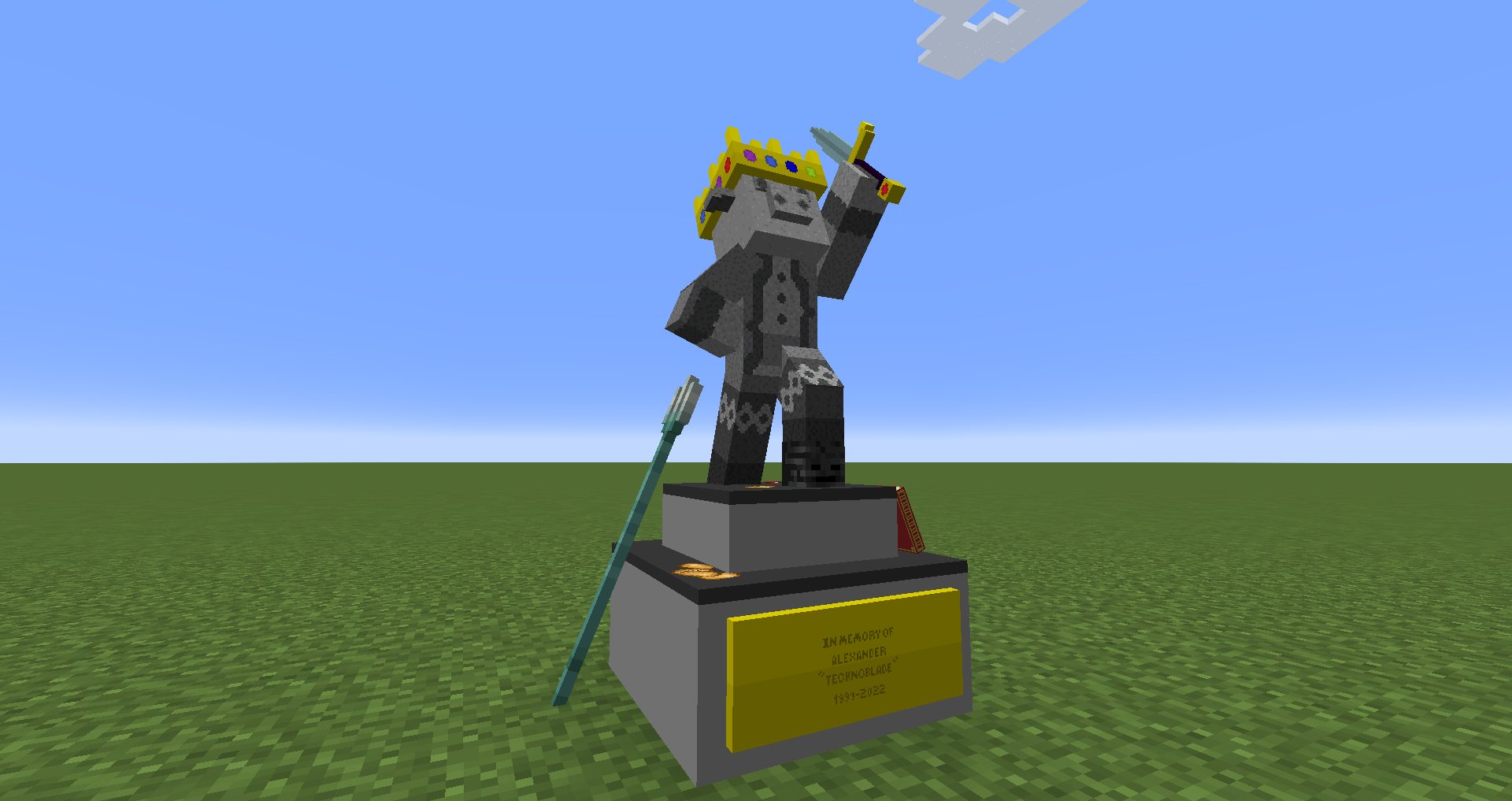
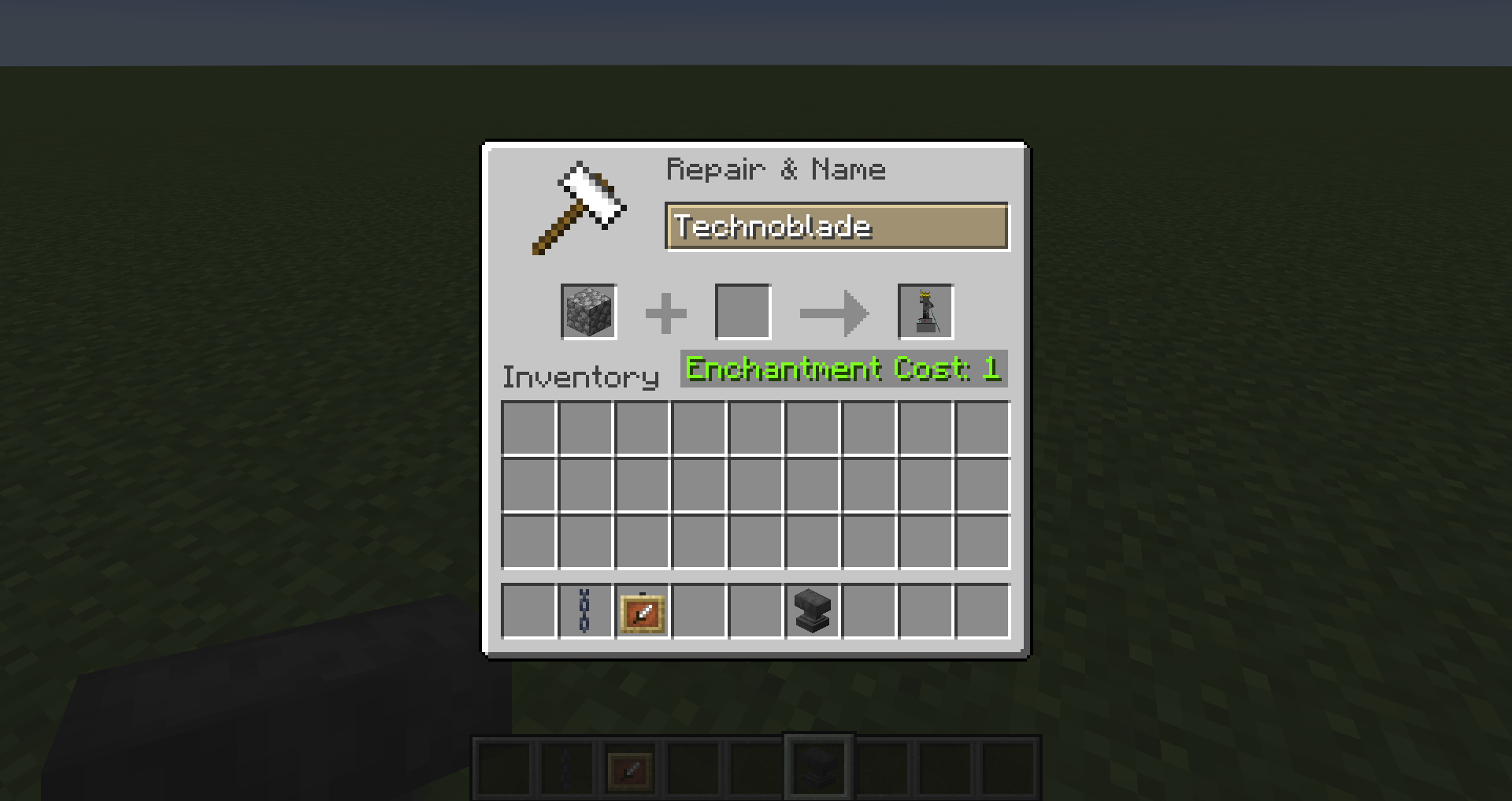
This pack adds a Technoblade memorial that can be accessed by renaming a piece of cobblestone to "Technoblade" and putting it in an item frame.
by FeathersAndFluff
Download Claim this project
3,244 downloads
0 likes
0 followers
Updated Oct 14, 2026
0 hypes
Follow0
512x and Higher Miscellaneous
Advertisement Remove ads with Premium →

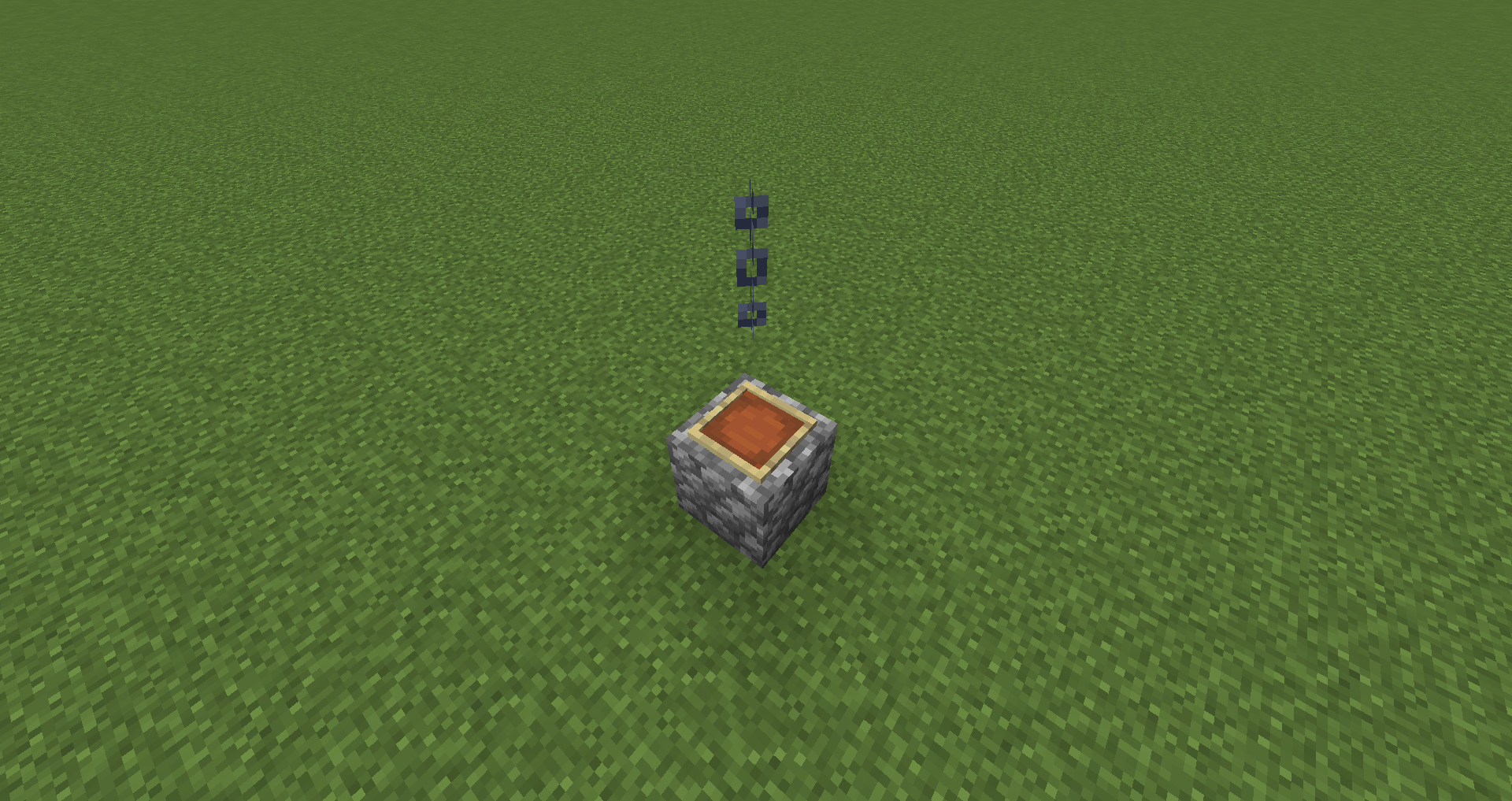
This pack adds a memorial for Technoblade. You can get it by renaming a piece of cobblestone to "Technoblade". It is best displayed by placing it in an item frame on top of a block that will serve as a hitbox with a chain above it. Optifine is required for this to work.


Technoblade was an amazing person that touched the hearts of millions. May he rest in peace. I made this as a way to get a bit more closure. Hopefully this pack can help others to get the same.


Technoblade_Memorial.zip
MC 1.18.1, 1.19-Snapshot, 1.18.2, 1.19.1, 1.18, 1.19
Release 2022-07-03 Get

Requirements & install

How to use this resource pack in Minecraft
Resolution
512x+
Minecraft
1.18 – 1.19.1
Install folder
.minecraft/resourcepacks

How to install resource packs

  1. Download the resource pack .zip file (do not extract it).
  2. In Minecraft open Options → Resource Packs → Open Pack Folder.
  3. Drop the .zip into the resourcepacks folder (.minecraft/resourcepacks).
  4. Move the pack to the Selected column and click Done.

512x packs need a strong GPU and at least 4 GB of RAM for Minecraft; a performance mod such as Sodium is strongly recommended.

Browse more: 16x resource packs 32x resource packs 64x resource packs 128x resource packs 256x resource packs 512x+ resource packs Resource Packs for 1.19.1 All resource packs
Advertisement Remove ads with Premium →

You Might Also Like