Mineuniverse
Resource Packs
Techno-Pig (Optifine)

Techno-Pig (Optifine)

RESOURCE PACK
The King Pig is eternal
by AlinoeTheBunny
Download Claim this project
1,831 downloads
0 likes
0 followers
Updated Oct 14, 2026
0 hypes
Follow0
16x Miscellaneous
Advertisement Remove ads with Premium →


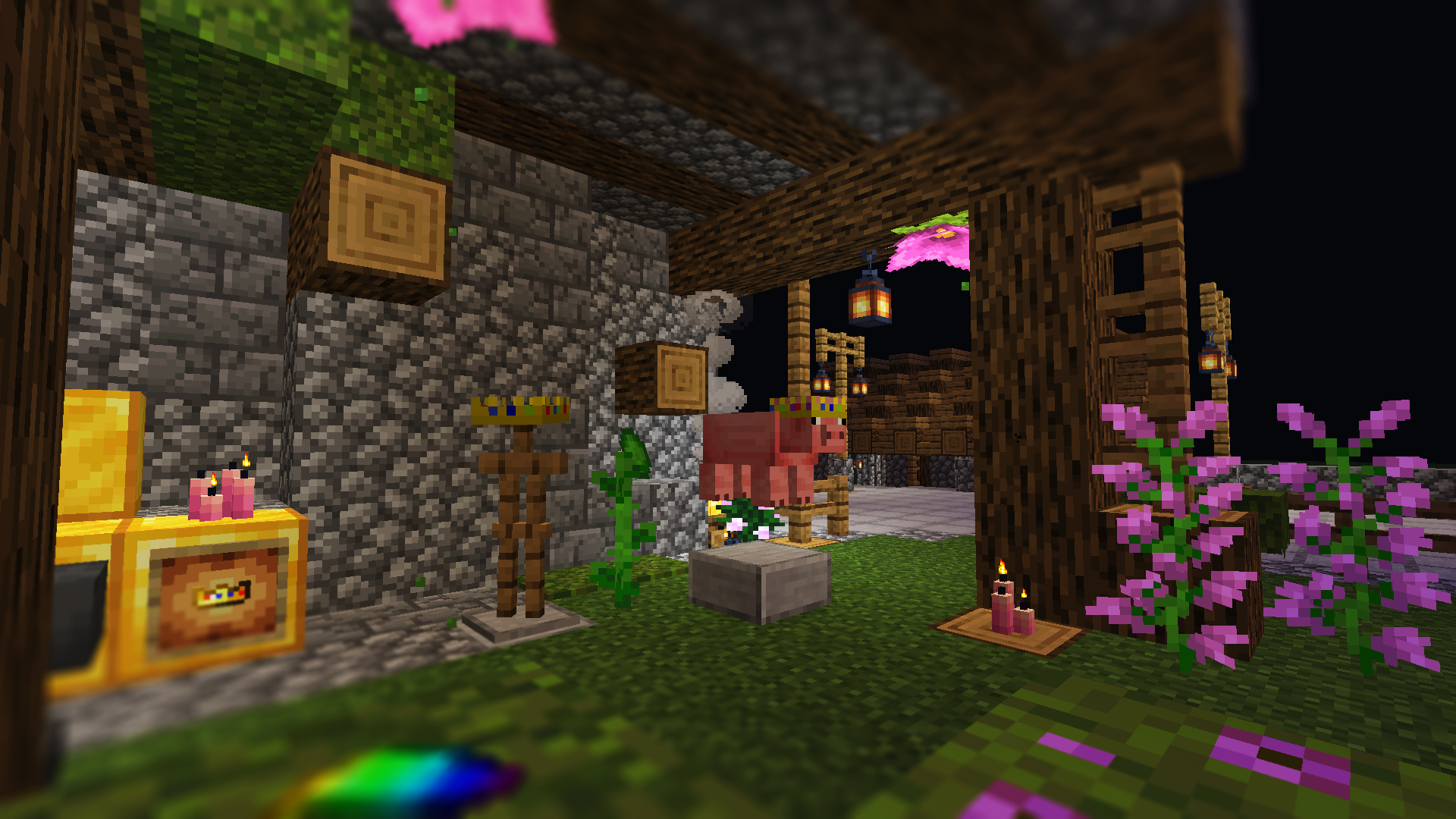
This texture pack allow you to give the Technoblade crown to a pig, just rename it with a name tag
Rename the name tag to "Technoblade" on a anvil, texture will change to a crown then just apply it to a random pig or your favorite one
Also, you can wear the crown or put in on armor-stand, juste rename a helmet (except leather and chainmails) to "Technoblade"


1.13+, 1.14+ and 1.15+ should work with 1.16 version, just ignore the warning when activate

Optifine is required for this pack
Possible conflict with any texture pack that change pig model or add other variant, maybe not working with Quark custom pigs


technoblade-mralinoe-1.16.zip
MC 1.16-Snapshot, 1.16.3, 1.13.1, 1.15-Snapshot, 1.16.1, 1.14.4, 1.14.1, 1.14.3, 1.15, 1.16, 1.13, 1.16.5, 1.15.2, 1.14, 1.16.4, 1.14.2, 1.16.2, 1.13-Snapshot, 1.14-Snapshot
Release 2022-07-29 Get
technoblade-mralinoe-1.17.zip
MC 1.16-Snapshot, 1.17.1, 1.16.3, 1.16.1, 1.17, 1.16, 1.16.5, 1.17-Snapshot, 1.16.4, 1.16.2
Release 2022-07-29 Get
technoblade-mralinoe-1.18.zip
MC 1.16-Snapshot, 1.17.1, 1.16.3, 1.16.1, 1.18.1, 1.17, 1.16, 1.16.5, 1.18.2, 1.17-Snapshot, 1.18, 1.16.4, 1.18-Snapshot, 1.16.2
Release 2022-07-29 Get
technoblade-mralinoe-1.19.zip
MC 1.16-Snapshot, 1.17.1, 1.16.3, 1.16.1, 1.18.1, 1.17, 1.16, 1.19-Snapshot, 1.16.5, 1.18.2, 1.19.1, 1.17-Snapshot, 1.18, 1.16.4, 1.18-Snapshot, 1.16.2, 1.19
Release 2022-07-29 Get

Requirements & install

How to use this resource pack in Minecraft
Resolution
16x
Minecraft
1.17.1 – 1.19.1
Install folder
.minecraft/resourcepacks

How to install resource packs

  1. Download the resource pack .zip file (do not extract it).
  2. In Minecraft open Options → Resource Packs → Open Pack Folder.
  3. Drop the .zip into the resourcepacks folder (.minecraft/resourcepacks).
  4. Move the pack to the Selected column and click Done.
Browse more: 16x resource packs 32x resource packs 64x resource packs 128x resource packs 256x resource packs 512x+ resource packs Resource Packs for 1.19.1 All resource packs

More from AlinoeTheBunny

Advertisement Remove ads with Premium →

You Might Also Like