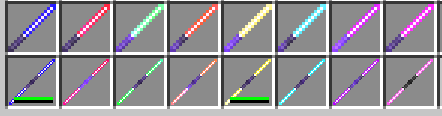
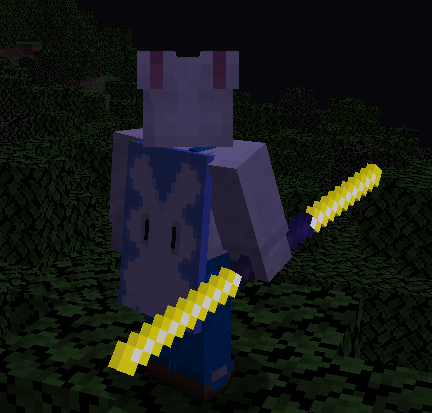
This ressource pack use Optifine and change the texture diamonds sword with specific names...
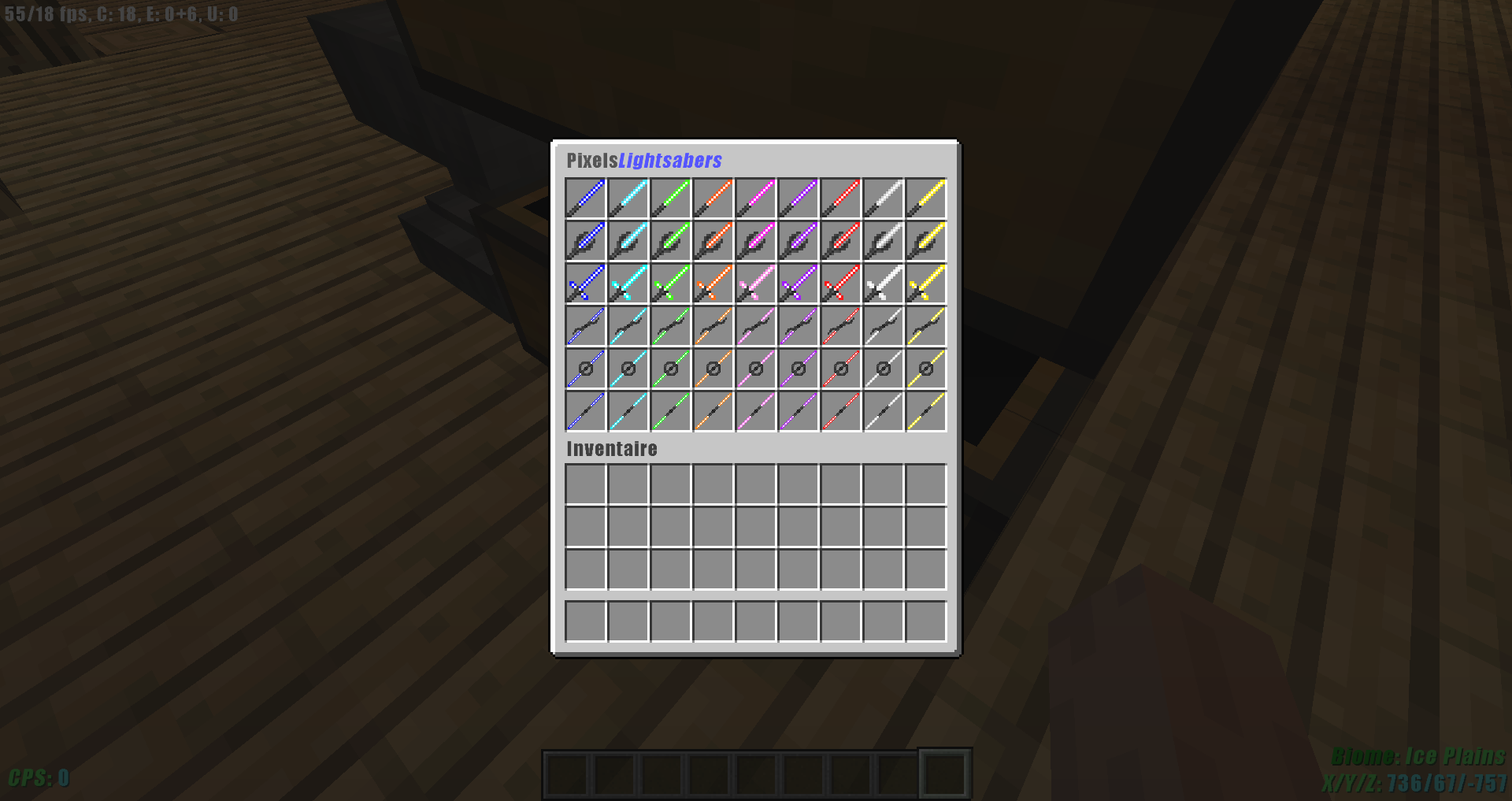
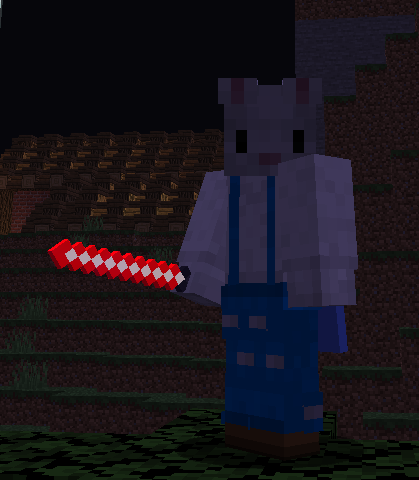
Like said in the title, you can have lightsaber, double or single with 8 differents colors (Blue,Red,Cyan,Green,Orange,Pink, Purple, white and Yellow), this is cosmetic only, there is no new mechanic...
Since 1.1 udpate you can have Laser Blaster (Name needed to do it in the name list).
Lightsaber's blade are animated emissives textures, these two option must be activated too avoid render problem, by default these fonction are activated.
This texture pack can't work without Optifine...
Udpate Notes:
vrs.1.1:
- Added White color for all lightsaber and blaster,
- Added laser blaster (colorable too),
- Added Agressive style (1 and 2 blade),
- Added Double Inquisitor style,
- Added Kylo Ren style
So there is the list of names:
Single-bladed (classic):
- Lightsaber Blue
- Lightsaber Red
- Lightsaber Cyan
- Lightsaber Green
- Lightsaber Orange
- Lightsaber Pink
- Lightsaber Purple
- Lightsaber White
- Lightsaber Yellow
Single-bladed (Kylo):
- R Lightsaber Blue
- R Lightsaber Red
- R Lightsaber Cyan
- R Lightsaber Green
- R Lightsaber Orange
- R Lightsaber Pink
- R Lightsaber Purple
- R Lightsaber White
- R Lightsaber Yellow
Single-bladed (Agressive):
- A Lightsaber Blue
- A Lightsaber Red
- A Lightsaber Cyan
- A Lightsaber Green
- A Lightsaber Orange
- A Lightsaber Pink
- A Lightsaber Purple
- A Lightsaber White
- A Lightsaber Yellow
Double-bladed (classic):
- D Lightsaber Blue
- D Lightsaber Red
- D Lightsaber Cyan
- D Lightsaber Green
- D Lightsaber Orange
- D Lightsaber Pink
- D Lightsaber Purple
- D Lightsaber White
- D Lightsaber Yellow
Double-bladed (inquisitor):
- DI Lightsaber Blue
- DI Lightsaber Red
- DI Lightsaber Cyan
- DI Lightsaber Green
- DI Lightsaber Orange
- DI Lightsaber Pink
- DI Lightsaber Purple
- DI Lightsaber White
- DI Lightsaber Yellow
Double-bladed (classic):
- DA Lightsaber Blue
- DA Lightsaber Red
- DA Lightsaber Cyan
- DA Lightsaber Green
- DA Lightsaber Orange
- DA Lightsaber Pink
- DA Lightsaber Purple
- DA Lightsaber White
- DA Lightsaber Yellow
Laser Blaster:
- Blaster Blue
- Blaster Red
- Blaster Cyan
- Blaster Green
- Blaster Orange
- Blaster Pink
- Blaster Purple
- Blaster White
- Blaster Yellow