Mineuniverse
Resource Packs
Stefan's Enchanted Books

Stefan's Enchanted Books

RESOURCE PACK
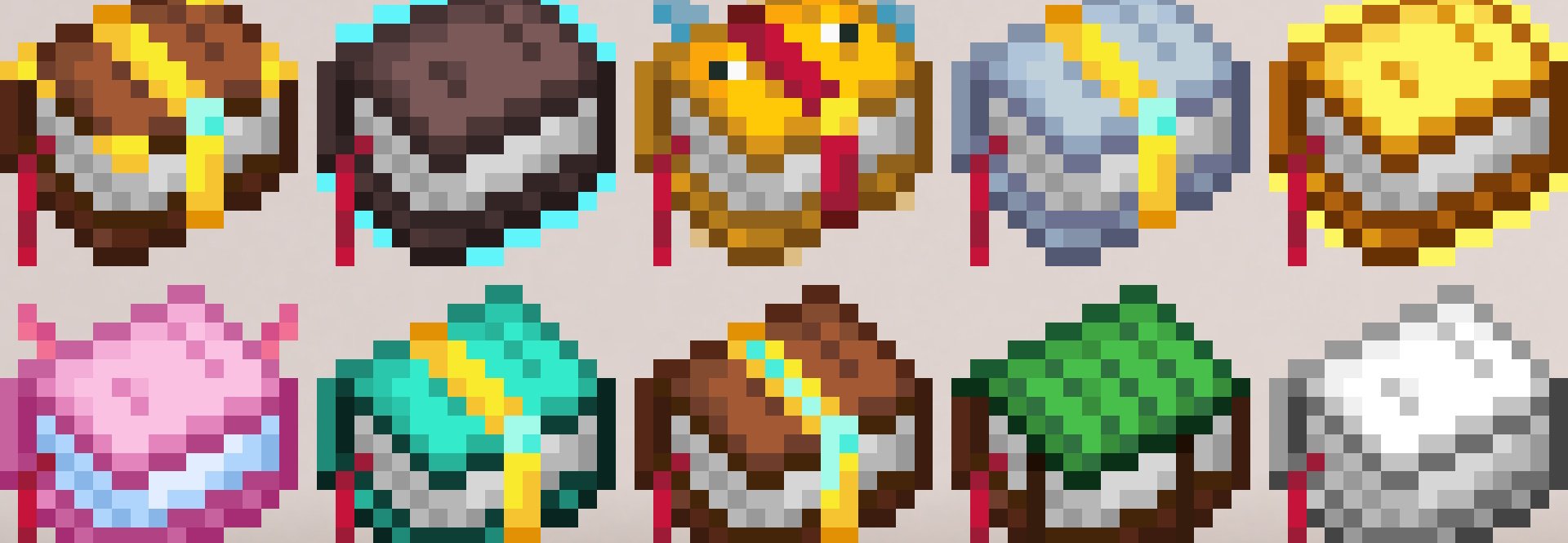
Unique textures for each enchanted book in the game! Works in vanilla Minecraft.
by stefanj2_
Download Claim this project
103,413 downloads
0 likes
0 followers
Updated Oct 14, 2026
0 hypes
Follow0
16x Miscellaneous
Advertisement Remove ads with Premium →

StefanJ2's Enchanted Books

Banner

Use it in vanilla

The resourcepack works in vanilla Minecraft on modern Minecraft versions

Use it with mods

The resourcepack is also made to work on older versions with custom item mods like Optifine and CIT resewn.

What does the pack do?

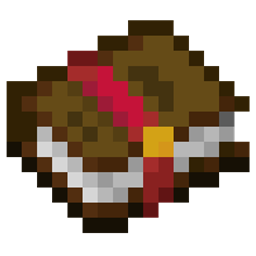
StefanJ2's Enchanted Books changes the textures of books in the game to have unique and recognisable textures.


Get your own Minecraft Server

Shockbyte

StefanJ2s Enchanted Books v2.0.zip
MC 1.21.8, 1.21.5, 1.21.6, 1.21.7, 1.21.9, 1.21.10, 1.21.11, 26.1, 26.1.1, 26.1.2, 26.2
Release 2026-07-08 Get
Stefan'sEnchantedBooks.zip
MC 1.21.5, 1.21.7, 1.21.6
Release 2025-07-14 Get
Stefan'sEnchantedBooks 1.21
MC 1.21, 1.21.1
Release 2024-08-28 Get
Stefan'sEnchantedBooks 1.20.2
MC 1.20.2, 1.20.1, 1.20
Release 2023-09-22 Get
Stefan'sEnchantedBooks 1.20
MC 1.20, 1.20-Snapshot
Release 2023-06-07 Get
Stefan'sEnchantedBooks 1.19.4
MC 1.19.4
Release 2023-04-08 Get
Stefan'sEnchantedBooks 1.19-1.19.2
MC 1.19.2, 1.19.1, 1.19
Release 2022-10-22 Get
Stefan'sEnchantedBooks 1.19.3
MC 1.19.3
Release 2022-10-22 Get
Stefan'sEnchantedBooks 1.18-1.18.2
MC 1.18.1, 1.18.2, 1.18
Release 2022-10-22 Get
Stefan'sEnchantedBooks 1.17-1.17.1
MC 1.17.1, 1.17
Release 2022-10-22 Get
Stefan'sEnchantedBooks 1.16.2-1.16.5
MC 1.16.3, 1.16.5, 1.16.4, 1.16.2
Release 2022-10-22 Get
Stefan'sEnchantedBooks 1.15-1.16.1
MC 1.16.1, 1.15, 1.16, 1.15.2, 1.15.1
Release 2022-10-22 Get

Requirements & install

How to use this resource pack in Minecraft
Resolution
16x
Minecraft
1.21.8 – 26.2
Install folder
.minecraft/resourcepacks

How to install resource packs

  1. Download the resource pack .zip file (do not extract it).
  2. In Minecraft open Options → Resource Packs → Open Pack Folder.
  3. Drop the .zip into the resourcepacks folder (.minecraft/resourcepacks).
  4. Move the pack to the Selected column and click Done.
Browse more: 16x resource packs 32x resource packs 64x resource packs 128x resource packs 256x resource packs 512x+ resource packs Resource Packs for 26.2 All resource packs

More from stefanj2_

Advertisement Remove ads with Premium →

You Might Also Like