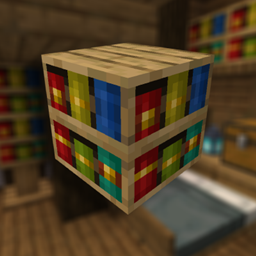
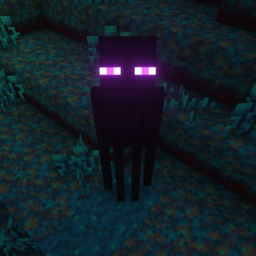
Adds many new special names, like Jeb_ or Dinnerbone, to give to mobs!

This presentation refers to the latest Data Pack release: Version 1.4.x.
For previous releases, check the "Older Versions" section at the bottom of the page.
/reload commandThis Data Pack adds many new special names to give to mobs! (Like Dinnerbone and Jeb_)
Simply rename a mob with one of the names in the list below, and the corresponding effect will be applied!
- Special Names and Effects
| Special Name Tag | Effect |
Speedy Ghast(NEW) |
Happy Ghast will have its flying speed increased by 3x (+200%) |
Lazy Ghast(NEW) |
Happy Ghast flying speed will be restored to default |
freeze |
Mob will no longer move and you won't be able to hit it |
unfreeze |
Mob will move normally and you'll be able to hit it again |
silent |
Mob will no longer emit sounds |
noisy |
Mob will emit sound normally |
noname |
Mob custom name will be removed |
nozombification |
Piglin and hoglin will no longer zombificate in the Overworld |
zombification |
Piglin and hoglin will be able to zombificate in the Overworld |
invulnerable |
Mob will be invulnerable to non creative damage |
vulnerable |
Mob will become vulnerable to any damage source |
gravityoff |
Mob will no longer be affected by gravity |
gravityon |
Mob will be affected by gravity |
onfire |
Mob will visually be set on fire |
notonfire |
Mob will no longer have visual fire |
baby |
Mob will stay in baby form / Will became baby if is an adult already |
adult |
Mob will grow up |
sit |
Mob will sit on the ground |
unsit |
Mob will stand up |
- Youtube Showcase
To uninstall the Data Pack run the command /function tags-nbt:uninstall. When the uninstallation process is completed a confirmation message will be sent in the chat.
Version 1.3 to 1.3.2 (for Minecraft 1.21.4-1.21.8)
Adds many new special names, like Jeb_ or Dinnerbone, to give to mobs!
This presentation concerns about the latest release.
For older ones, check the "Older Versions" section, at the bottom of the page.
/reload commandThis Data Pack adds many new special names to give to mobs! (Like Dinnerbone and Jeb_)
Simply rename a mob with one of the name in the list below, and the corresponding effect will be applied!
- Special Names and Effects (1.21.4+)
| Special Name Tag | Effect |
freeze |
Mob will no longer move and you won't be able to hit it |
unfreeze |
Mob will move normally and you'll be able to hit it again |
silent |
Mob will no longer emit sounds |
noisy |
Mob will emit sound normally |
noname |
Mob custom name will be removed |
nozombification |
Piglin and hoglin will no longer zombificate in the Overworld |
zombification |
Piglin and hoglin will be able to zombificate in the Overworld |
invulnerable |
Mob will be invulnerable to non creative damage |
vulnerable |
Mob will become vulnerable to any damage source |
gravityoff |
Mob will no longer be affected by gravity |
gravityon |
Mob will be affected by gravity |
onfire |
Mob will visually be set on fire |
notonfire |
Mob will no longer have visual fire |
baby |
Mob will stay in baby form / Will became baby if is an adult already |
adult |
Mob will grow up |
sit |
Mob will sit on the ground |
unsit |
Mob will stand up |
- Youtube Showcase
To uninstall the Data Pack run the command /function tags-nbt:uninstall. When the uninstallation process is completed a confirmation message will be sent in the chat.
Version 1.3 and below (for Minecraft 1.18-1.21.3)
Adds many new special names to give to mobs!
/reload commandThis Data Pack allows you to have more special names to give to mobs!
- NameTags Effects 1.20.3+
Due to a bug fix made in 1.20.3, removing a mob's name has become almost impossible. This means that, when using a special name tag, the mob's name will no longer disapper as it did before. As a temporary workaround (until MC-128225 is fixed) a new name tag has been added: noname.
| NameTag | Effect |
noname (new) |
Mob custom name will be removed (new) |
freeze |
Mob will no longer move and you won't be able to hit it |
unfreeze |
Mob will move normally and you'll be able to hit it again |
silent |
Mob will no longer emit sounds |
noisy |
Mob will emit sound normally |
nozombification |
Piglin and hoglin will no longer zombificate in the Overworld |
zombification |
Piglin and hoglin will be able to zombificate in the Overworld |
invulnerable |
Mob will be invulnerable to non creative damage |
vulnerable |
Mob will become vulnerable to any damage source |
gravityoff |
Mob will no longer be affected by gravity |
gravityon |
Mob will be affected by gravity |
onfire |
Mob will visually be set on fire |
notonfire |
Mob will no longer have visual fire |
baby |
Mob will stay in baby form / Will became baby if is an adult already |
adult |
Mob will grow up |
sit |
Mob will sit on the ground (New) |
unsit |
Mob will stand up (New) |
- NameTags Effects 1.20 - 1.20.2
| NameTag | Effect |
freeze |
Mob will no longer move and you won't be able to hit it |
unfreeze |
Mob will move normally and you'll be able to hit it again |
silent |
Mob will no longer emit sounds |
noisy |
Mob will emit sound normally |
nozombification |
Piglin and hoglin will no longer zombificate in the Overworld |
zombification |
Piglin and hoglin will be able to zombificate in the Overworld |
invulnerable |
Mob will be invulnerable to non creative damage |
vulnerable |
Mob will become vulnerable to any damage source |
gravityoff |
Mob will no longer be affected by gravity |
gravityon |
Mob will be affected by gravity |
onfire |
Mob will visually be set on fire |
notonfire |
Mob will no longer have visual fire |
baby |
Mob will stay in baby form / Will became baby if is an adult already |
adult |
Mob will grow up |
sit |
Mob will sit on the ground (New) |
unsit |
Mob will stand up (New) |
- NameTags Effects 1.18 - 1.19
| NameTag | Effect |
freeze |
Mob will no longer move and you won't be able to hit it |
unfreeze |
Mob will move normally and you'll be able to hit it again |
silent |
Mob will no longer emit sounds |
noisy |
Mob will emit sound normally |
nozombification |
Piglin and hoglin will no longer zombificate in the Overworld |
zombification |
Piglin and hoglin will be able to zombificate in the Overworld |
invulnerable |
Mob will be invulnerable to non creative damage |
vulnerable |
Mob will become vulnerable to any damage source |
gravityoff |
Mob will no longer be affected by gravity |
gravityon |
Mob will be affected by gravity |
onfire |
Mob will visually be set on fire |
notonfire |
Mob will no longer have visual fire |
baby |
Mob will stay in baby form / Will became baby if is an adult already |
adult |
Mob will grow up |
- Youtube Showcase
To uninstall the Data Pack run the command /function tags-nbt:uninstall. When the uninstallation process is completed a confirmation message will be sent in the chat.