Mineuniverse
Resource Packs
Lookme [Data Pack]

Lookme [Data Pack]

RESOURCE PACK
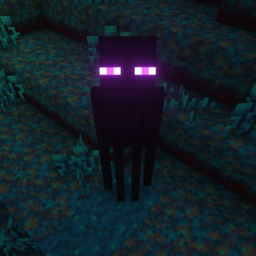
Make mobs face any direction you want.
by Nico4play
Download Claim this project
771 downloads
0 likes
Updated Oct 14, 2026
0 hypes
Data Packs
Advertisement Remove ads with Premium →

Make mobs face any direction you want!

 

📥How to Install


  • 1) Download the Data Pack
  • 2) Chose the world you want to install the Data Pack in and navigate to its "datapacks" folder
  • 3) Copy the downloaded Data Pack file (Lookme) into this folder
  • 4) Join the world and run /reload command

📖Features


This Data Pack adds a new command /trigger lookme that allows you to rotate mobs with no AI and make them facing any direction you want.


📤Uninstall the Data Pack


To uninstall the Data Pack run the command /function lookme:uninstall. When the uninstallation process is completed a confirmation message will be sent in chat.

Lookme v1.3.5 - 26.2
MC 26.2
Release 2026-06-28 Get
Lookme v1.3.4 - 26.1
MC 26.1, 26.1.1, 26.1.2
Release 2026-03-25 Get
Lookme v1.3.4 - 1.21.11
MC 1.21.11
Release 2025-12-10 Get
Lookme v1.3.4 - 1.21.9-1.21.10
MC 1.21.9, 1.21.10
Release 2025-10-12 Get
Lookme v1.3.3 - 1.21.9
MC 1.21.9, 1.21.10
Release 2025-10-08 Get
Lookme v1.3.3 - 1.21.6
MC 1.21.8, 1.21.7, 1.21.6
Release 2025-06-22 Get
Lookme v1.3.2 - 1.21.5
MC 1.21.5
Release 2025-03-30 Get
Lookme v1.3.1 - 1.21.4
MC 1.21.4
Release 2024-12-14 Get
Lookme v1.3.1 - (1.21.2-1.21.3)
MC 1.21.3, 1.21.2
Release 2024-11-29 Get
Lookme v1.3 -1.21
MC 1.21, 1.21.1
Release 2024-06-13 Get
Lookme v1.3 - (1.20.5-1.20.6)
MC 1.20.5, 1.20.6
Release 2024-05-07 Get
Lookme v1.2.1 -1.20.2
MC 1.20.2
Release 2024-01-28 Get
Lookme v1.2.1 -1.20.3/4
MC 1.20.3, 1.20.4
Release 2024-01-28 Get
Lookme v1.2 - 1.20
MC 1.20.1, 1.20
Release 2023-08-07 Get
Lookme v1.0
MC 1.19.3, 1.19-Snapshot, 1.18.2, 1.19.2, 1.19.1, 1.19
Release 2022-10-26 Get

Requirements & install

How to use this resource pack in Minecraft
Resolution
Not specified
Minecraft
1.21.8 – 26.2
Install folder
.minecraft/resourcepacks

How to install resource packs

  1. Download the resource pack .zip file (do not extract it).
  2. In Minecraft open Options → Resource Packs → Open Pack Folder.
  3. Drop the .zip into the resourcepacks folder (.minecraft/resourcepacks).
  4. Move the pack to the Selected column and click Done.
Browse more: 16x resource packs 32x resource packs 64x resource packs 128x resource packs 256x resource packs 512x+ resource packs Resource Packs for 26.2 All resource packs

More from Nico4play

Advertisement Remove ads with Premium →

You Might Also Like