Mineuniverse
Resource Packs
SpaceBucket UI

SpaceBucket UI

RESOURCE PACK
Bring some sci-fi love to your in game crafting and inventory menus!
by _ForgeUser841807
Download Claim this project
2,832 downloads
0 likes
Updated Oct 14, 2026
0 hypes
512x and Higher Modern Steampunk
Advertisement Remove ads with Premium →

TESTED AGAINST MINECRAFT 1.8.8


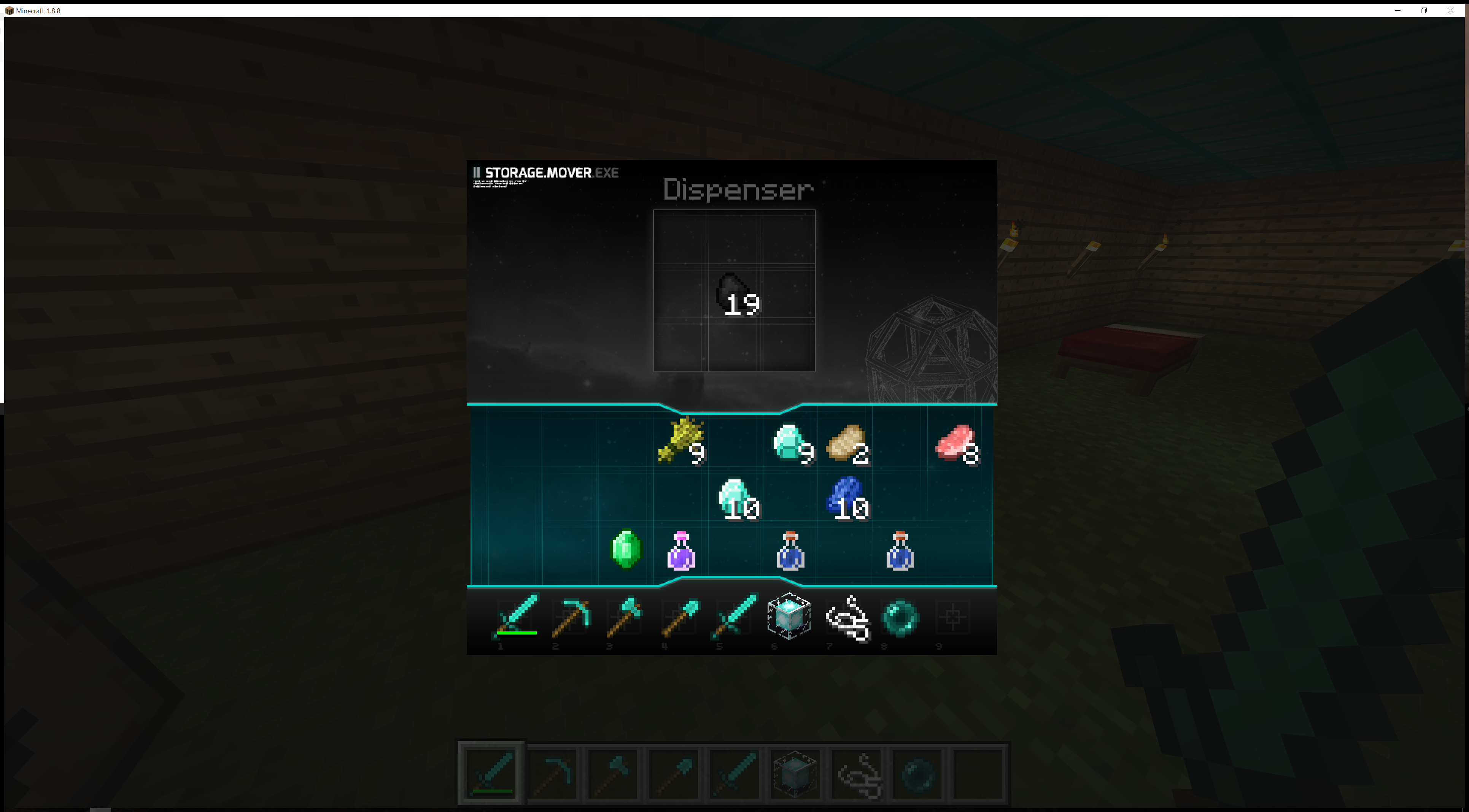
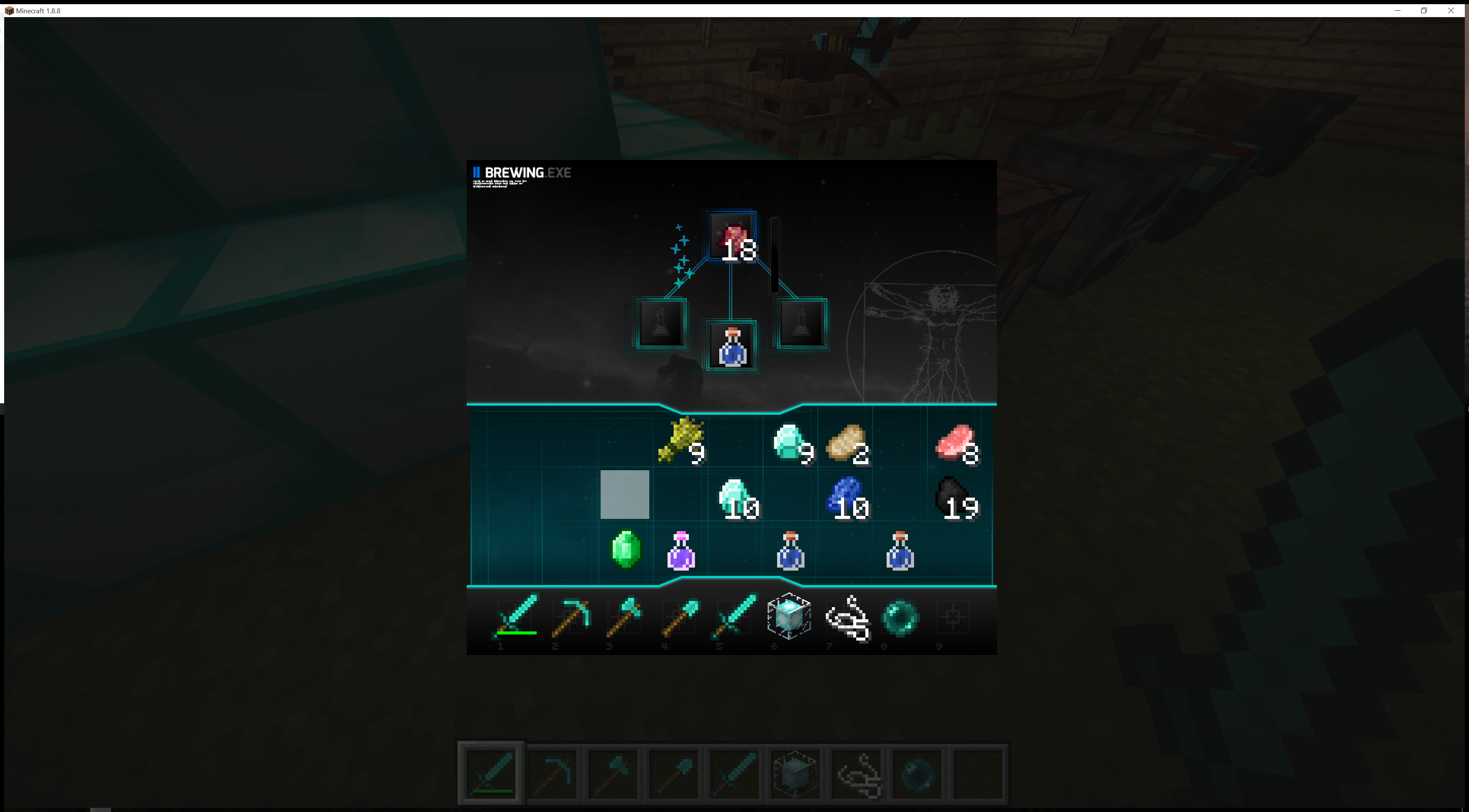
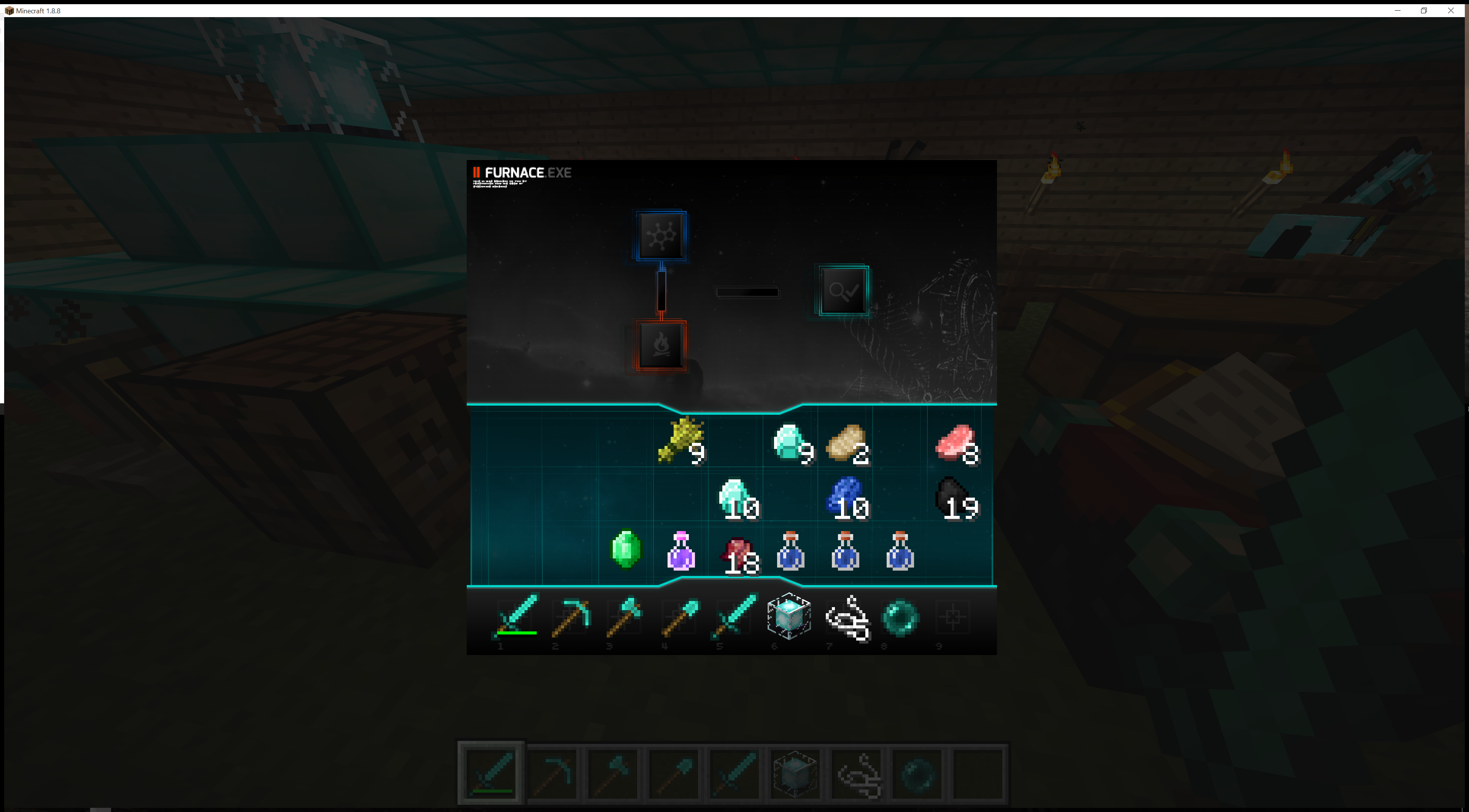
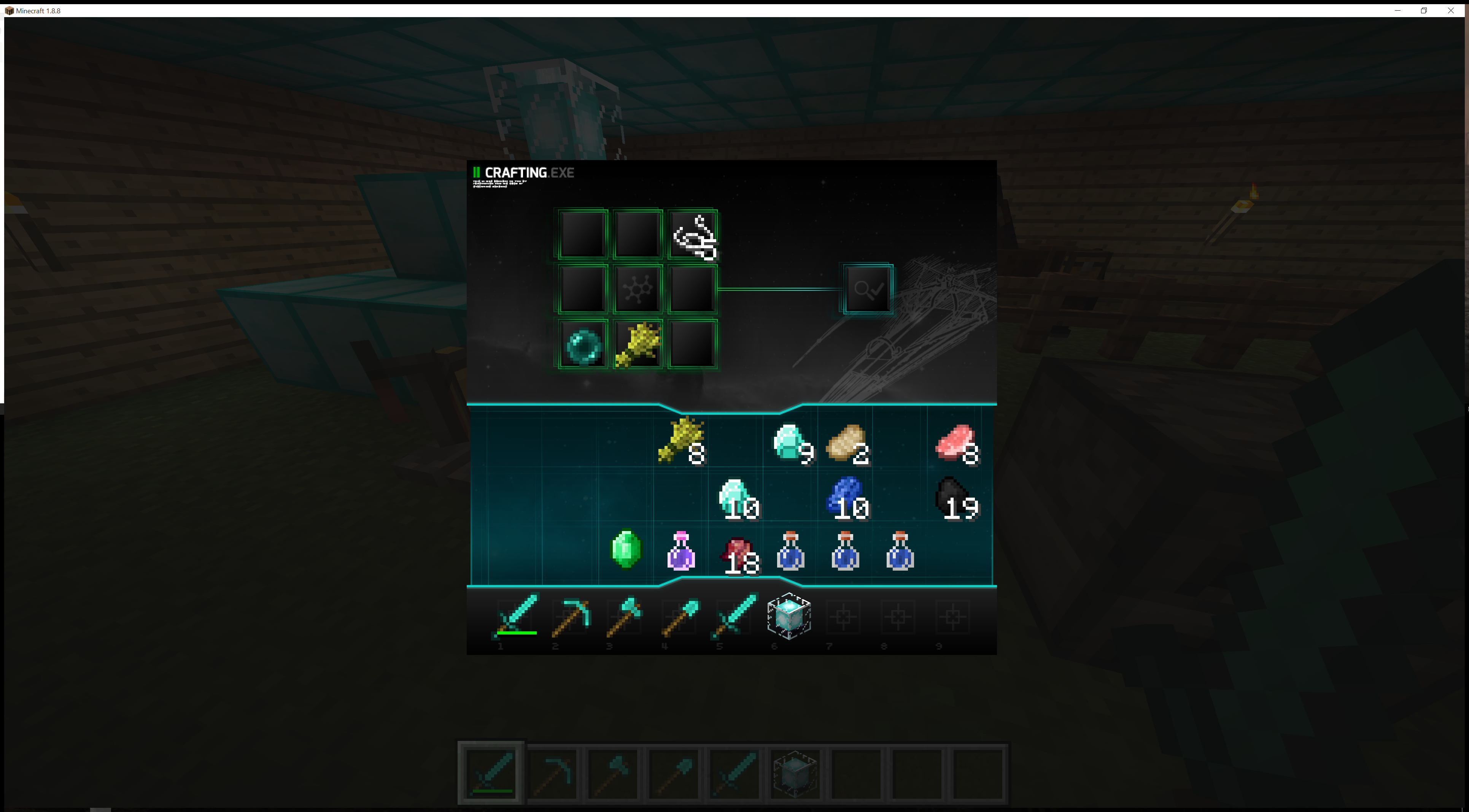
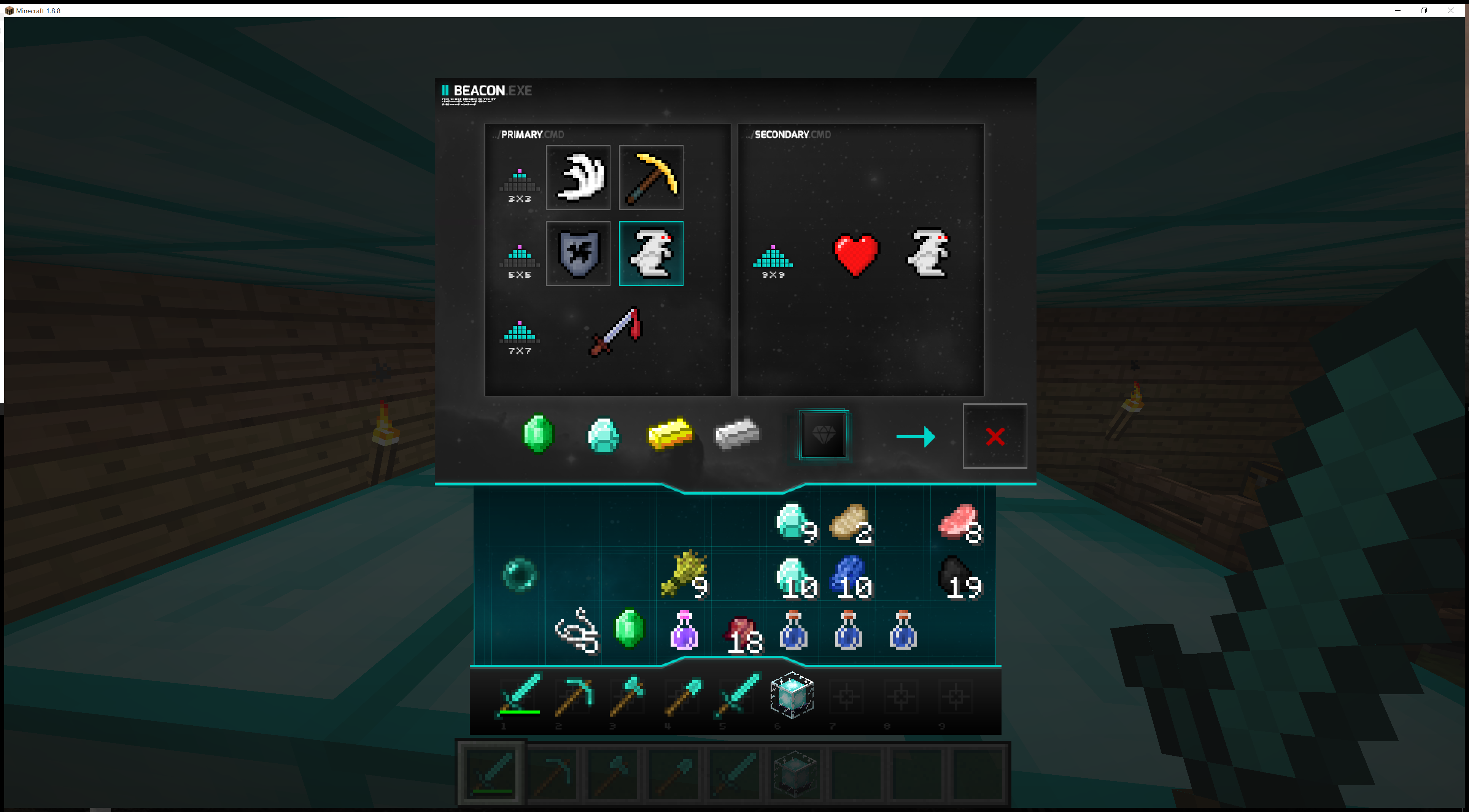
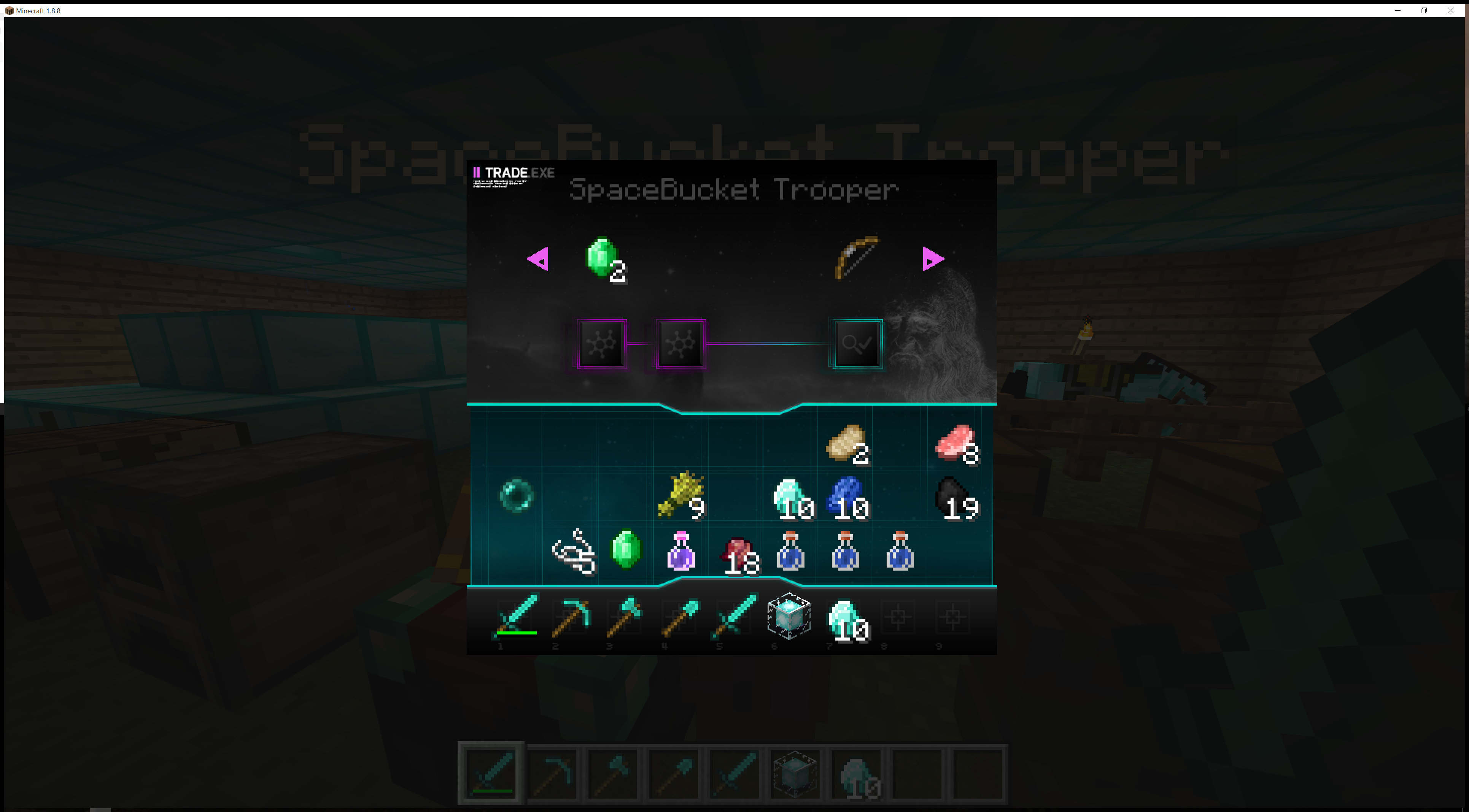
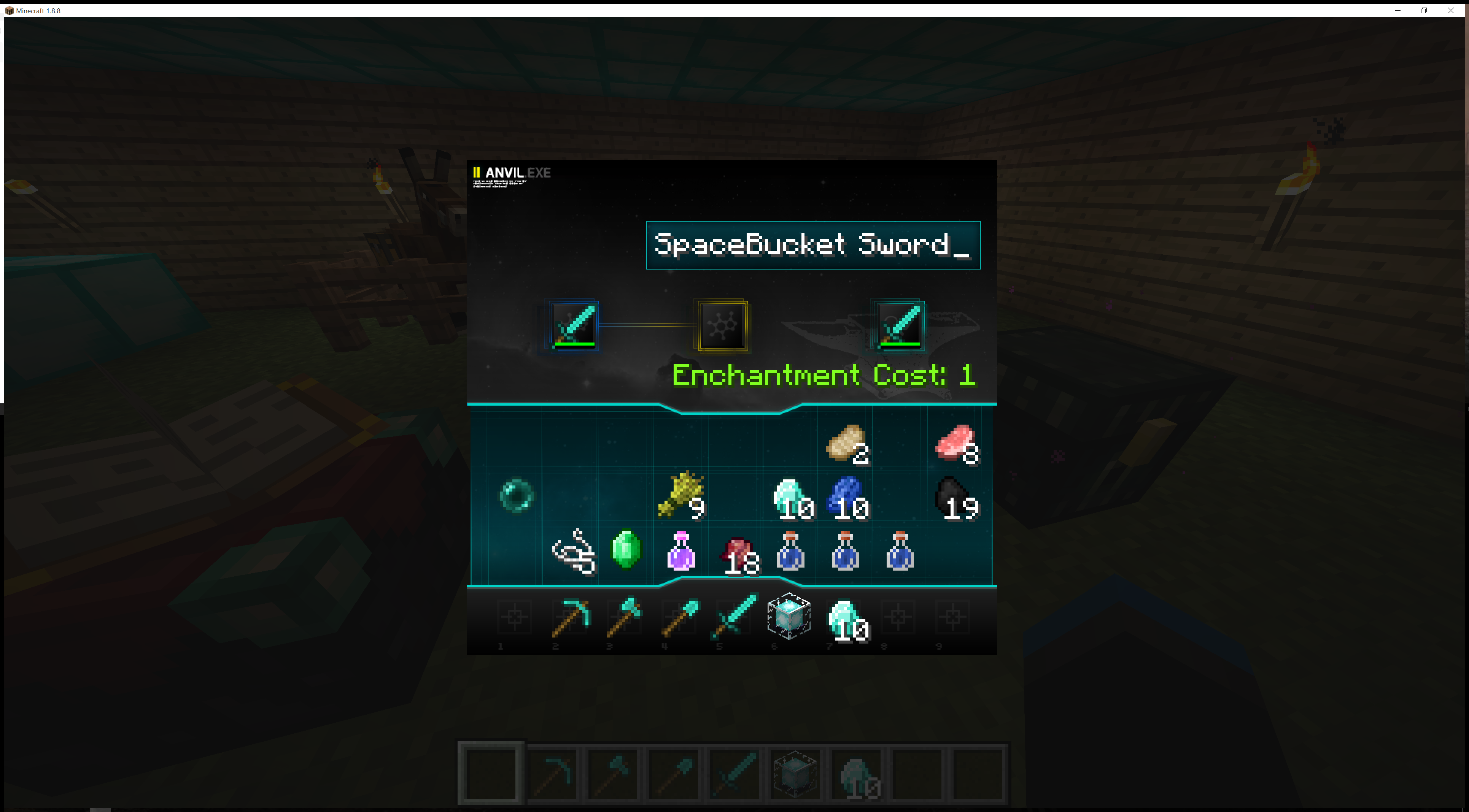
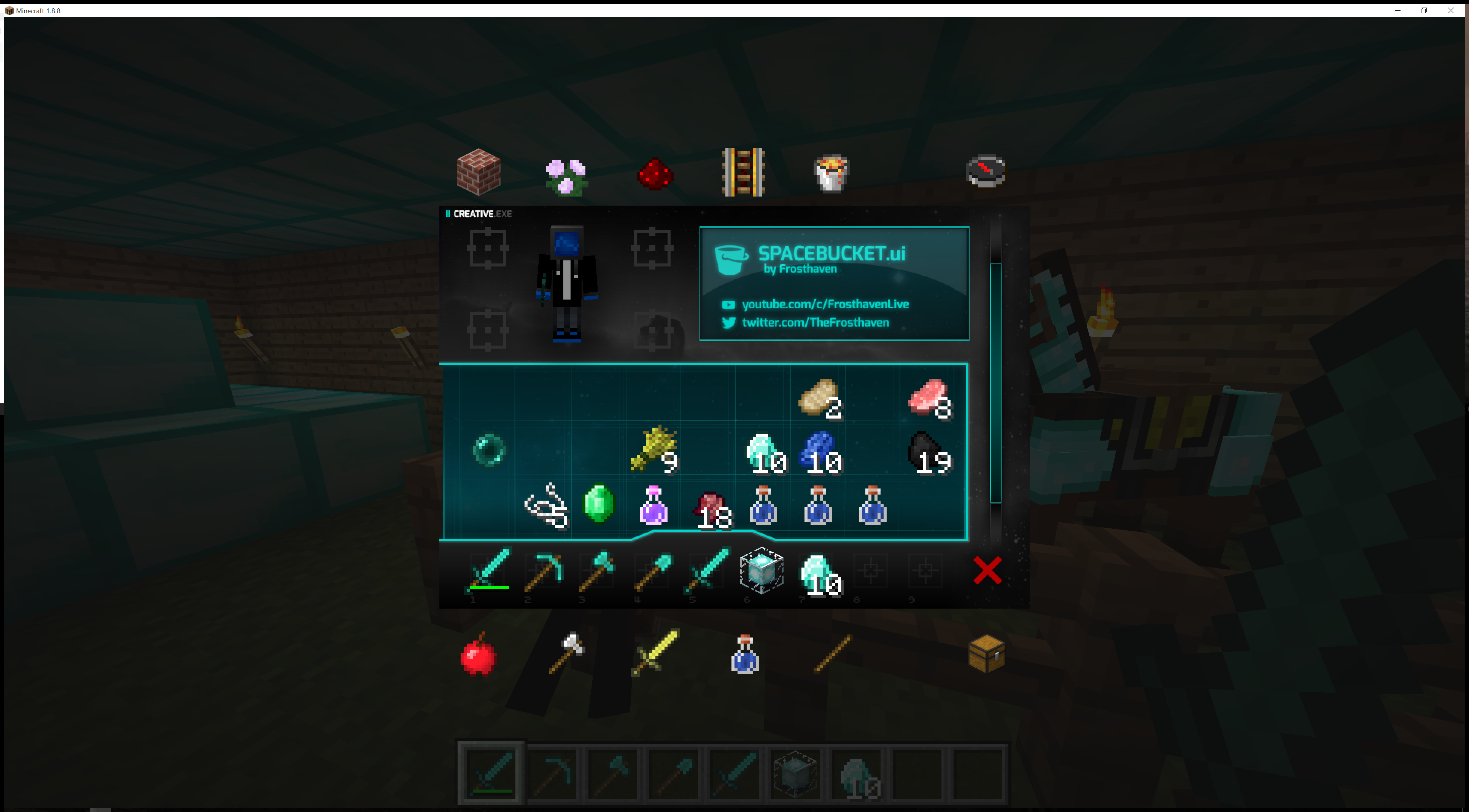
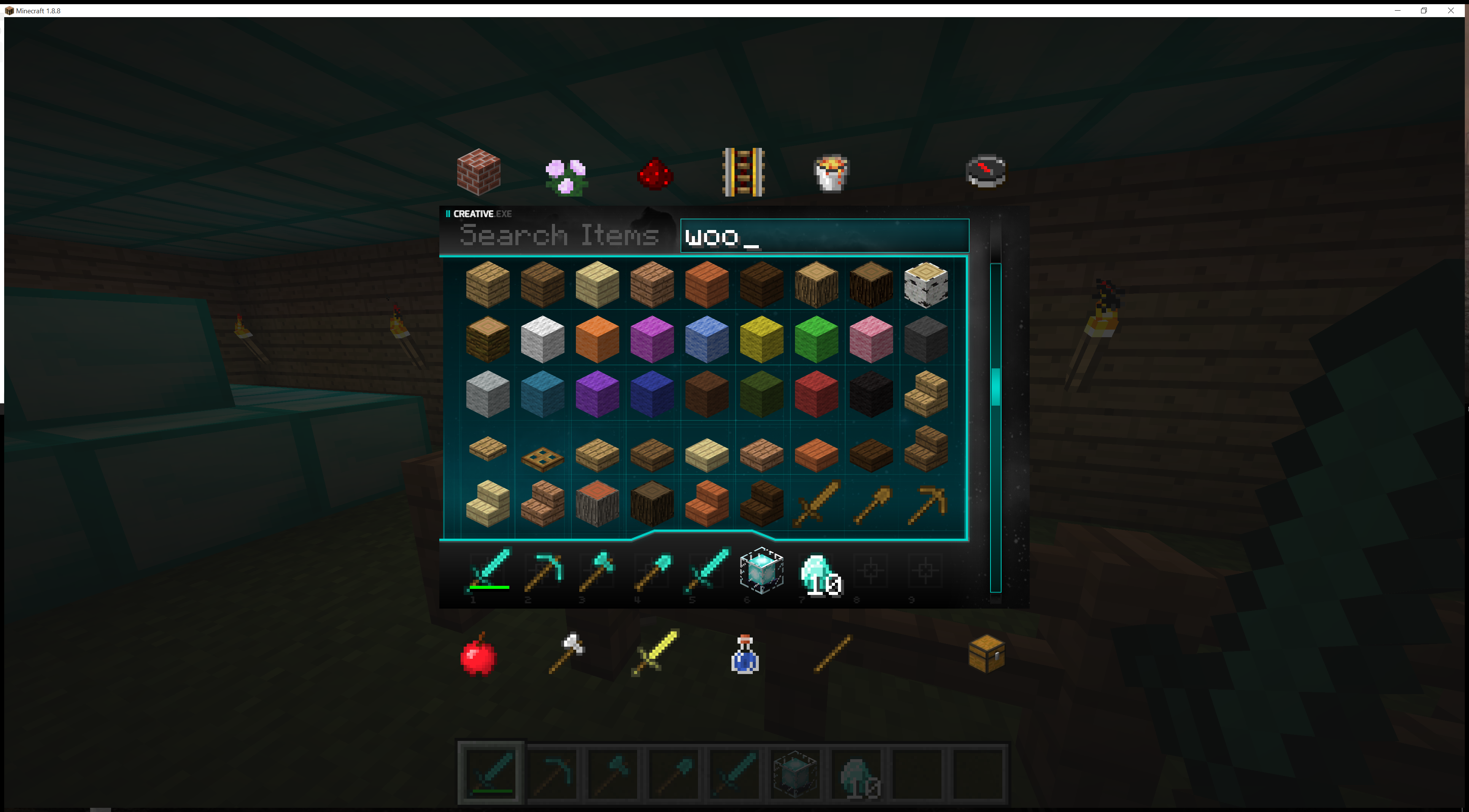
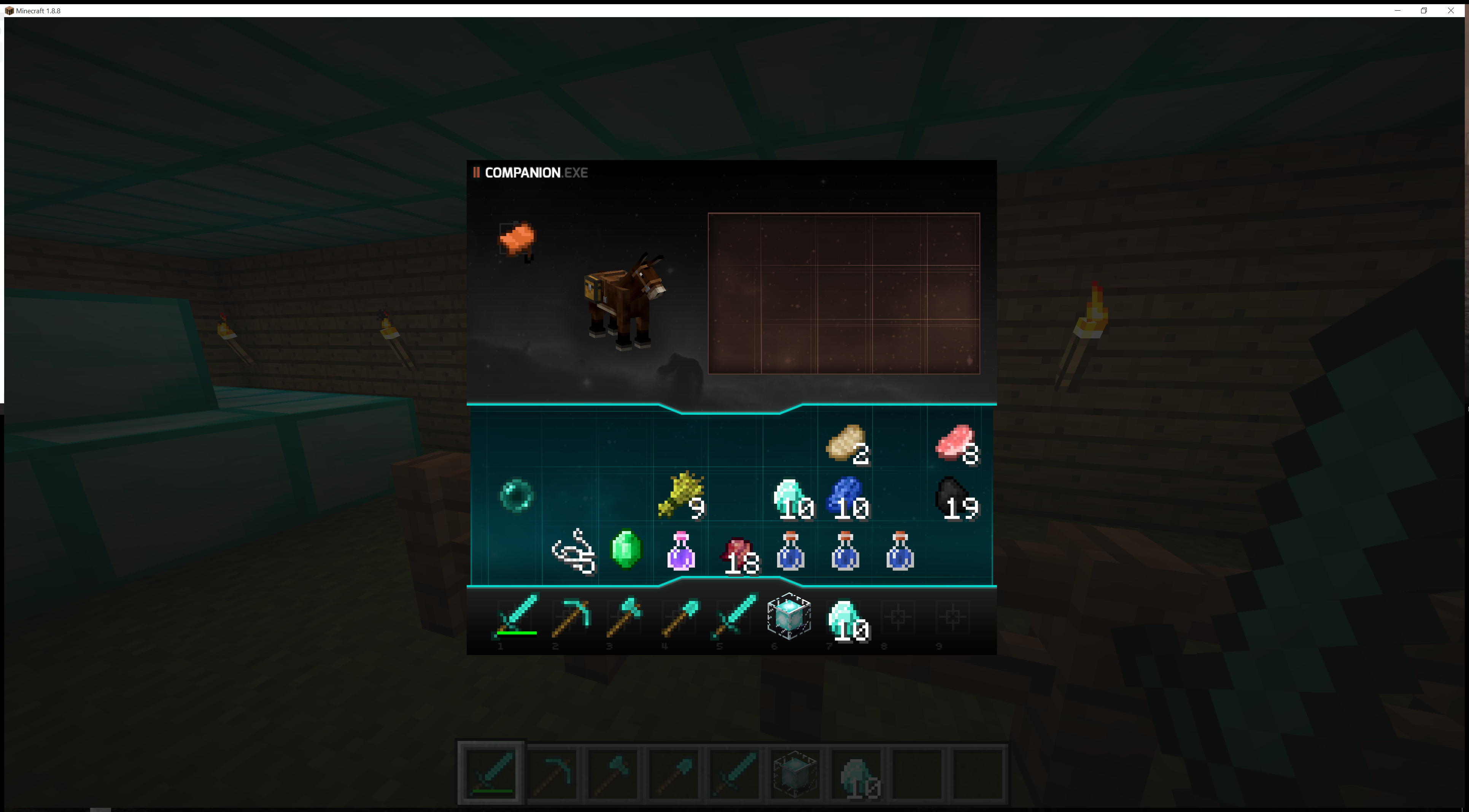
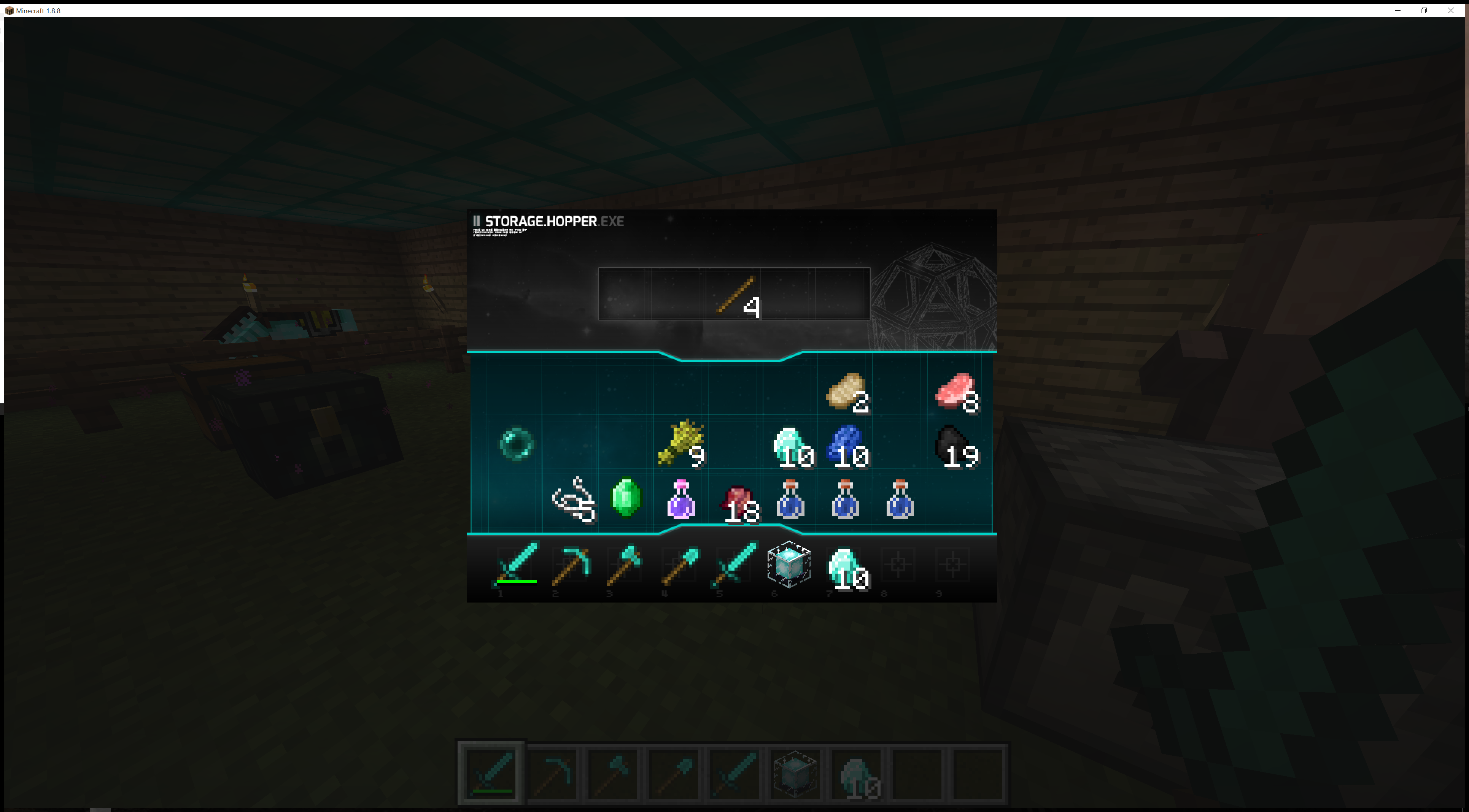
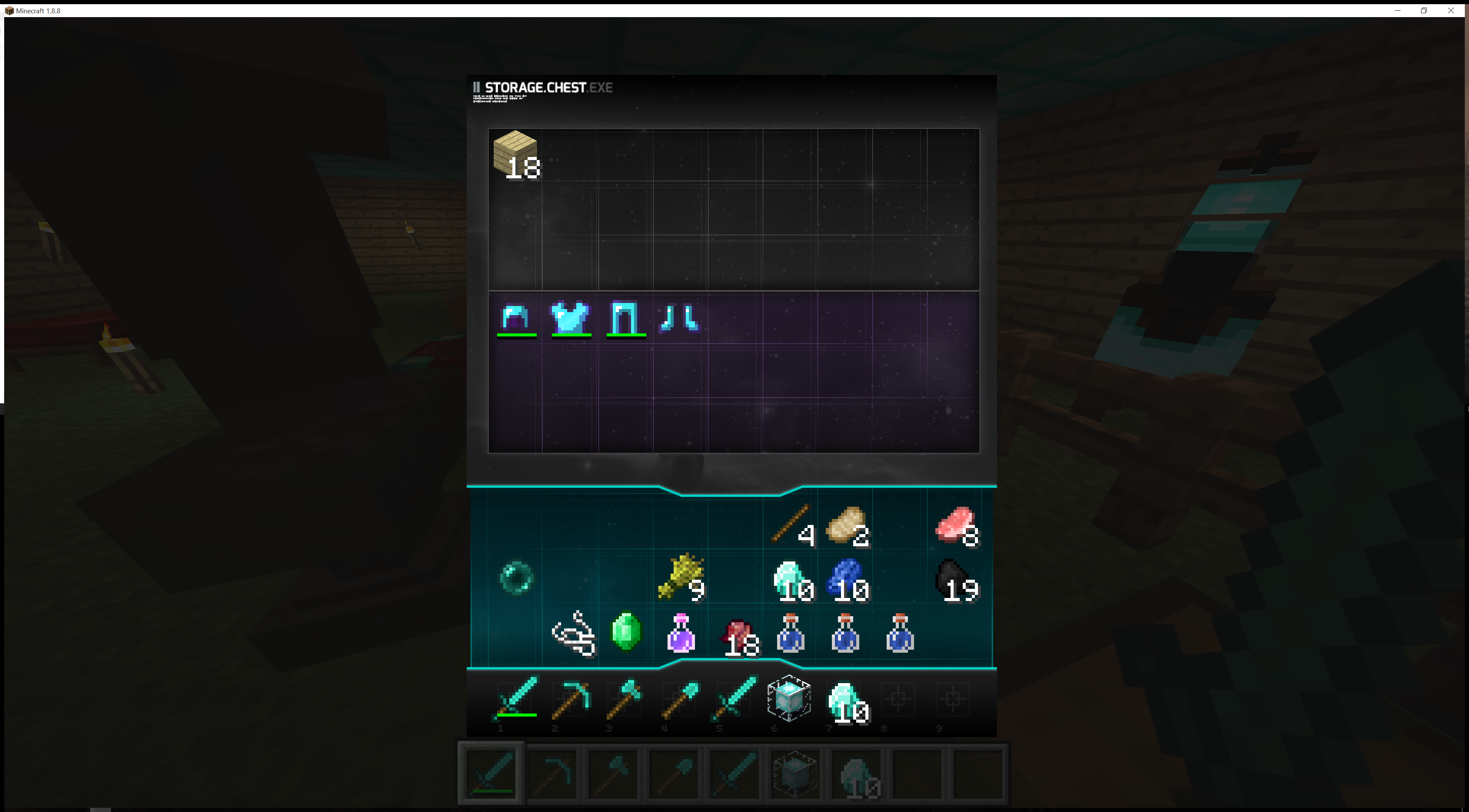
Hey guys, Frosthaven here to present to you SpaceBucket UI! If you ever felt like the default in game UI wasn't space-bound enough for you or lacked that little extra love, then this resource pack is for you!


SpaceBucket UI is a pack designed to give in game GUI elements some sci-fi love. See the demonstration below for a visual guide through all of the new GUI menus!

SpaceBucket UI YouTube Demonstration


Did you know? SpaceBucketUI fits perfectly with the Norzeteus Space created by Norzeteus.


Special Thanks to the following stream viewers who participated in live feedback during the design process:

  • GAME3MODZYT
  • Alex Cochran
  • Adrian
  • Monert Riot
  • Reeslloyd
  • HiddenSpikeTrap
  • Kurosen1432


Design Notes:


This plugin uses an en_US.lang file to hide the default in-game text of some UI elements. If you are not a user of the English client, you may need to create your own <LOCALE>.lang file within the resource pack folders. I may do this by default if demand is high enough.


If you like this design, feel free to use/edit/redistribute however you feel most beneficial to yourself. You may also repackage this for use with your own texture packs if you desire. All I ask is that you give credit where it's due.

Space Bucket.zip
MC 1.8.7
Release 2015-08-10 Get

Requirements & install

How to use this resource pack in Minecraft
Resolution
512x+
Minecraft
1.8.7
Install folder
.minecraft/resourcepacks

How to install resource packs

  1. Download the resource pack .zip file (do not extract it).
  2. In Minecraft open Options → Resource Packs → Open Pack Folder.
  3. Drop the .zip into the resourcepacks folder (.minecraft/resourcepacks).
  4. Move the pack to the Selected column and click Done.

512x packs need a strong GPU and at least 4 GB of RAM for Minecraft; a performance mod such as Sodium is strongly recommended.

Browse more: 16x resource packs 32x resource packs 64x resource packs 128x resource packs 256x resource packs 512x+ resource packs Resource Packs for 1.8.7 All resource packs
Advertisement Remove ads with Premium →

You Might Also Like