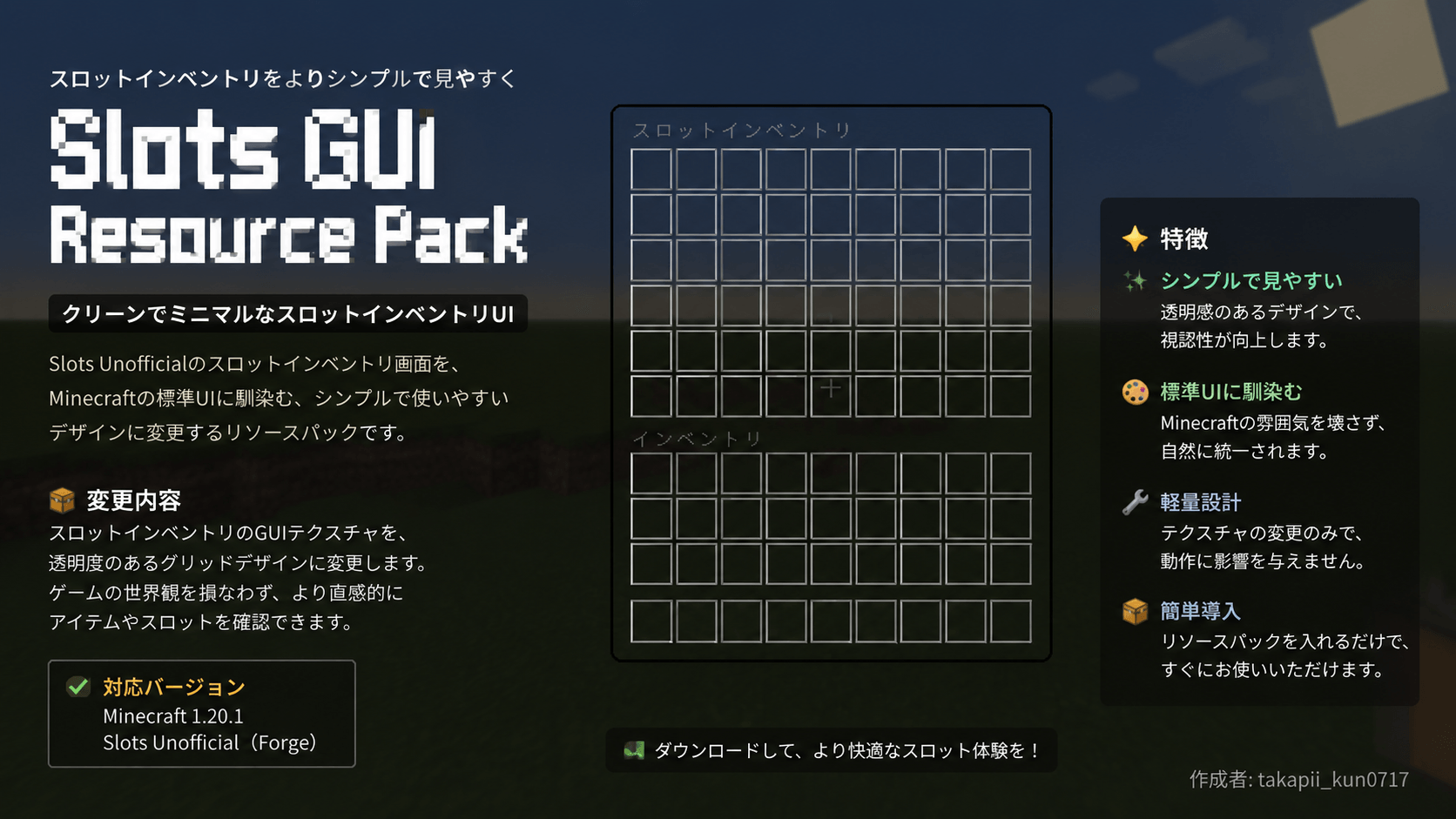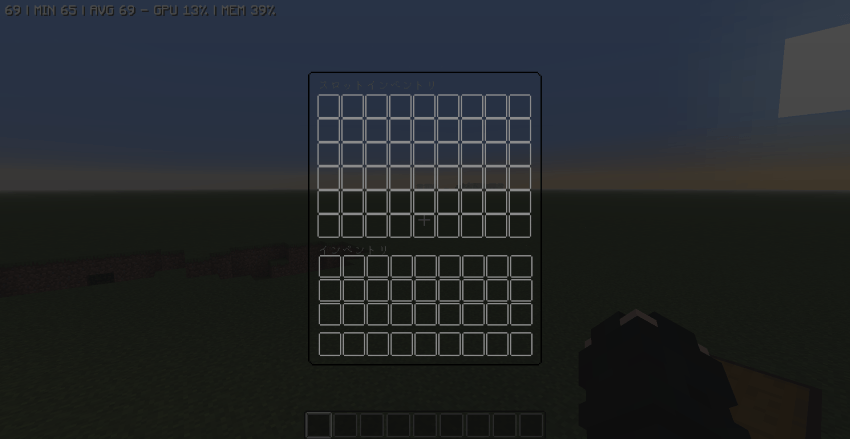
This resource pack changes the GUI of “Slots Unofficial” (https://www.curseforge.com/minecraft/mc-mods/slots-unofficial) to a simple and stylish design.
Unlike the default GUI, it features a black-based, semi-transparent background and thin borders, allowing you to check your inventory without obscuring a large portion of the game screen. Additionally, its minimalist design—free of unnecessary embellishments—blends naturally not only with vanilla Minecraft but also with a wide variety of texture packs and shaders.
Furthermore, this resource pack is compatible with **Petite Inventory**. You can use it even if you have Petite Inventory installed, allowing you to enjoy a cohesive inventory GUI when playing with both mods combined.
This GUI resource pack is recommended for players who want a more refined look while maintaining the visibility of their inventory slots.
Based on the original mod's MIT License
このリソースパックは、「Slots Unofficial」(https://www.curseforge.com/minecraft/mc-mods/slots-unofficial)のGUIをシンプルでスタイリッシュなデザインに変更します。
従来のGUIとは異なり、黒を基調とした半透明の背景と細い枠線を採用することで、ゲーム画面を大きく隠すことなくインベントリを確認できます。また、余計な装飾を抑えたミニマルなデザインになっているため、バニラはもちろん、さまざまなテクスチャパックやシェーダーとも自然に調和します。
さらに、このリソースパックは**Petite Inventory**との互換性もあります。Petite Inventoryを導入している環境でも利用でき、両Modを組み合わせたプレイでも統一感のあるインベントリGUIを楽しめます。
スロットの視認性を維持しつつ、より洗練された見た目でプレイしたい方におすすめのGUIリソースパックです。
元のmodのMIT Licenseに基づいています