Mineuniverse
Resource Packs
sky itadori yuji

sky itadori yuji

RESOURCE PACK
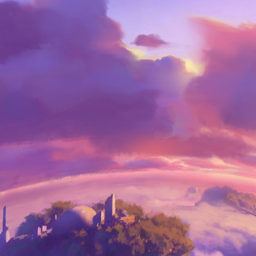
change sky overlay
by heopsdelta
Download Claim this project
Add a badge to your pageLink to sky itadori yuji from a README, website or forum post.
Preview: Badge

Badges update automatically and link to the resource pack page on MineUniverse.

180 downloads
0 likes
0 followers
Updated Oct 14, 2026
0 hypes
Follow0
512x and Higher
Advertisement Remove ads with Premium →

This picture looks like a stylized collage with a red theme and an anime character.

The background is mostly red with white cloudy effects that create a radial blur, as if the image is exploding outward from the center. Behind the red mist, you can see dark silhouettes of trees that look like a forest, giving the picture a mysterious atmosphere.

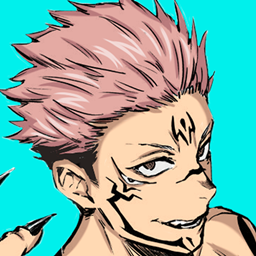
In several places on the image there is the anime character Yuji Itadori. He

  • In the bottom left, he is sitting cross-legged with his arms raised abo

  • In the center, he is standing with his arms slightly lifted, as if presenting something.

  • On the right side, he is standing calmly with his hands near his pockets.

  • In the top right corner, he is touching his head as if thinking.

The character is wearing a dark blue uniform with a red scarf and red shoes. His pink hair stands out against the red background.

Overall, the image looks like a creative anime wallpaper featuring multiple poses of the same character in a dramatic red fores
the sky is raining with optifine mod

sky itadori yuji 1.7.10 1.8 1.8.8 1.8.9.zip
MC 1.8.8, 1.7.10, 1.8, 1.8.9
Release 2026-03-11 Get
sky itadori yuji 1.21.10-1.21.11.zip
MC 1.21.10, 1.21.11
Release 2026-03-11 Get

Requirements & install

How to use this resource pack in Minecraft
Resolution
512x+
Minecraft
1.7.10 – 1.21.11
Install folder
.minecraft/resourcepacks

How to install resource packs

  1. Download the resource pack .zip file (do not extract it).
  2. In Minecraft open Options → Resource Packs → Open Pack Folder.
  3. Drop the .zip into the resourcepacks folder (.minecraft/resourcepacks).
  4. Move the pack to the Selected column and click Done.

512x packs need a strong GPU and at least 4 GB of RAM for Minecraft; a performance mod such as Sodium is strongly recommended.

Browse more: 16x resource packs 32x resource packs 64x resource packs 128x resource packs 256x resource packs 512x+ resource packs Resource Packs for 1.21.11 All resource packs

More from heopsdelta

Advertisement Remove ads with Premium →

You Might Also Like