Mineuniverse
Resource Packs
SirRiesling's Halloween Set Java

SirRiesling's Halloween Set Java

RESOURCE PACK
Texture pack that gives an appearance inspired by the famous Halloween celebration
by SirRiesling
Download Claim this project
Add a badge to your pageLink to SirRiesling's Halloween Set Java from a README, website or forum post.
Preview: Badge

Badges update automatically and link to the resource pack page on MineUniverse.

1,606 downloads
0 likes
0 followers
Updated Oct 14, 2026
0 hypes
Follow0
32x Medieval
Advertisement Remove ads with Premium →

[​ES]

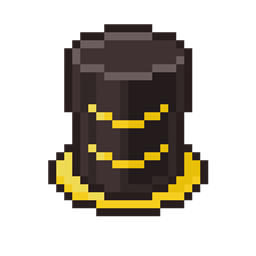
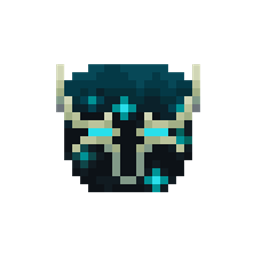
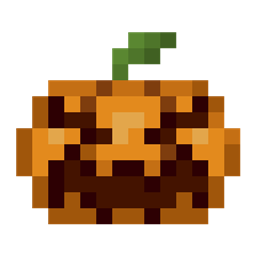
Ya que se acerca halloween, les traigo un paquete de texturas que modifica las texturas de las herramientas de netherite para darles un aspecto inspirados en la calabaza, además de aumentar la resolución a 32 pixeles para más detalles, asimismo, este paquete de texturas contiene un menú para seleccionar el conjunto de herramientas que se desea modificar. Este paquete de texturas contiene una variante (V2) en la cual la calabaza (el casco) está encendida y si estás en Java Edition, con optifine y la opcion de "Texturas emisivas" activada.


[​EN]

Since halloween is approaching, I bring you a texture pack that modifies the textures of netherite tools to give them a pumpkin-inspired look, in addition to increasing the resolution to 32 pixels for more details, also, This texture pack contains a menu to select the toolset you want to modify. This texture pack contains a variant (V2) in which the pumpkin (helmet) is on and if you are on Java Edition, with optifine and the "Emissive Textures" option activated.

§6§lHalloween §6§lSet §8§lNetherite.zip
MC 1.17, 1.16, 1.20, 1.18, 1.19
Release 2023-11-09 Get
§6§lHalloween §6§lSet §8§lNetherite V2.zip
MC 1.17, 1.16, 1.20, 1.18, 1.19
Release 2023-11-09 Get

Requirements & install

How to use this resource pack in Minecraft
Resolution
32x
Minecraft
1.16 – 1.20
Install folder
.minecraft/resourcepacks

How to install resource packs

  1. Download the resource pack .zip file (do not extract it).
  2. In Minecraft open Options → Resource Packs → Open Pack Folder.
  3. Drop the .zip into the resourcepacks folder (.minecraft/resourcepacks).
  4. Move the pack to the Selected column and click Done.
Browse more: 16x resource packs 32x resource packs 64x resource packs 128x resource packs 256x resource packs 512x+ resource packs Resource Packs for 1.20 All resource packs

More from SirRiesling

Advertisement Remove ads with Premium →

You Might Also Like