Mineuniverse
Resource Packs
Simply Swords & Bows & Tooltips Japanese Translation Pack (日本語化)

Simply Swords & Bows & Tooltips Japanese Translation Pack (日本語化)

RESOURCE PACK
Simply Swords & Simply Bows & Simply Tooltips 3MOD Japanese Translation Pack
by AyaneMC
Download Claim this project
Add a badge to your pageLink to Simply Swords & Bows & Tooltips Japanese Translation Pack (日本語化) from a README, website or forum post.
Preview: Badge

Badges update automatically and link to the resource pack page on MineUniverse.

601 downloads
0 likes
0 followers
Updated Oct 14, 2026
0 hypes
Follow0
16x Mod Support
Advertisement Remove ads with Premium →

⚔️ Overview

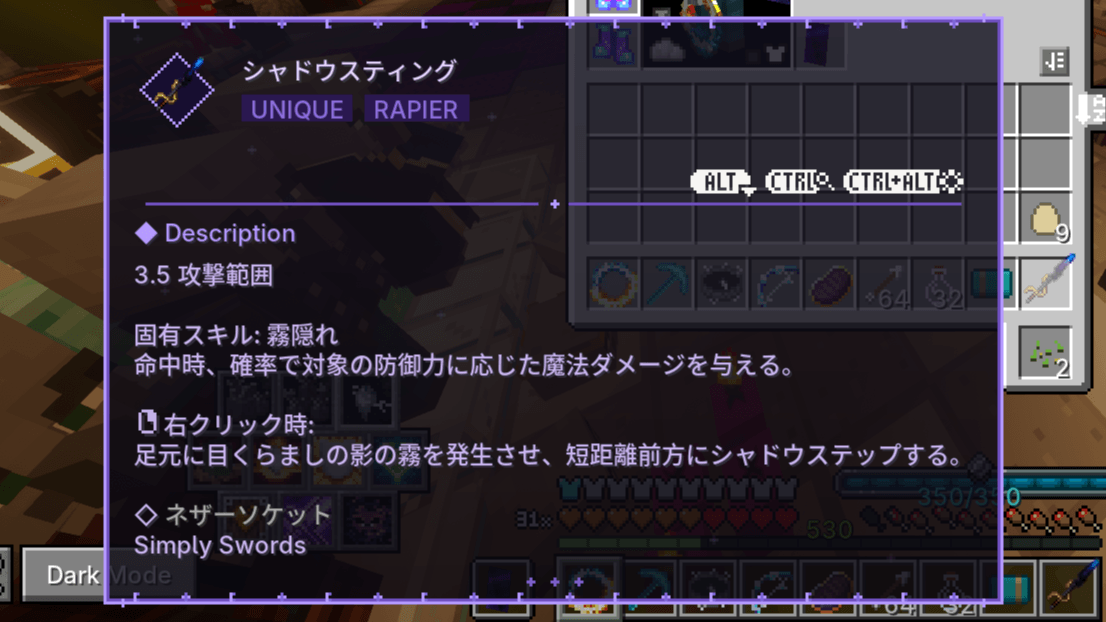
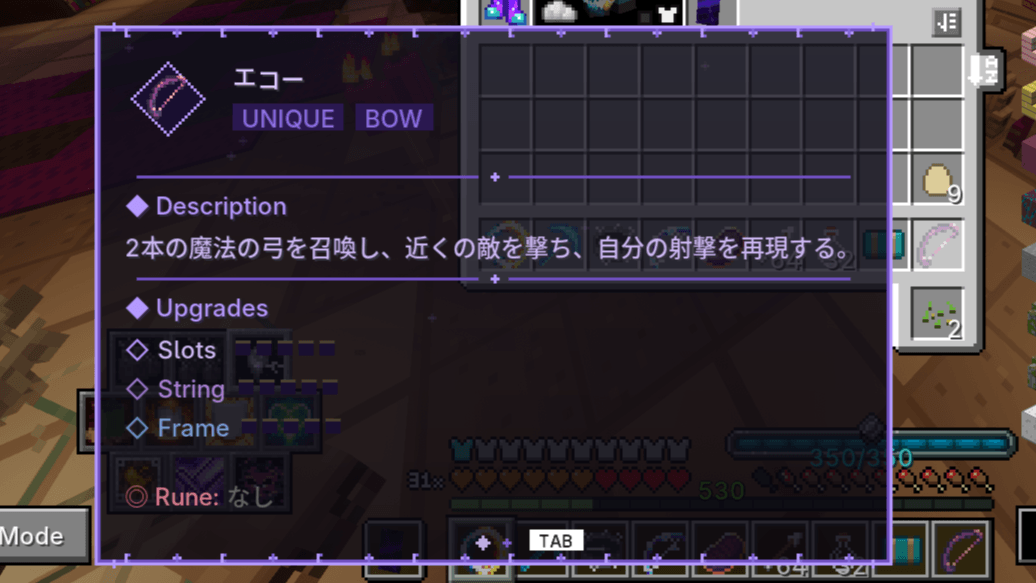
A Japanese localization resource pack for the weapon mods Simply Swords, Simply Bows, and Simply Tooltips. Applying this pack translates all three mods into Japanese

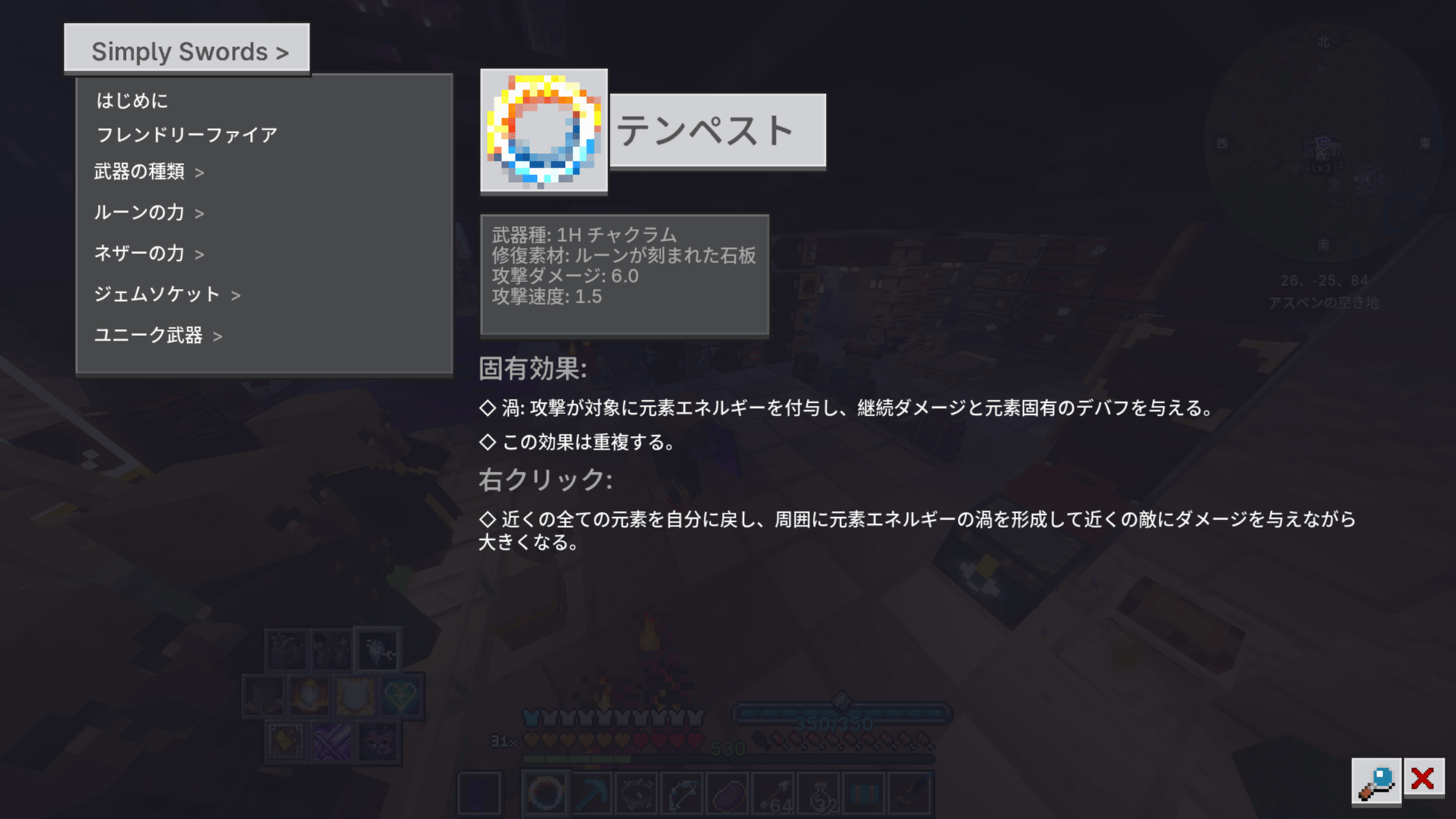
While Simply Swords already has an official Japanese translation, some text remained insufficient or awkward, so this pack rewrites it for a better reading experience. The in game guidebook content is also fully translated.

For Minecraft 1.21.1.

Translations for Simply Swords: Cataclysm are not included, as the official translation was deemed sufficient.


📥 Installation

  1. Download the zip file (do not extract it)
    2. Launch Minecraft
    3. Go to Options → Resource Packs → Open Pack Folder
    4. Place the zip file directly into the folder that opens
    5. In the resource pack list, click the ▶ arrow to enable it
    6. In game text should now appear in Japanese


⚔️概要

武器MOD「Simply Swords」「Simply Bows」「Simply Tooltips」を日本語化したリソースパックです。

このリソースパックを適用すれば3つのMOD全てが日本語化されます。

Swordsにおいては公式においても日本語化パッチが行われていますが、不十分なテキストがいくつか見られたため補完目的で作りました。あとガイドブック部分も翻訳してあります。

1.21.1対応。

※Simply Swords: Cataclysmの翻訳は公式翻訳で十分だと判断したので含まれていません。


📥 導入方法

1. zipファイルをダウンロード(※解凍しないでください)
2. Minecraftを起動
3. 設定 → リソースパック → リソースパックフォルダを開く
4. 開いたフォルダにzipファイルをそのまま入れる
5. リソースパック一覧で▶をクリックし、有効化
6. ゲーム内テキストが日本語になるはずです

 

Redistribution and modified redistribution (including partial edits) are strictly prohibited.

再配布、または一部のみ編集し配布することを固く禁止します。

Simply_Tools_JP_26.5.26.zip
MC 1.21.1
Release 2026-05-26 Get

Requirements & install

How to use this resource pack in Minecraft
Resolution
16x
Minecraft
1.21.1
Install folder
.minecraft/resourcepacks

How to install resource packs

  1. Download the resource pack .zip file (do not extract it).
  2. In Minecraft open Options → Resource Packs → Open Pack Folder.
  3. Drop the .zip into the resourcepacks folder (.minecraft/resourcepacks).
  4. Move the pack to the Selected column and click Done.
Browse more: 16x resource packs 32x resource packs 64x resource packs 128x resource packs 256x resource packs 512x+ resource packs Resource Packs for 1.21.1 All resource packs

More from AyaneMC

Advertisement Remove ads with Premium →

You Might Also Like