Badges update automatically and link to the resource pack page on MineUniverse.

This should not affect vanilla gameplay but use it with caution
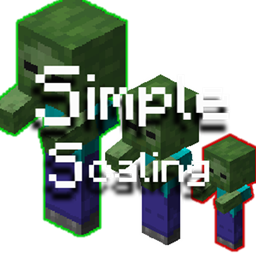
Simple Scaling is a datapack that you can include in your world that allows you to Scale Entities (and/or Players with operator).
Note, All Trigger commands are available to all players.
/trigger SetScale0.0625x 1/16th Normal Scale/trigger SetScale0.125x 1/8th Normal Scale/trigger SetScale0.25x 1/4th Normal Scale/trigger SetScale0.5x 1/2th Normal Scale/trigger SetScale1x Normal Scale/trigger SetScale2x 2x the Normal Scale/trigger SetScale4x 4x Normal Scale/trigger SetScale8x 8x Normal Scale/trigger SetScale16x 16x Normal Scale/trigger SelfScale0.0625x 1/16th Normal Scale/trigger SelfScale0.125x 1/8th Normal Scale/trigger SelfScale0.25x 1/4th Normal Scale/trigger SelfScale0.5x 1/2th Normal Scale/trigger SelfScale1x Normal Scale/trigger SelfScale2x 2x the Normal Scale/trigger SelfScale4x 4x Normal Scale/trigger SelfScale8x 8x Normal Scale/trigger SelfScale16x 16x Normal Scale/trigger ScalingBookScales Go from 0.0625 to 16! Note, Function Commands Require Operator Permissions
/function simplescaling:entity/setcustomscale {scale:x} Replacing "x" with a Number sets the Nearest Entities Scale to that Number/function simplescaling:player_self/setcustomscale {scale:x} Replacing "x" with a Number sets your Scale to that Number/function simplescaling:player_other/setcustomscale {scale:x} Replacing "x" with a Number sets the Nearest Player's Scale to that Number/function simplescaling:player_name/setcustomscale {scale:x,player:username} Select a player by Replacing "username" with a player name & Replace "x" with a Number, this sets the Selected Player's Scale to that Number.