Mineuniverse
Resource Packs
Simple 3D

Simple 3D

RESOURCE PACK
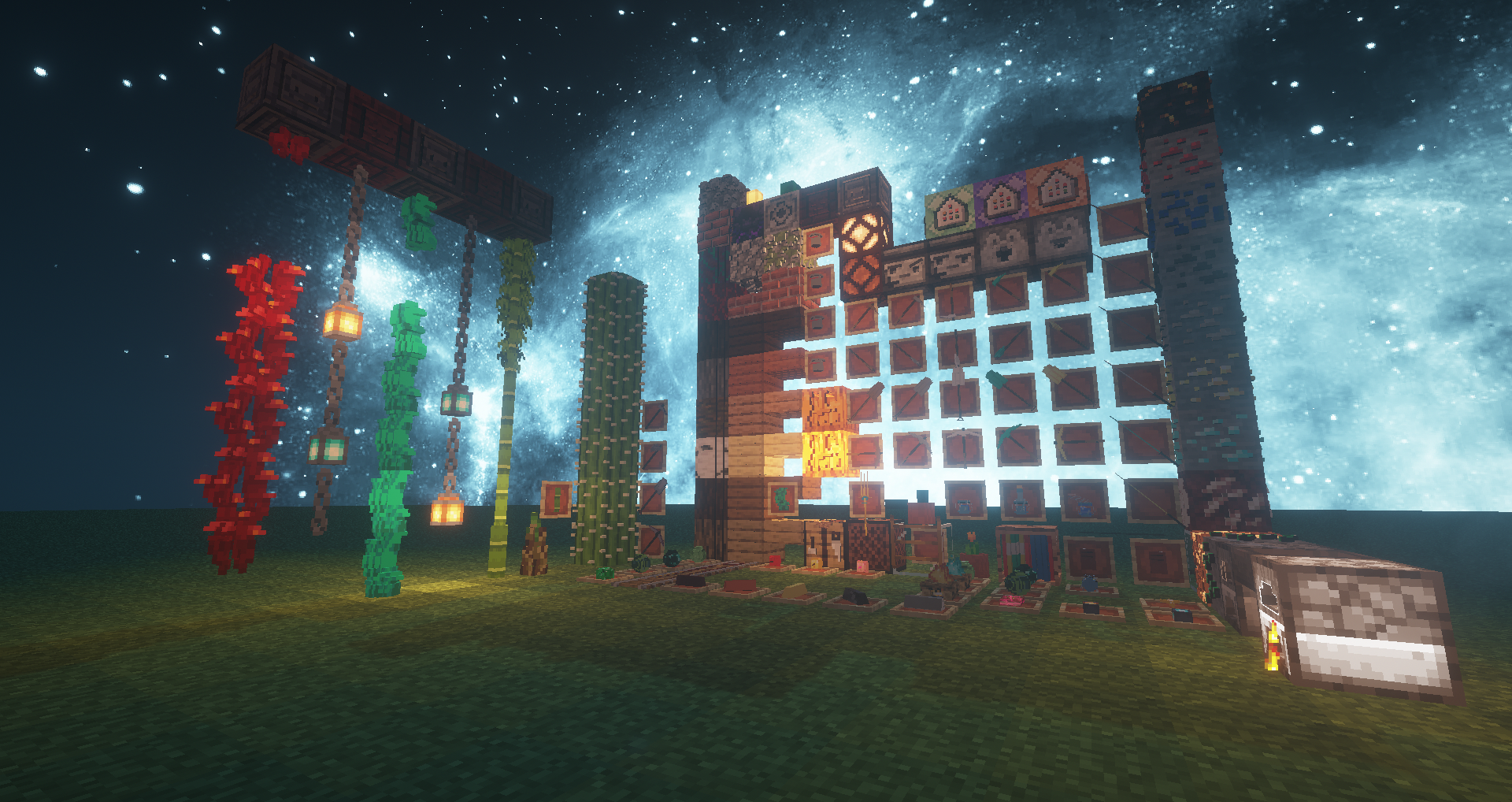
This is a resource pack that can greatly beautify your game There are a lot of 3D models inside, and there are many well-designed small details Come and download it!
by 燃雪听风
Download Claim this project
3,290 downloads
0 likes
Updated Oct 14, 2026
0 hypes
64x Miscellaneous Traditional
Advertisement Remove ads with Premium →

Hello, I am a user of MCBBS website, I only made this resource pack of 1.15~1.16, I hope you like it~

——————————————————————————————————————————————————————


Resourcepack preview

 
————————————————————————————————————————————————————————————————————————————————
More screenshots


————————————————————————————————

[Install-Resource Pack Installation]
1. Make sure you have Optifine installed (recommended),
2. Make sure you unzip it, otherwise it may fail to reload,
3. Find the resourcepacks folder in the .minecraft folder,
4. Put the downloaded resource pack directly into the resourcepacks folder.
[Statement]
1. Without the permission of the author, it is not allowed to copy, reprint or extract the content of the original post or the content of this post for use
2. Do not imply that this material pack is your work or your original, let alone republish the material pack as your work
3. You can use this material pack on your server client with the original author’s knowledge and mark the original author’s name
4. The right to interpret this post belongs to (UID: 2613757——MCBBS) Ran Xue Tingfeng, and the right to interpret the work belongs to the original author, Ran Xue Tingfeng



Simple 3D_1.16X
MC 1.16-Snapshot, 1.15-Snapshot, 1.16.1, 1.15, 1.16, 1.15.2, 1.15.1
Release 2020-07-26 Get

Requirements & install

How to use this resource pack in Minecraft
Resolution
64x
Minecraft
1.15-Snapshot – 1.16.1
Install folder
.minecraft/resourcepacks

How to install resource packs

  1. Download the resource pack .zip file (do not extract it).
  2. In Minecraft open Options → Resource Packs → Open Pack Folder.
  3. Drop the .zip into the resourcepacks folder (.minecraft/resourcepacks).
  4. Move the pack to the Selected column and click Done.
Browse more: 16x resource packs 32x resource packs 64x resource packs 128x resource packs 256x resource packs 512x+ resource packs Resource Packs for 1.16.1 All resource packs
Advertisement Remove ads with Premium →

You Might Also Like