Mineuniverse
Resource Packs
Semos Cape Addon

Semos Cape Addon

RESOURCE PACK
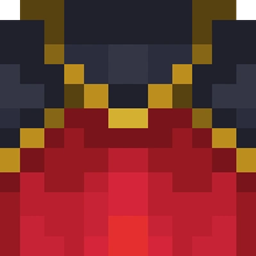
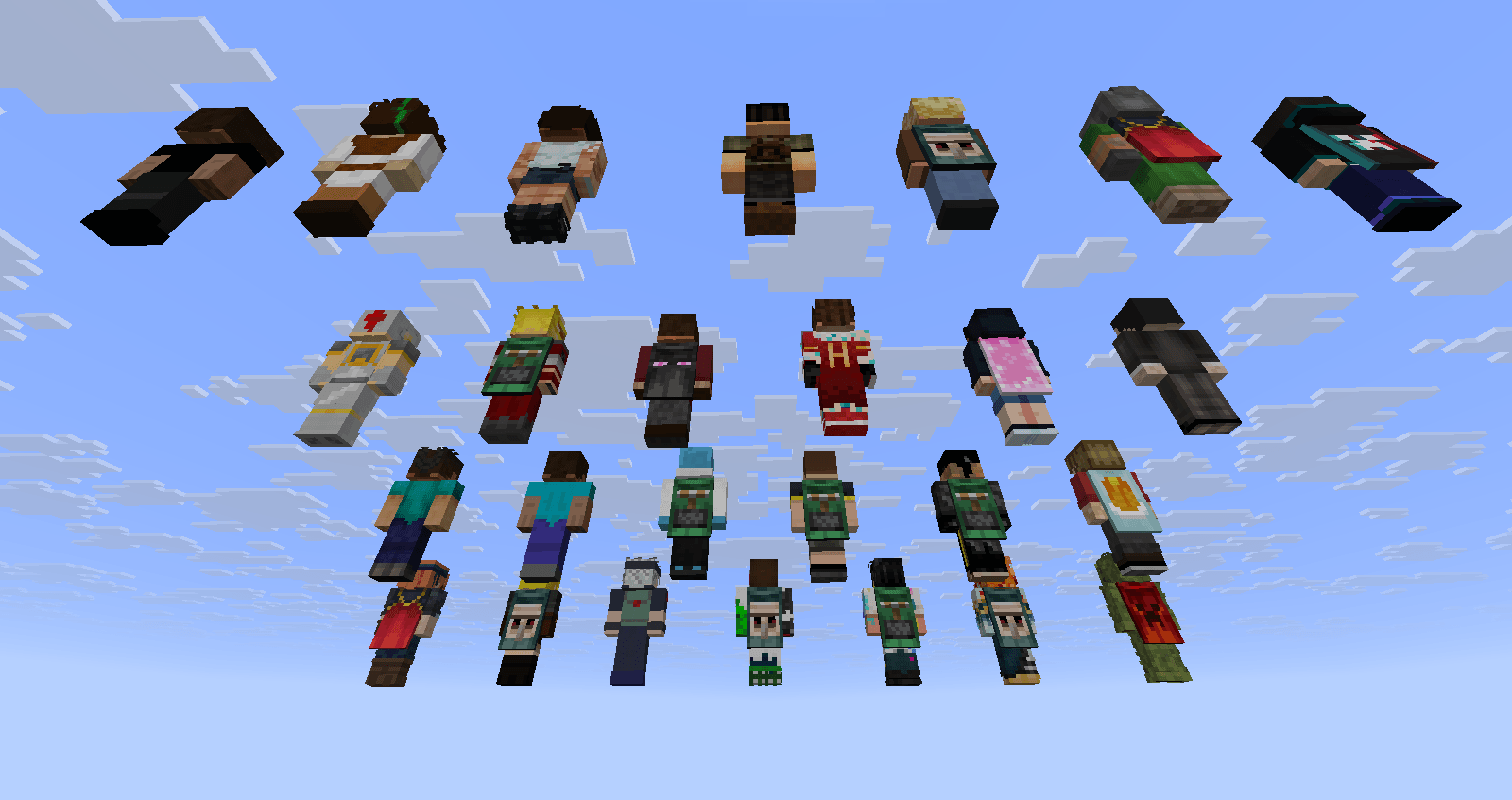
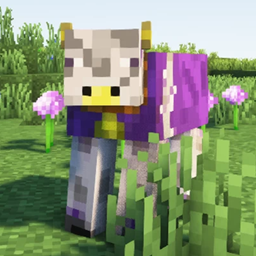
This pack add capes textures.
by Seb_Semos
Download Claim this project
Add a badge to your pageLink to Semos Cape Addon from a README, website or forum post.
Preview: Badge

Badges update automatically and link to the resource pack page on MineUniverse.

1,973 downloads
0 likes
0 followers
Updated Oct 14, 2026
0 hypes
Follow0
16x Miscellaneous Mod Support
Advertisement Remove ads with Premium →

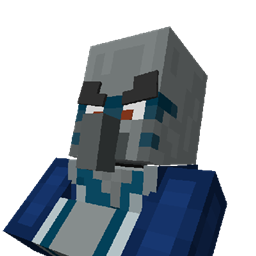
This pack add capes textures. This pack is meant to be used as dependancy by other packs. Nothing will be displayed by this pack itself.

Since 1.0.2 this pack can be anywhere in the ressource pack list

List of names to get a specific cape:

- 15th Anniversary Cape
- Birthday Cape
- Cherry Blossom Cape
- Chinese Translator Cape
- Cobalt Cape
- Common Cape
- Copper Cape
- db Cape
- Follower Cape
- Founder Cape
- Home Cape
- Japanese Translator Cape
- MCC 15th Year Cape
- Menace Cape
- Migrator Cape
- Millionth Customer Cape
- Minecon 2011 Cape
- Minecon 2012 Cape
- Minecon 2013 Cape
- Minecon 2015 Cape
- Minecon 2016 Cape
- Minecraft Experience Cape
- Mojang Cape
- Mojang Classic 
- Mojang Office Cape
- Mojang Studio Cape

List of pack using it:

Let me know if you use it and I'll add your pack on the list :) 


How to add capes to your own models:

(From 1.0.2 and up)

First and formost, please use this pack as a dependency, do not reupload it included in your own.

To add the capes to your models, simply create a new bone in the root part of the body (or else if you want funky stuff)

This bone can be named whatever you want.
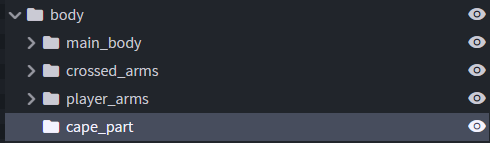
My blockbench is still not at latest version, so does not support .jpms. Idk how you set them up, but just make so it read my jpm wich is in assets\semos\parts and is called semos_cape

Alternatively, open your jem model with a text editor, find the bone you just created and replace it with this:

{
"id": "semos_cape",
"model": "semos:parts/semos_cape.jpm",
"translate": [0, 0, 0]
}

Reminder "id" can be called what you want The part should be in a correct location for a player sized model. If not, tweak the location with the translate values

Get some animations:

You must set animations in a root part. I use this math for a vanilla-ish feel. (limb_speed might need to be adjusted depending of the mob)

"semos_cape.rx": "if(limb_speed>0.6, -torad(45),limb_speed>0.1, -torad(15),-torad(5))"

You could also reference [Semos Animations Lib] for a smoother anim, more Fresh Animation oriented, the path is:

"model": "semos:entity_animations/humanoids/cape_animations.jpm"

Or make your own :)

Textures:

The .propertie will make your model use the default weight distribuation of all the vanilla capes (+ the classic optifine). It is based on the numbers of real life owner of those capes (according to NameMC ) It will also have about half a chance to not have any cape

There are a couple of variables you can set in you model to force some king of capes. Those variables must be boooleans and named the following

  • extra_rare_capes (those with less than 10 owners)
  • rare_capes (those with less than 500 owners)
  • common_capes (those with more than 100k owners)
  • minecon_capes (those from Minecon 2011 - 2016, Experience and Minecon Live 2019
  • no_capes (Never display a cape)

When true it will follow the weight distribtuion of only the corresponding capes


Semos Cape Addon 1.0.6.zip
MC 1.21.2-Snapshot, 1.21, 1.21.6-snapshot, 1.20.2-Snapshot, 1.20.5-Snapshot, 1.21.1-Snapshot, 1.20.2, 1.21.8, 1.20.5, 1.21.5, 1.21.4, 1.21.5-Snapshot, 1.20.1, 1.20, 1.20.6, 1.21.1
Release 2026-09-25 Get
Semos Cape Addon 1.0.5.zip
MC 1.21.2-Snapshot, 1.21, 1.21.6-snapshot, 1.20.2-Snapshot, 1.20.5-Snapshot, 1.21.1-Snapshot, 1.20.2, 1.21.8, 1.20.5, 1.21.5, 1.21.4, 1.21.5-Snapshot, 1.20.1, 1.20, 1.20.6, 1.21.1
Release 2026-06-28 Get
Semos Cape Addon 1.0.4.zip
MC 1.21.2-Snapshot, 1.21, 1.21.6-snapshot, 1.20.2-Snapshot, 1.20.5-Snapshot, 1.21.1-Snapshot, 1.20.2, 1.21.8, 1.20.5, 1.21.5, 1.21.4, 1.21.5-Snapshot, 1.20.1, 1.20, 1.20.6, 1.21.1
Release 2026-03-29 Get
Semos Cape Addon 1.0.3.zip
MC 1.21.2-Snapshot, 1.21, 1.21.6-snapshot, 1.20.2-Snapshot, 1.20.5-Snapshot, 1.21.1-Snapshot, 1.20.2, 1.21.8, 1.20.5, 1.21.5, 1.21.4, 1.21.5-Snapshot, 1.20.1, 1.20, 1.20.6, 1.21.1
Release 2025-11-17 Get
Semos Cape Addon 1.0.2.zip
MC 1.21.2-Snapshot, 1.21, 1.21.6-snapshot, 1.20.2-Snapshot, 1.20.5-Snapshot, 1.21.1-Snapshot, 1.20.2, 1.21.8, 1.20.5, 1.21.5, 1.21.4, 1.21.5-Snapshot, 1.20.1, 1.20, 1.20.6, 1.21.1
Release 2025-11-15 Get
Semos Cape Addon 1.0.1.zip
MC 1.20.2, 1.21.2-Snapshot, 1.21, 1.21.6-snapshot, 1.20.5, 1.21.5, 1.20.2-Snapshot, 1.20.5-Snapshot, 1.21.8, 1.21.1-Snapshot, 1.21.9, 1.21.10, 1.21.4, 1.21.5-Snapshot, 1.20.3-Snapshot
Release 2025-11-01 Get
Semos Cape Addon 1.0.0.zip
MC 1.20.2, 1.21.2-Snapshot, 1.21, 1.21.6-snapshot, 1.20.5, 1.21.5, 1.20.2-Snapshot, 1.20.5-Snapshot, 1.21.8, 1.21.1-Snapshot, 1.21.9, 1.21.10, 1.21.4, 1.21.5-Snapshot, 1.20.3-Snapshot
Release 2025-10-29 Get

Requirements & install

How to use this resource pack in Minecraft
Resolution
16x
Minecraft
1.21.2-Snapshot – 1.21.10
Install folder
.minecraft/resourcepacks

How to install resource packs

  1. Download the resource pack .zip file (do not extract it).
  2. In Minecraft open Options → Resource Packs → Open Pack Folder.
  3. Drop the .zip into the resourcepacks folder (.minecraft/resourcepacks).
  4. Move the pack to the Selected column and click Done.
Browse more: 16x resource packs 32x resource packs 64x resource packs 128x resource packs 256x resource packs 512x+ resource packs Resource Packs for 1.21.10 All resource packs

More from Seb_Semos

Advertisement Remove ads with Premium →

You Might Also Like