Mineuniverse
Resource Packs
Saturation - JE

Saturation - JE

RESOURCE PACK
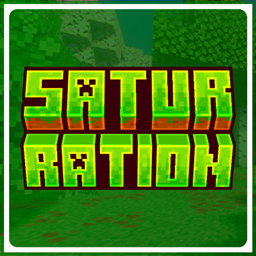
This pack boosts the saturation of Minecraft’s textures, giving the world richer colors and a more vibrant, lively look while still keeping the original visual style intact.
by VoxenMC2
Download Claim this project
Add a badge to your pageLink to Saturation - JE from a README, website or forum post.
Preview: Badge

Badges update automatically and link to the resource pack page on MineUniverse.

3,741 downloads
0 likes
0 followers
Updated Oct 14, 2026
0 hypes
Follow0
16x Miscellaneous Traditional
Advertisement Remove ads with Premium →

Saturation For Java Edition

This pack boosts the saturation of Minecraft’s textures, making the world look more vibrant, colorful, and lively. It enhances blocks, items, and environments with richer tones while keeping the original style intact.

The saturation in the preview images was increased externally to make them look better. In-game textures will not appear that strong.

I recommend using this pack with any shader for an even better visual experience. For the preview, I used Relta Visuals(bedrock edition).


Note

This pack was originally made for the Bedrock Edition, and I have ported it to Java Edition. All preview images shown here were captured in the Bedrock version.

Saturation.zip
MC 1.21.10
Release 2025-11-29 Get

Requirements & install

How to use this resource pack in Minecraft
Resolution
16x
Minecraft
1.21.10
Install folder
.minecraft/resourcepacks

How to install resource packs

  1. Download the resource pack .zip file (do not extract it).
  2. In Minecraft open Options → Resource Packs → Open Pack Folder.
  3. Drop the .zip into the resourcepacks folder (.minecraft/resourcepacks).
  4. Move the pack to the Selected column and click Done.
Browse more: 16x resource packs 32x resource packs 64x resource packs 128x resource packs 256x resource packs 512x+ resource packs Resource Packs for 1.21.10 All resource packs

More from VoxenMC2

Advertisement Remove ads with Premium →

You Might Also Like