Mineuniverse
Resource Packs
Salmons Cursed Fate Angel UI

Salmons Cursed Fate Angel UI

RESOURCE PACK
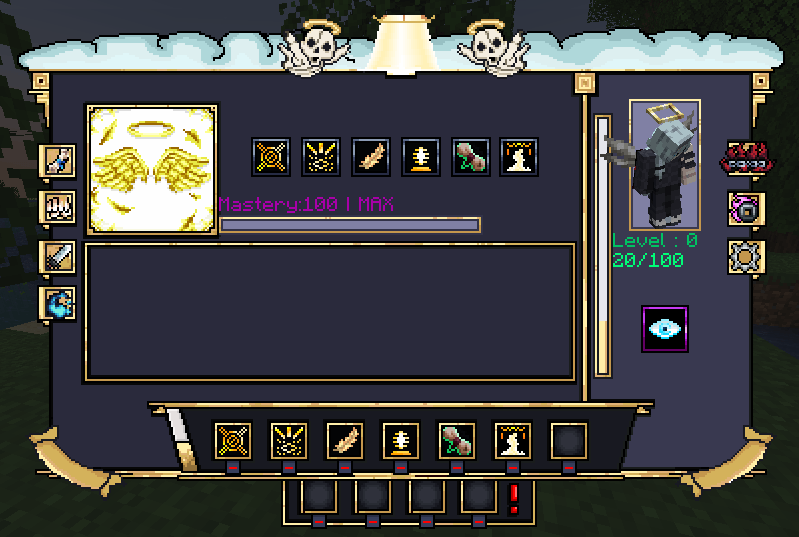
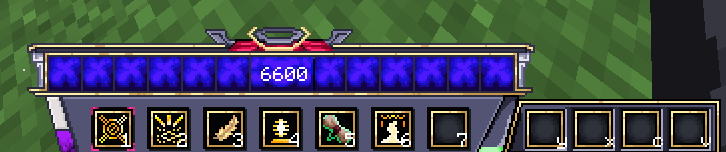
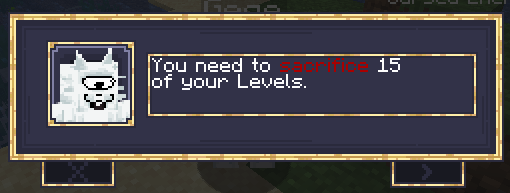
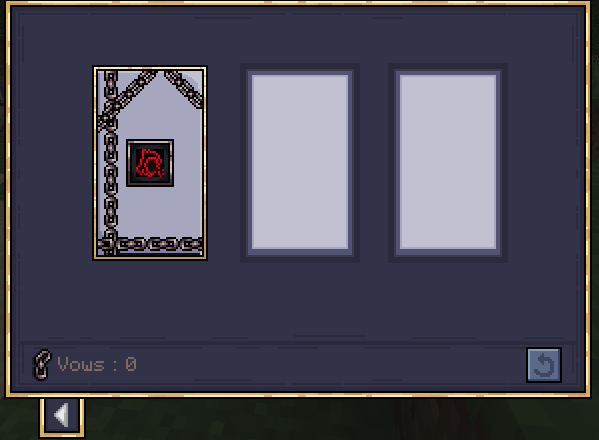
Its a texture / ressource pack that changes the screen UI in cursed fate like combat bar, menu and more to fit the style of hana from jjk or the Angel
by SalmonBlub
Download Claim this project
Add a badge to your pageLink to Salmons Cursed Fate Angel UI from a README, website or forum post.
Preview: Badge

Badges update automatically and link to the resource pack page on MineUniverse.

578 downloads
0 likes
0 followers
Updated Oct 14, 2026
0 hypes
Follow0
64x Miscellaneous
Advertisement Remove ads with Premium →

SALMONS BIG ANGEL UI WOWZERS

This texture pack will change most textures in the Jujutsu Kaisen mod "Cursed Fate" to fit the theme of jujutsu sorcerer Angel. I mean that basically already perfectly describes it, wow. I dont have much to talk about in this description but other mods descriptions are SO much longer that I really need to keep up by adding more words. Did you know Gumel is such a haaard twink? ;) Im gonna update the texture packs logo at some point and add UIs for the other Combat Types. Also Cursed Energy Color is a little buggy at the moment. I literally cant tell you how to fix it so there will never be one MUAHEHEHEHE. Ill also probably have to remake all UIs once the new Cursed Fate update releases but oh well. Ill also have to redo the logo icon for the ressource pack like I made this in 20 seconds.


LINKS

https://www.curseforge.com/members/gumelthemodeler/ --> Sub-Creator of Cursed Fate and provided the template for this texture pack


https://www.curseforge.com/minecraft/mc-mods/cursed-fate --> Cursed Fate Mod


https://www.curseforge.com/minecraft/texture-packs/calamitous-cursed-fate --> The texture pack I used as a template


Salmons_Angel_UI
MC 1.20.1
Release 2026-08-26 Get

Requirements & install

How to use this resource pack in Minecraft
Resolution
64x
Minecraft
1.20.1
Install folder
.minecraft/resourcepacks

How to install resource packs

  1. Download the resource pack .zip file (do not extract it).
  2. In Minecraft open Options → Resource Packs → Open Pack Folder.
  3. Drop the .zip into the resourcepacks folder (.minecraft/resourcepacks).
  4. Move the pack to the Selected column and click Done.
Browse more: 16x resource packs 32x resource packs 64x resource packs 128x resource packs 256x resource packs 512x+ resource packs Resource Packs for 1.20.1 All resource packs
Advertisement Remove ads with Premium →

You Might Also Like