Mineuniverse
Resource Packs
Reptilator's Bordered Ores

Reptilator's Bordered Ores

RESOURCE PACK
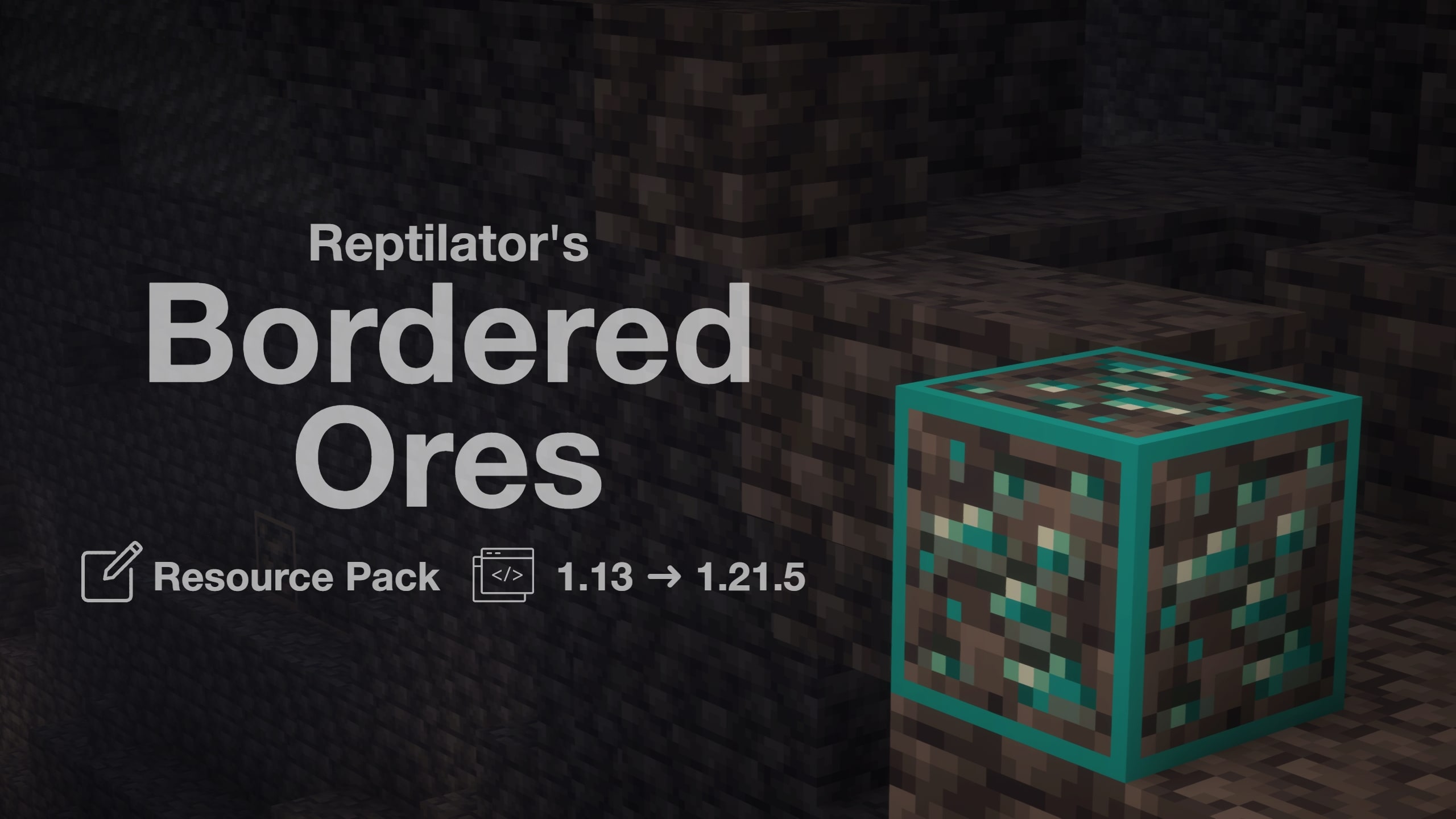
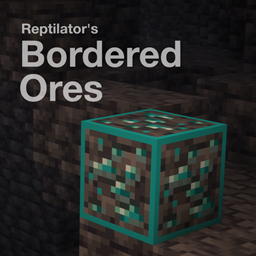
A simple Vanilla-Style texture pack that outlines the ores to make them easier to find!
by Reptilator
Download Claim this project
2,943 downloads
0 likes
0 followers
Updated Oct 14, 2026
0 hypes
Follow0
16x Miscellaneous
Advertisement Remove ads with Premium →

banr

Never Miss an Ore Again!

Enhance your mining adventures with Reptilator's Bordered Ores—a meticulously crafted resource pack that adds vibrant, high-contrast borders to all ore blocks, including deepslate and nether variants and Ancient Debris. Designed to seamlessly integrate with Minecraft's default aesthetics, this pack ensures that ores stand out distinctly against any backdrop, making them virtually unmissable during your expeditions.​

Key Features:

  • Enhanced Visibility: Distinctive colored borders make ores pop, reducing the chances of overlooking valuable resources.
  • Seamless Integration: Maintains the classic Minecraft look with a clean 16× resolution, ensuring a familiar yet improved visual experience.
  • Comprehensive Compatibility: Fully supports Minecraft versions from 1.13 up to 1.21.5, catering to a wide range of players.​

Whether you're a seasoned miner or just starting out, Reptilator's Bordered Ores is your perfect companion for efficient and enjoyable mining.​


© All Rights Reserved to Reptilator. Do not republish this pack or its content or claim it as your own.

Reptilator's Bordered Ores v1.2
MC 1.16-Snapshot, 1.17.1, 1.16.3, 1.13.1, 1.19.3, 1.20.2, 1.21.2-Snapshot, 1.21, 1.21.6-snapshot, 1.15-Snapshot, 1.16.1, 1.18.1, 1.19.4-Snapshot, 1.20.5, 1.21.5, 1.14.4, 1.14.1, 1.17
Release 2025-04-23 Get
Reptilator's Bordered Ores
MC 1.17.1, 1.16.3, 1.16.1, 1.18.1, 1.17, 1.16, 1.16.5, 1.18.2, 1.17-Snapshot, 1.18, 1.16.4, 1.18-Snapshot, 1.16.2
Release 2022-04-26 Get

Requirements & install

How to use this resource pack in Minecraft
Resolution
16x
Minecraft
1.19.3 – 1.21.6-snapshot
Install folder
.minecraft/resourcepacks

How to install resource packs

  1. Download the resource pack .zip file (do not extract it).
  2. In Minecraft open Options → Resource Packs → Open Pack Folder.
  3. Drop the .zip into the resourcepacks folder (.minecraft/resourcepacks).
  4. Move the pack to the Selected column and click Done.
Browse more: 16x resource packs 32x resource packs 64x resource packs 128x resource packs 256x resource packs 512x+ resource packs Resource Packs for 1.21.6-snapshot All resource packs

More from Reptilator

Advertisement Remove ads with Premium →

You Might Also Like