Mineuniverse
Resource Packs
RedVoid PVP

RedVoid PVP

RESOURCE PACK
Dark PvP resource pack with blood-red aesthetic, Verzide-style swords, custom red crosshair and OptiFine red sky. Compatible with Minecraft 1.8.9 – 1.20.1.
by BerDVeloper
Download Claim this project
Add a badge to your pageLink to RedVoid PVP from a README, website or forum post.
Preview: Badge

Badges update automatically and link to the resource pack page on MineUniverse.

87 downloads
0 likes
0 followers
Updated Oct 14, 2026
0 hypes
Follow0
16x Medieval
Advertisement Remove ads with Premium →

⚔ RedVoid PvP ⚔

Dark crimson aesthetic | Classic PvP swords | OptiFine red sky


🩸 About

RedVoid is a 16x dark PvP resource pack built around a deep crimson and void-black palette. Every element has been redesigned to give you that aggressive, dark red aesthetic from old-school PvP texture packs — swords, GUI, sky and more.


✅ Features

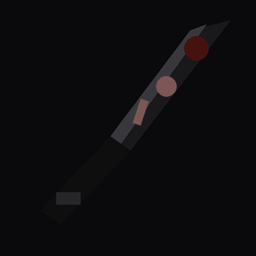
  • Verzide-style swords — Classic thin diagonal PvP blade with highlight edge and shadow. All 6 materials.
  • Custom crosshair — Small red cross, visible on any background.
  • OptiFine red sky — Full blood-red skybox with dark atmosphere, red sun and star field.
  • Dark red GUI — Inventory, hotbar and containers redesigned in dark crimson.
  • Full armor set — All armor items and worn layers in red/dark palette.
  • Dark blocks — Stone, cobblestone, dirt, obsidian, netherrack, TNT and more.
  • Entity reskins — Zombie, skeleton, spider and creeper with dark red tints.
  • Crimson potions — Normal, splash and lingering potions redesigned.
  • Red enchantment glint — Red-tinted enchantment effect on all items.

🎮 Compatibility

  • Minecraft 1.8.9 – 1.20.1
  • Tested on Lunar Client 1.8.9
  • OptiFine recommended for red sky
  • Works with Fabric and Forge

Note: Red sky requires OptiFine with Custom Sky enabled. On Lunar Client go to Settings → Mods → OptiFine → enable Custom Sky.


📦 Installation

  1. Download the .zip file
  2. Drop it into .minecraft/resourcepacks/ — do NOT unzip
  3. Open Minecraft → Options → Resource Packs
  4. Select RedVoid PvP and click Done

If you enjoy the pack, leave a ⭐ and share with your friends!

RedVoid_PvP
MC 1.16.3, 1.13.1, 1.9.3, 1.17.1, 1.9.1, 1.16.1, 1.18.1, 1.14.3, 1.15, 1.16, 1.13, 1.16.5, 1.10.2, 1.19.3, 1.19.4, 1.9.4, 1.9.2, 1.14.4, 1.14.1, 1.12.1, 1.17, 1.12, 1.18, 1.11
Release 2026-07-24 Get

Requirements & install

How to use this resource pack in Minecraft
Resolution
16x
Minecraft
1.16.3 – 1.19.4
Install folder
.minecraft/resourcepacks

How to install resource packs

  1. Download the resource pack .zip file (do not extract it).
  2. In Minecraft open Options → Resource Packs → Open Pack Folder.
  3. Drop the .zip into the resourcepacks folder (.minecraft/resourcepacks).
  4. Move the pack to the Selected column and click Done.
Browse more: 16x resource packs 32x resource packs 64x resource packs 128x resource packs 256x resource packs 512x+ resource packs Resource Packs for 1.19.4 All resource packs

More from BerDVeloper

Advertisement Remove ads with Premium →

You Might Also Like