Mineuniverse
Resource Packs
Realistic Bricks PBR

Realistic Bricks PBR

RESOURCE PACK
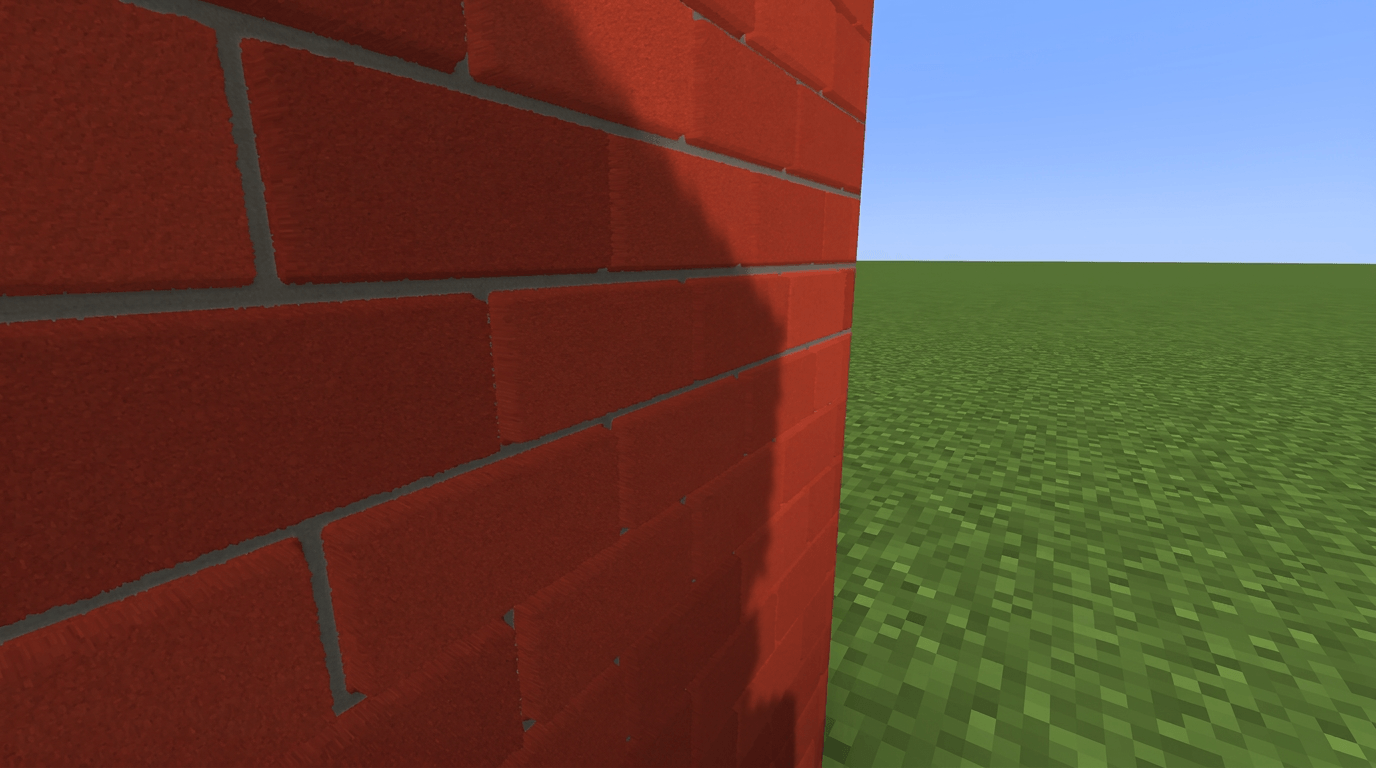
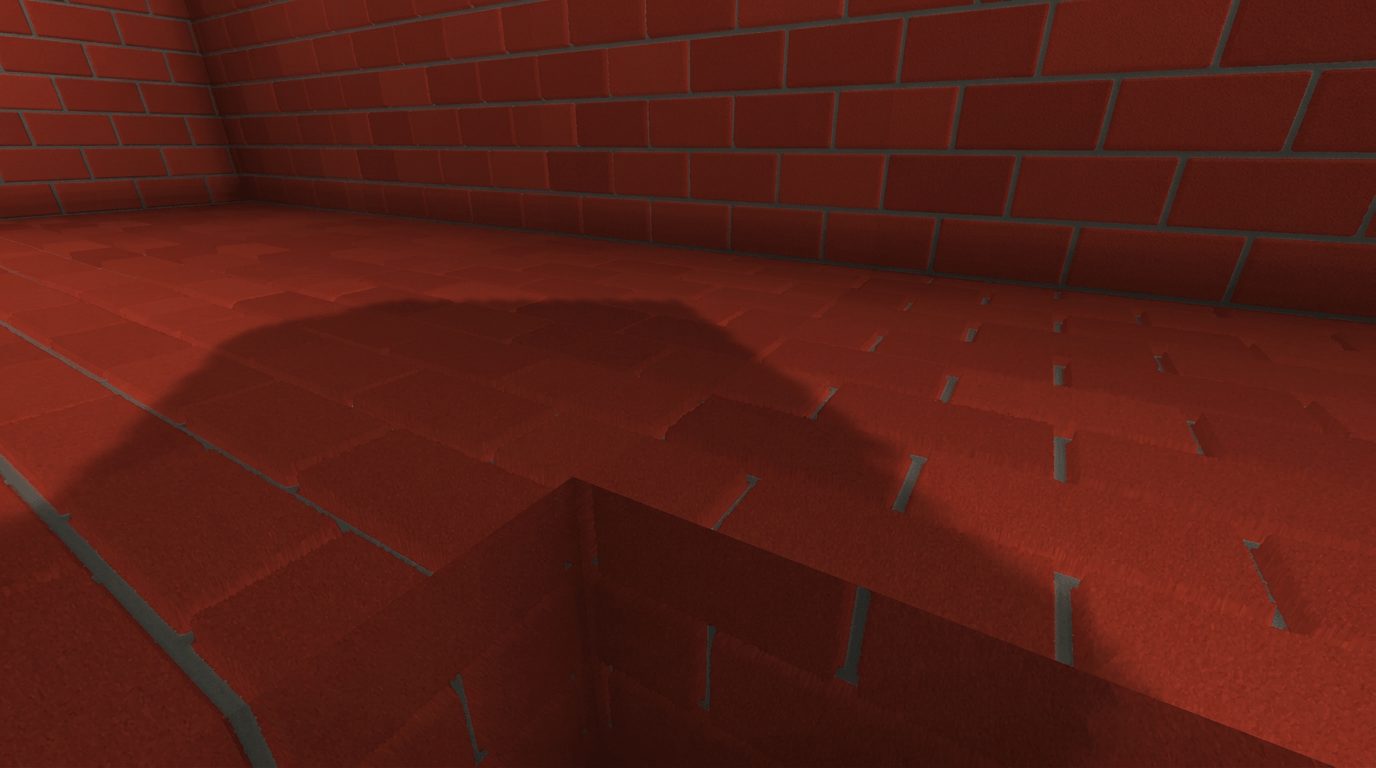
Ultra-realistic PBR brick textures for Minecraft 1.20.4, featuring detailed normal maps, height-based depth, and realistic material properties for supported PBR shaders.
by aboygamer
Download Claim this project
24 downloads
0 likes
Updated Oct 14, 2026
0 hypes
512x and Higher
Advertisement Remove ads with Premium →

Ultra Realistic Bricks PBR

Transform the classic Minecraft bricks into a highly detailed, realistic PBR material.

This resource pack enhances the vanilla Bricks block with detailed textures designed to work with supported PBR shaders, adding realistic surface depth, normal mapping, material properties, and a recessed mortar effect.

✨ Features

  • 🧱 Ultra-detailed brick texture

  • 🔥 PBR material workflow

  • 🗿 Normal mapping for realistic surface detail

  • 📐 Height map for depth and Parallax effects

  • 💡 Designed for realistic lighting with supported shaders

  • 🎨 Keeps the original Minecraft brick style while adding much more detail

  • 🖥️ 1024×1024 resolution

  • 🎮 Minecraft Java Edition 1.20.4

🔧 Shader Compatibility

The pack is designed for shaders that support PBR materials and normal/height maps, such as:

  • Complementary Shaders

  • BSL Shaders

  • SEUS PTGI

  • Other shaders with compatible PBR material support

Shader settings may affect how the normal, height, and material maps are interpreted.

📦 Installation

  1. Download the latest version.

  2. Place the .zip file inside your Minecraft resourcepacks folder.

  3. Enable the pack in Minecraft.

  4. Use a compatible PBR shader and enable its material/normal/POM features when available.

📜 Version

Minecraft Java Edition 1.20.4

This project currently focuses on improving the vanilla Bricks block with a realistic PBR material.

Bricks_PBR_1.20.4.zip
MC 1.20.4
Release 2026-09-13 Get

Requirements & install

How to use this resource pack in Minecraft
Resolution
512x+
Minecraft
1.20.4
Install folder
.minecraft/resourcepacks

How to install resource packs

  1. Download the resource pack .zip file (do not extract it).
  2. In Minecraft open Options → Resource Packs → Open Pack Folder.
  3. Drop the .zip into the resourcepacks folder (.minecraft/resourcepacks).
  4. Move the pack to the Selected column and click Done.

512x packs need a strong GPU and at least 4 GB of RAM for Minecraft; a performance mod such as Sodium is strongly recommended.

Browse more: 16x resource packs 32x resource packs 64x resource packs 128x resource packs 256x resource packs 512x+ resource packs Resource Packs for 1.20.4 All resource packs

More from aboygamer

Advertisement Remove ads with Premium →

You Might Also Like