Mineuniverse
Resource Packs
Prabhat's  Better Caves

Prabhat's Better Caves

RESOURCE PACK
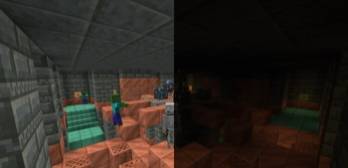
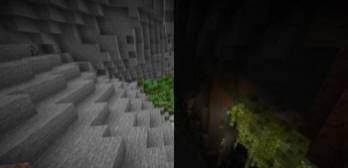
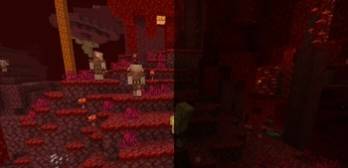
Let's make your caves brighter that help to find diamonds and better fight in night.
by PrabhatPie
Download Claim this project
775 downloads
0 likes
0 followers
Updated Oct 14, 2026
0 hypes
Follow0
64x Modern Photo Realistic
Advertisement Remove ads with Premium →

Click On the Image To Support Me -

Support on Ko-fi

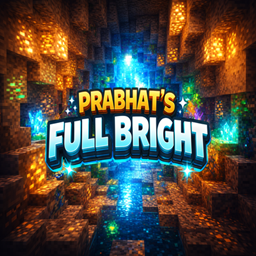
Prabhat's Fullbright Resource Pack Brings light into the darkness - without torches! This resource pack ensures maximum brightness in Minecraft and is compatible with Vanilla, Sodium (with PolyTone) and Optifine.

Features:

Full brightness: Always see everything clearly - even in caves and at night. Compatible & performant: Runs smoothly with Vanilla, Optifine and Sodium (with PolyTone). Simple installation: Drag the file into the resource pack directory and activate it in the game - done. Conclusion: Ideal for anyone who wants to experience Minecraft in a brighter and clearer way - without any mods or shaders.

⚠️ Need Help? Refer to the Document!

Docs / FAQ

If you require assistance with installing or using the Prabhat's Fullbright resource pack, feel free to consult this document. Here, you'll find step-by-step instructions for installation as well as tips and tricks for maximizing the use of the resource pack. Should further questions arise, don't hesitate to reach out to our community or support team. We're here to assist you and ensure you get the most out of your Minecraft experience. Thank You Regards, PrabhatPie

Prabhat's Full Bright 1.21.9-1.21.11.zip
MC 1.21, 1.20.2-Snapshot, 1.20.2, 1.21.8, 1.20.5, 1.21.5, 1.21.4, 1.20.1, 1.20, 1.20.6, 1.20-Snapshot, 1.21.1, 1.21.6, 1.21.3, 1.21.7, 1.20.4, 1.21-Snapshot, 1.20.3, 1.21.2
Release 2026-03-06 Get

Requirements & install

How to use this resource pack in Minecraft
Resolution
64x
Minecraft
1.21.1 – 1.21.8
Install folder
.minecraft/resourcepacks

How to install resource packs

  1. Download the resource pack .zip file (do not extract it).
  2. In Minecraft open Options → Resource Packs → Open Pack Folder.
  3. Drop the .zip into the resourcepacks folder (.minecraft/resourcepacks).
  4. Move the pack to the Selected column and click Done.
Browse more: 16x resource packs 32x resource packs 64x resource packs 128x resource packs 256x resource packs 512x+ resource packs Resource Packs for 1.21.8 All resource packs

More from PrabhatPie

Advertisement Remove ads with Premium →

You Might Also Like