Mineuniverse
Resource Packs
Pochacco’s Playful GUI

Pochacco’s Playful GUI

RESOURCE PACK
A Resourse Pack That Changes Your Boring Gui + HotBar Into a Pochacco Hotbar & GUI
by PSSDrops
Download Claim this project
Add a badge to your pageLink to Pochacco’s Playful GUI from a README, website or forum post.
Preview: Badge

Badges update automatically and link to the resource pack page on MineUniverse.

5,026 downloads
0 likes
0 followers
Updated Oct 14, 2026
0 hypes
Follow0
16x Animated Miscellaneous Mod Support Photo Realistic
Advertisement Remove ads with Premium →


✨ Pochacco GUI Pack (Minecraft 1.20-Latest) ✨

Add a touch of Sanrio cuteness to your game with a Pochacco-inspired GUI overhaul!
This resource pack redesigns your entire HUD and menus with an adorable Pochacco theme — keeping everything functional, lightweight, and easy to use.
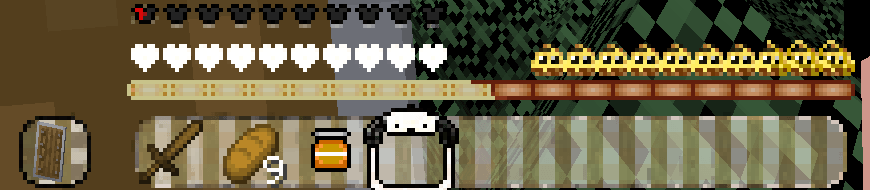
🌟 Features

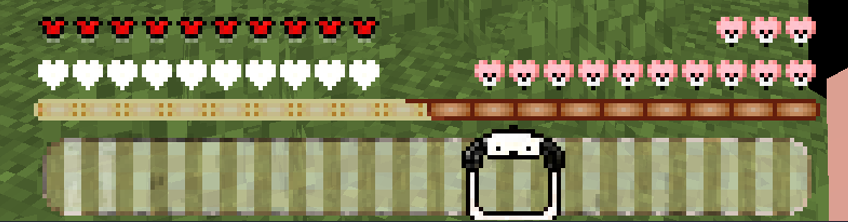
🐾 Custom Hotbar – fully themed design


Hotbar


❤️ Custom Health Bar 


Hearts


🍗 Custom Hunger & Saturation Bars


Hunger


💧 Custom Water / Bubble Meter


🛡️ Custom Armor Bar


Screenshot 2025-08-20 163353.png


⚙️ Custom Settings Buttons – themed menus for a unique look
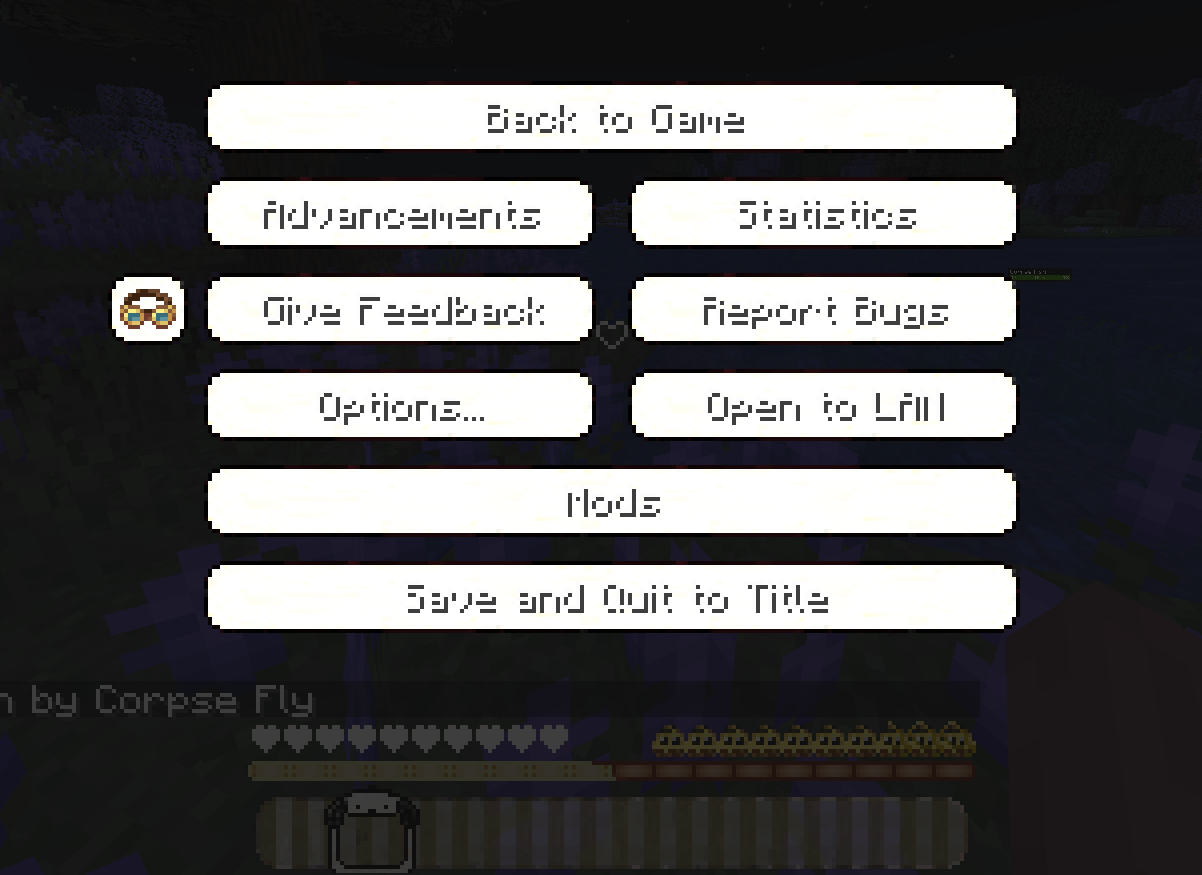
 

Settings In Game


🎒 Custom Inventory Screen – fully redesigned with Pochacco vibes


Inventory


Custom Horse / Pet HP 


Screenshot 2025-08-20 163357.png

✅ Compatibility


No performance impact – lightweight & simple


Tested on Minecraft 1.20.1-Latest


Now fully supporting Minecraft 1.21!

My Other Projects:

Pochacco's Playful GUI

Pochacco's Playful GUI 1.21.11
MC 1.21.11, 26.1.2
Release 2026-01-27 Get
Pochacco’s Playful GUI 1.21.10
MC 1.21.10
Release 2025-11-21 Get
Pochacco’s Playful GUI 1.20+
MC 1.20.2, 1.20.5, 1.20.1, 1.20, 1.20.6, 1.20.4, 1.20.3
Release 2025-08-21 Get
Pochacco’s Playful GUI 1.21+
MC 1.21, 1.21.5, 1.21.8, 1.21.4, 1.21.3, 1.21.7, 1.21.1, 1.21.6, 1.21.2
Release 2025-08-20 Get
Pochacco Hotbar & GUI.zip
MC 1.20.2, 1.21, 1.20.5, 1.21.5, 1.21.8, 1.21.4, 1.20.3, 1.20.1, 1.20, 1.20.6, 1.20.4, 1.21.3, 1.21.7, 1.21.1, 1.21.6, 1.21.2
Beta 2025-08-19 Get

Requirements & install

How to use this resource pack in Minecraft
Resolution
16x
Minecraft
1.21.4 – 26.1.2
Install folder
.minecraft/resourcepacks

How to install resource packs

  1. Download the resource pack .zip file (do not extract it).
  2. In Minecraft open Options → Resource Packs → Open Pack Folder.
  3. Drop the .zip into the resourcepacks folder (.minecraft/resourcepacks).
  4. Move the pack to the Selected column and click Done.
Browse more: 16x resource packs 32x resource packs 64x resource packs 128x resource packs 256x resource packs 512x+ resource packs Resource Packs for 26.1.2 All resource packs

More from PSSDrops

Advertisement Remove ads with Premium →

You Might Also Like