Mineuniverse
Resource Packs
Plastic Wars

Plastic Wars

RESOURCE PACK
A glossy, toy-like plastic PvP texture pack for Bed Wars featuring stylized smooth aesthetics and realistic utility items like fireballs and ender pearls.
by qwdqwxx
Download Claim this project
Add a badge to your pageLink to Plastic Wars from a README, website or forum post.
Preview: Badge

Badges update automatically and link to the resource pack page on MineUniverse.

45 downloads
0 likes
0 followers
Updated Oct 14, 2026
0 hypes
Follow0
64x
Advertisement Remove ads with Premium →

! Plastic Wars by qwdqwxx is a meticulously crafted Bed Wars resource pack that completely transforms the standard Minecraft experience into a vibrant, polished world built entirely out of smooth, glossy plastic. The blocks and environment feature clean lines, rounded edges, and toy-like textures that give the game a satisfying, minimalist look, reducing visual clutter during intense PvP matches.

At the same time, the pack introduces high-detail, realistic textures for essential competitive items such as fireballs, ender pearls, and utility blocks. This unique contrast ensures that critical gameplay elements pop out immediately, making it significantly easier to track items in your hotbar or spot incoming projectiles mid-fight.

Designed specifically with competitive players in mind, ! Plastic Wars balances stunning aesthetics with maximum performance and visibility. Whether you are rushing mid, defending your bed, or engaging in fierce bridging battles, this pack provides a refreshing, modern aesthetic that makes every match look and feel exceptionally smooth.

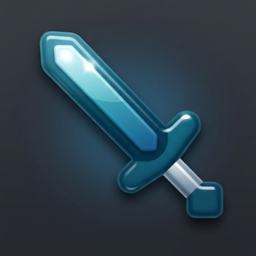
! §bPlastic Wars.zip
MC 1.8.9
Release 2026-09-05 Get

Requirements & install

How to use this resource pack in Minecraft
Resolution
64x
Minecraft
1.8.9
Install folder
.minecraft/resourcepacks

How to install resource packs

  1. Download the resource pack .zip file (do not extract it).
  2. In Minecraft open Options → Resource Packs → Open Pack Folder.
  3. Drop the .zip into the resourcepacks folder (.minecraft/resourcepacks).
  4. Move the pack to the Selected column and click Done.
Browse more: 16x resource packs 32x resource packs 64x resource packs 128x resource packs 256x resource packs 512x+ resource packs Resource Packs for 1.8.9 All resource packs

More from qwdqwxx

Advertisement Remove ads with Premium →

You Might Also Like