Realistic lighting with vanilla textures or any other pack, a perfect alternative to shaders if your machine just can't handle them!
To make this pack work properly you need to mod your game with Optifine. If you don't, no changes will be visible. Once downloaded, put it in your resource pack folder, start Minecraft, go to the resource pack menu, move them on top of your other resource packs and finally confirm to apply the changes.
NOTE: because of how Minecraft's lighting system works you need to keep your Brightness level as low as possible or the shading will basically be unnoticeable.
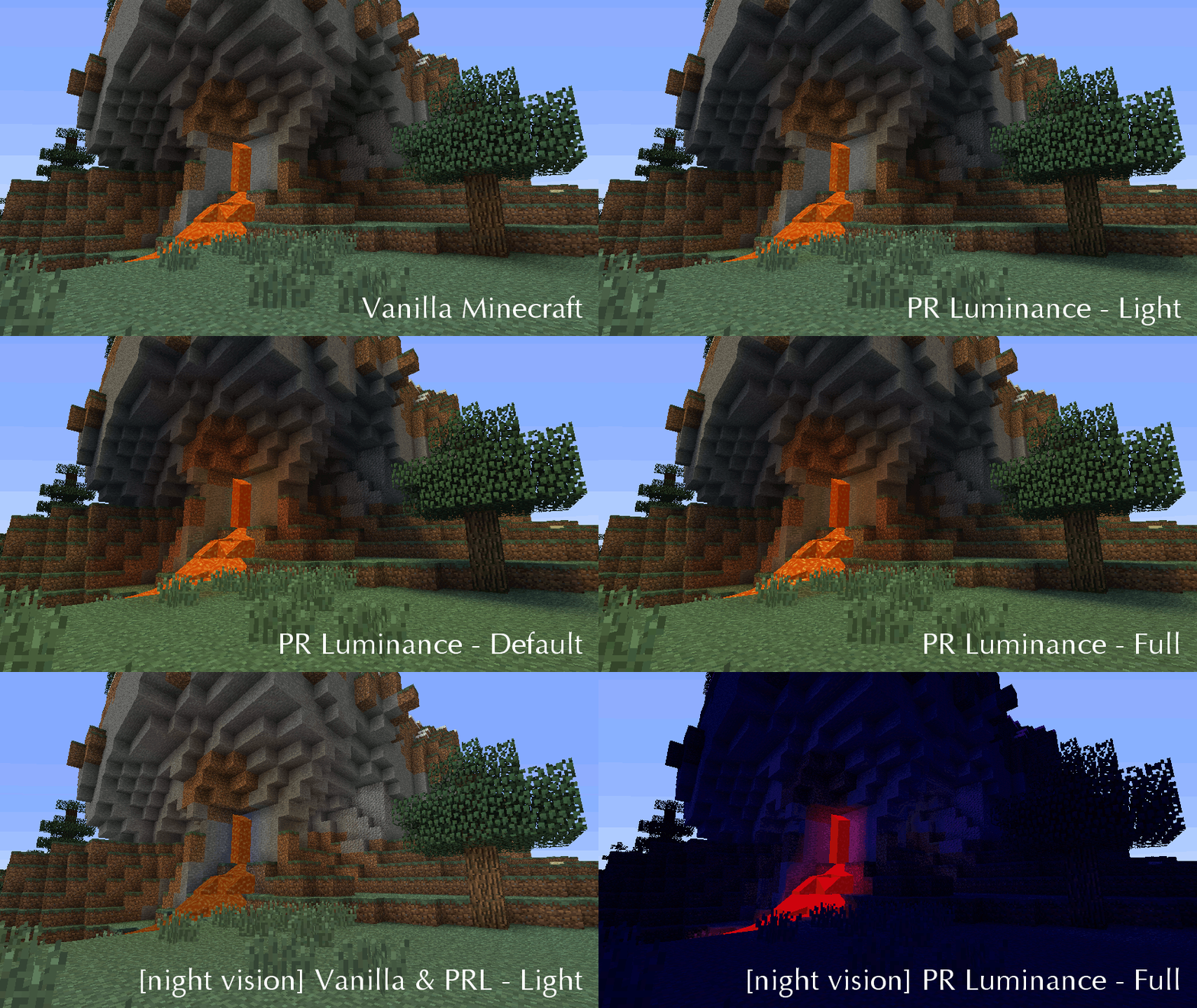
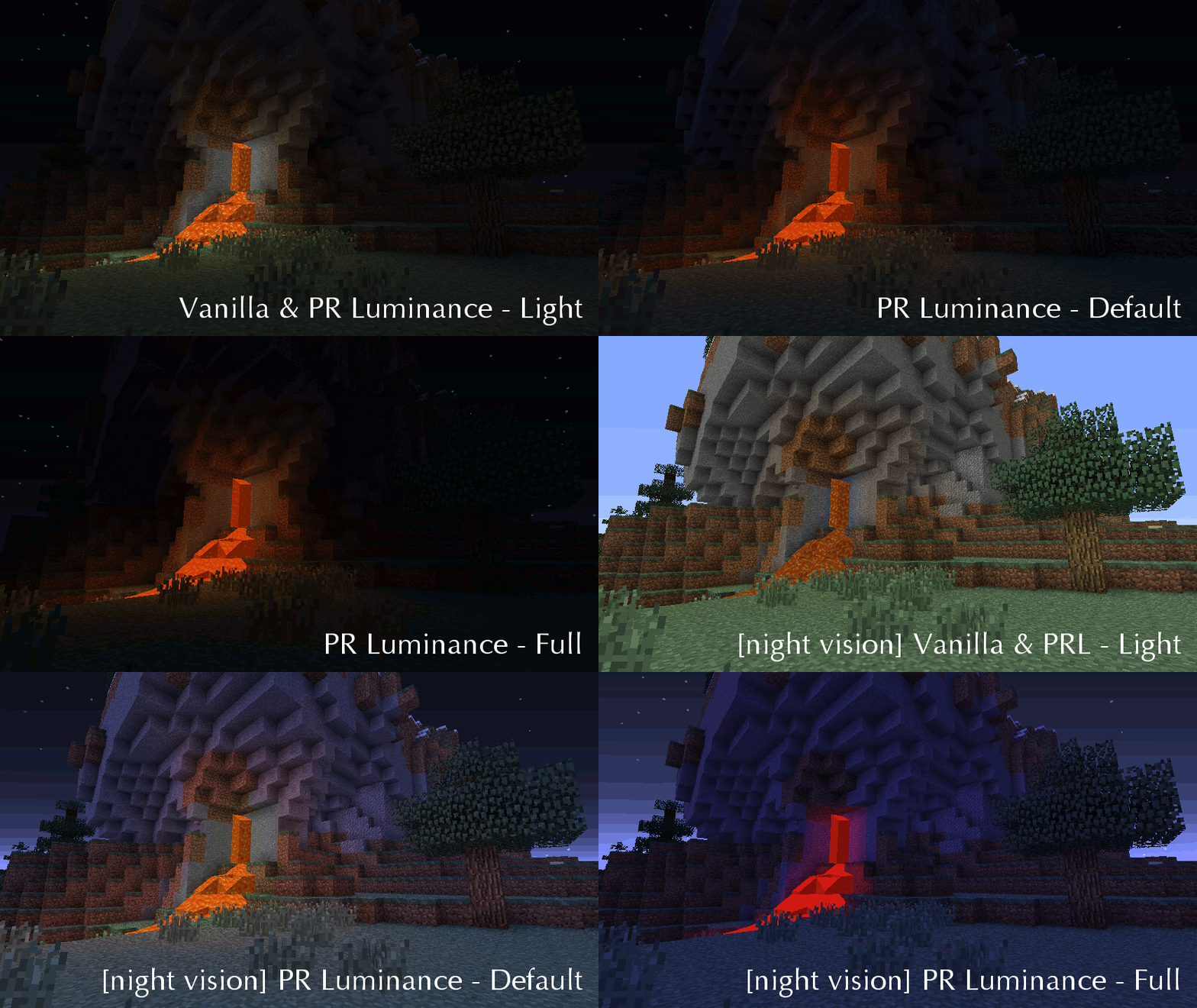
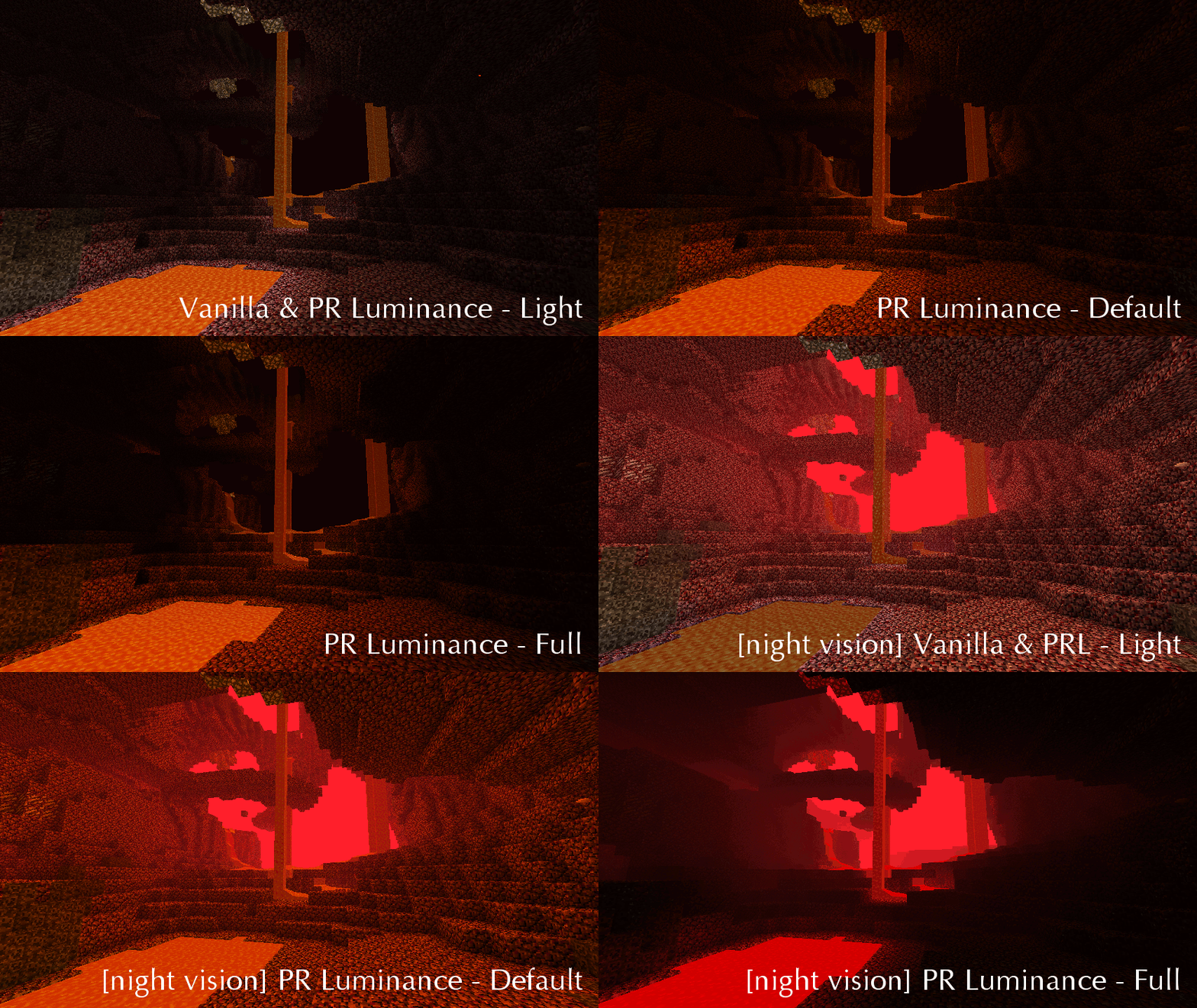
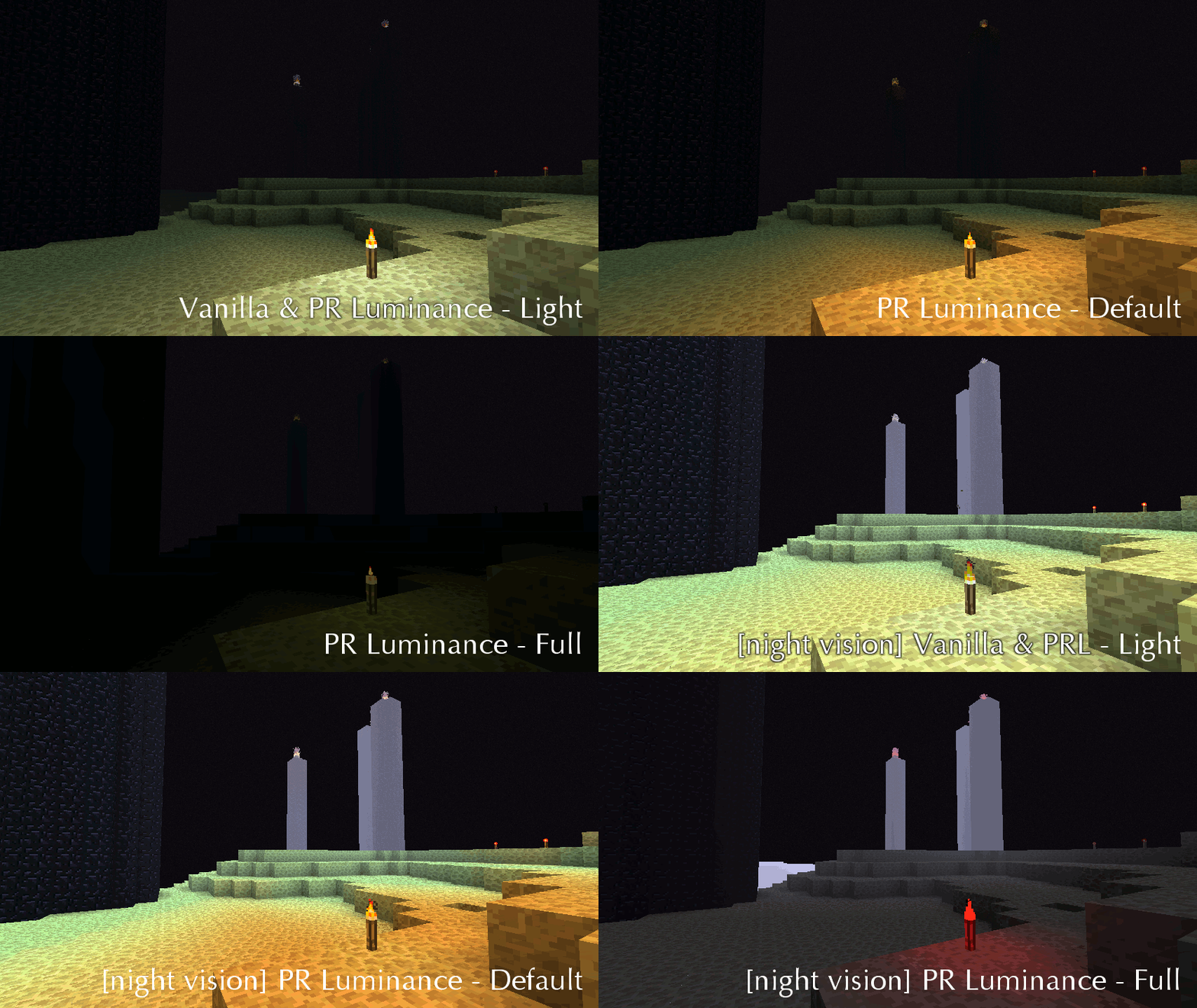
It includes 4 alternative packs (open the .zip and read the READ ME.txt file):
This version is included in the Pixel Reality resource pack and is intended to heavily influence the gameplay, making the game more difficult.
Realistic shading and colors but with weaker light sources and darker shadows, being pitch black at light level 0 regardless of your Brightness settings. Night vision is hampered by strong light and heat sources (including the sun) making your vision actually worse at day and in the Nether. The End is very dark and even light sources are very dim; Night Vision is a life saver here.
Like Full, but artificial lights in the Overworld are vanilla white-ish instead of orange. In the Nether they're still fire-red and in the End they're still dim and yellow-ish, to preserve the otherworldly atmosphere.
Realistic shading and light colors but vanilla brightness. Use this if you want bright nights and underground.
Only realistic shading but vanilla colors and brightness. Use this if you only want nicer shadows but no other changes to visuals.

Also check Pixel Reality - Atmosphere: it adds a realistic sky to vanilla or any pack, it's a good companion to Pixel Reality - Luminance if you want to give a realistic feel to your favorite pack.