Mineuniverse
Resource Packs
Passive Skill Tree  | Tabla's New Icons & More

Passive Skill Tree | Tabla's New Icons & More

RESOURCE PACK
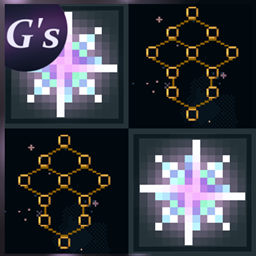
A pack that adds 50+ icons, 20+ border frames and more to Daripher's Passive Skill Tree mod. Originally made for the modpack Soulrend by Apotheotic Studios.
by LaTablaG
Download Claim this project
Add a badge to your pageLink to Passive Skill Tree | Tabla's New Icons & More from a README, website or forum post.
Preview: Badge

Badges update automatically and link to the resource pack page on MineUniverse.

36,140 downloads
0 likes
0 followers
Updated Oct 14, 2026
0 hypes
Follow0
64x Mod Support
Advertisement Remove ads with Premium →

Huge thanks to Daripher for letting me upload this resourcepack!

As you read, this resourcepack focuses on adding more new icons and frames for you to use. In the future I will add more icons but do keep in mind these are all being made for a modpack first. If you use this resourcepack for your own skilltrees, please take note of this, as any requests for new icons or frames will be done on a different priority.

Other than that, most of the new icons come in as many colours as possible. For now, this is a beta and some things will change in the future, be sure to read the changelogs when there is a new update before installing in case of file name changes.

You will find the icons in the same folders and editor the mod has by default. You can use it in a modpack no issues but do credit!
Have fun!

YOU CAN USE THIS IN YOUR MODPACKS NO ISSUES!!!!!!111!!!!1! Just credit me for the pack and Daripher for his mod

Tabla's_PST-I_1.19.2_v1.1.zip
MC 1.19.2
Release 2026-08-30 Get
Tabla's_PST-I_1.20.1_v1.1.zip
MC 1.20.1, 1.20
Release 2026-08-30 Get
g's_pask3.zip
MC 1.20.1, 1.20
Beta 2026-07-30 Get
G's_PASK2.zip
MC 1.20.1, 1.20
Beta 2026-06-28 Get
G's_PASK.zip
MC 1.20.1
Beta 2026-06-20 Get

Requirements & install

How to use this resource pack in Minecraft
Resolution
64x
Minecraft
1.19.2 – 1.20.1
Install folder
.minecraft/resourcepacks

How to install resource packs

  1. Download the resource pack .zip file (do not extract it).
  2. In Minecraft open Options → Resource Packs → Open Pack Folder.
  3. Drop the .zip into the resourcepacks folder (.minecraft/resourcepacks).
  4. Move the pack to the Selected column and click Done.
Browse more: 16x resource packs 32x resource packs 64x resource packs 128x resource packs 256x resource packs 512x+ resource packs Resource Packs for 1.20.1 All resource packs

More from LaTablaG

Advertisement Remove ads with Premium →

You Might Also Like