Mineuniverse
Resource Packs
Pan-O-Rama

Pan-O-Rama

RESOURCE PACK
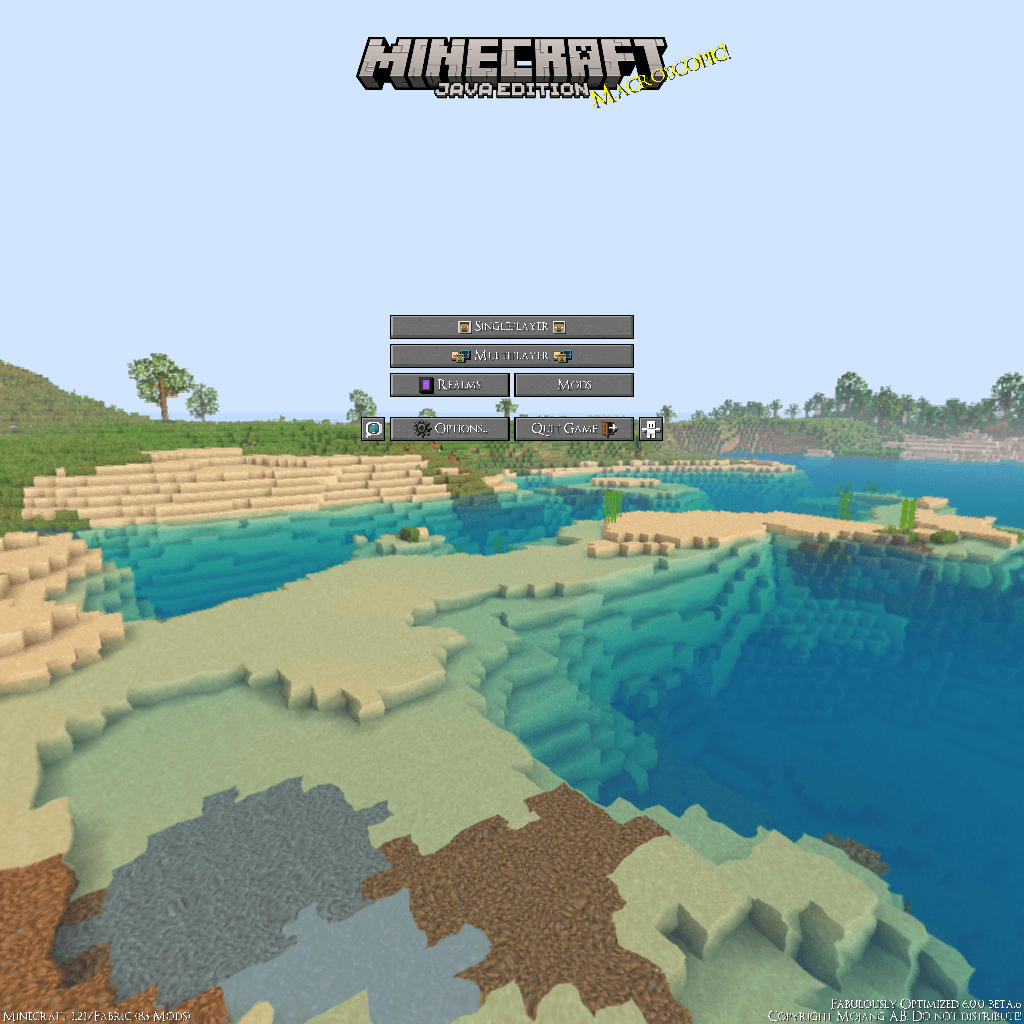
This changes Minecraft's default panorama into a custom-made!
by Yuui_Ki
Download Claim this project
85 downloads
0 likes
0 followers
Updated Oct 14, 2026
0 hypes
Follow0
16x Miscellaneous Modern
Advertisement Remove ads with Premium →

Have you ever thought about changing Minecraft's default panorama?
Do you just want something random and custom-made?

Introducing, The Pan-O-Rama!
This changes Minecraft's default panorama into a custom-made!
Its view is a Cherry-Themed House with a tree beside it, and
is distant from The Village Plains!

- Please do note that quality may differ as
the PC I use cannot handle such high quality -

Made with Builder's QOL Shaders at 1280x800, 16 Render Distance,
and Fancy Grpahics @20FPS-30FPS on an iGPU HD 2500
with i5-3450 and 8GB RAM (4x2GB RAM DDR3 1333MHz)!!


- Made with Blockbench -

You are prohibited to:
- Repost on a different site and claim it as yours
- Modify it unless for personal use

You are allowed to:
- Showcase and share the pack, as long as given credit
into the original link of the pack


- Please Read -
In case of bugs, please consider putting the pack as the highest priority/on top

Pan-O-Rama.zip
MC 1.20, 1.21.1
Release 2024-08-09 Get

Requirements & install

How to use this resource pack in Minecraft
Resolution
16x
Minecraft
1.20 – 1.21.1
Install folder
.minecraft/resourcepacks

How to install resource packs

  1. Download the resource pack .zip file (do not extract it).
  2. In Minecraft open Options → Resource Packs → Open Pack Folder.
  3. Drop the .zip into the resourcepacks folder (.minecraft/resourcepacks).
  4. Move the pack to the Selected column and click Done.
Browse more: 16x resource packs 32x resource packs 64x resource packs 128x resource packs 256x resource packs 512x+ resource packs Resource Packs for 1.21.1 All resource packs

More from Yuui_Ki

Advertisement Remove ads with Premium →

You Might Also Like