Mineuniverse
Resource Packs
Ogerpon: Pixelmon Reforged Additions

Ogerpon: Pixelmon Reforged Additions

RESOURCE PACK
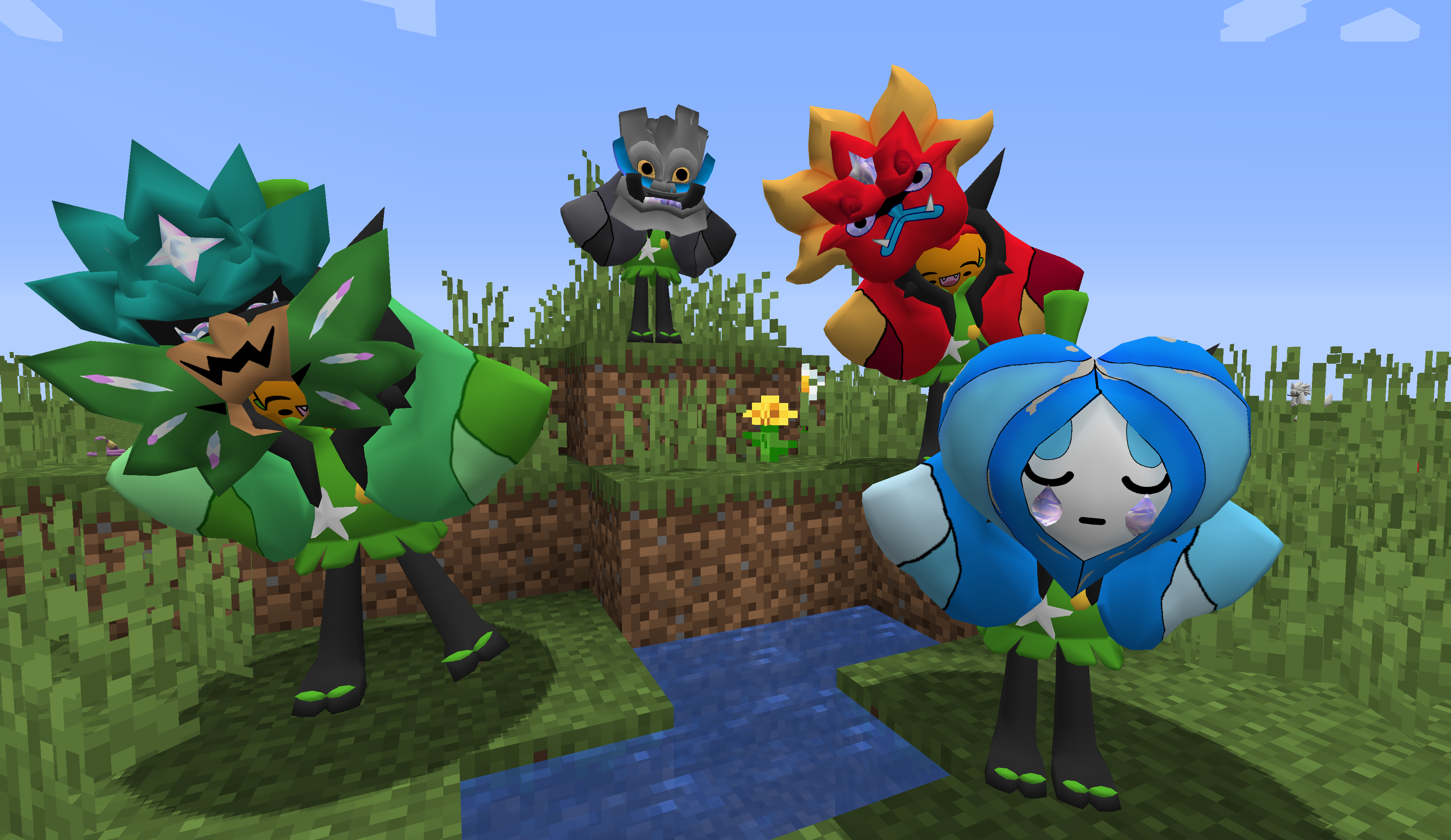
Adds the legendary Pixelmon Ogerpon and its forms into Pixelmon mod (v1.16)
by Kikamon
Download Claim this project
Add a badge to your pageLink to Ogerpon: Pixelmon Reforged Additions from a README, website or forum post.
Preview: Badge

Badges update automatically and link to the resource pack page on MineUniverse.

3,298 downloads
0 likes
0 followers
Updated Oct 14, 2026
0 hypes
Follow0
512x and Higher Data Packs Mod Support
Advertisement Remove ads with Premium →

Mom's Texture Bakery

Pixelmon Additions: Ogerpon

Fully working Res/Data-pack set-up for 1.16versions which adds the legendary Ogerpon model to the mod.


Created by artists from Mom's Texture Bakery, a Pixelmon Asset Community.
Credits go namely to the artists LimeMary for creating models, textures and animations from scratch, and Metal for resource pack and data pack set-up.


Ogerpon changes forms by evolving when exposed to Fire Stone, Water Stone, Hard Stone and Leaf Stone.
You can evolve Ogerpon over and over, thus change its form an unlimited amount of times, or until you run out of stones, hehe.

This is a mere addition to the Pixelmon Reforged mod, NOT the mod itself.

If you're interested in Pixelmon Reforged, make sure to check it out!


Do you want more Pixelmon additions, free models or textures? Would you like to check out the creators and their work?
Visit our community Discord!

https://discord.gg/p8HcSyERgJ

TextureBakeryFREEOgerpon TexturePack.zip
MC 1.16.3, 1.16.1, 1.16, 1.16.5, 1.16.4, 1.16.2
Release 2024-09-22 Get
TextureBakeryFREEOgerpon DataPack.zip
MC 1.16.3, 1.16.1, 1.16, 1.16.5, 1.16.4, 1.16.2
Release 2024-09-22 Get

Requirements & install

How to use this resource pack in Minecraft
Resolution
512x+
Minecraft
1.16 – 1.16.5
Install folder
.minecraft/resourcepacks

How to install resource packs

  1. Download the resource pack .zip file (do not extract it).
  2. In Minecraft open Options → Resource Packs → Open Pack Folder.
  3. Drop the .zip into the resourcepacks folder (.minecraft/resourcepacks).
  4. Move the pack to the Selected column and click Done.

512x packs need a strong GPU and at least 4 GB of RAM for Minecraft; a performance mod such as Sodium is strongly recommended.

Browse more: 16x resource packs 32x resource packs 64x resource packs 128x resource packs 256x resource packs 512x+ resource packs Resource Packs for 1.16.5 All resource packs
Advertisement Remove ads with Premium →

You Might Also Like