Mineuniverse
Resource Packs
NoFire (by pingk)

NoFire (by pingk)

RESOURCE PACK
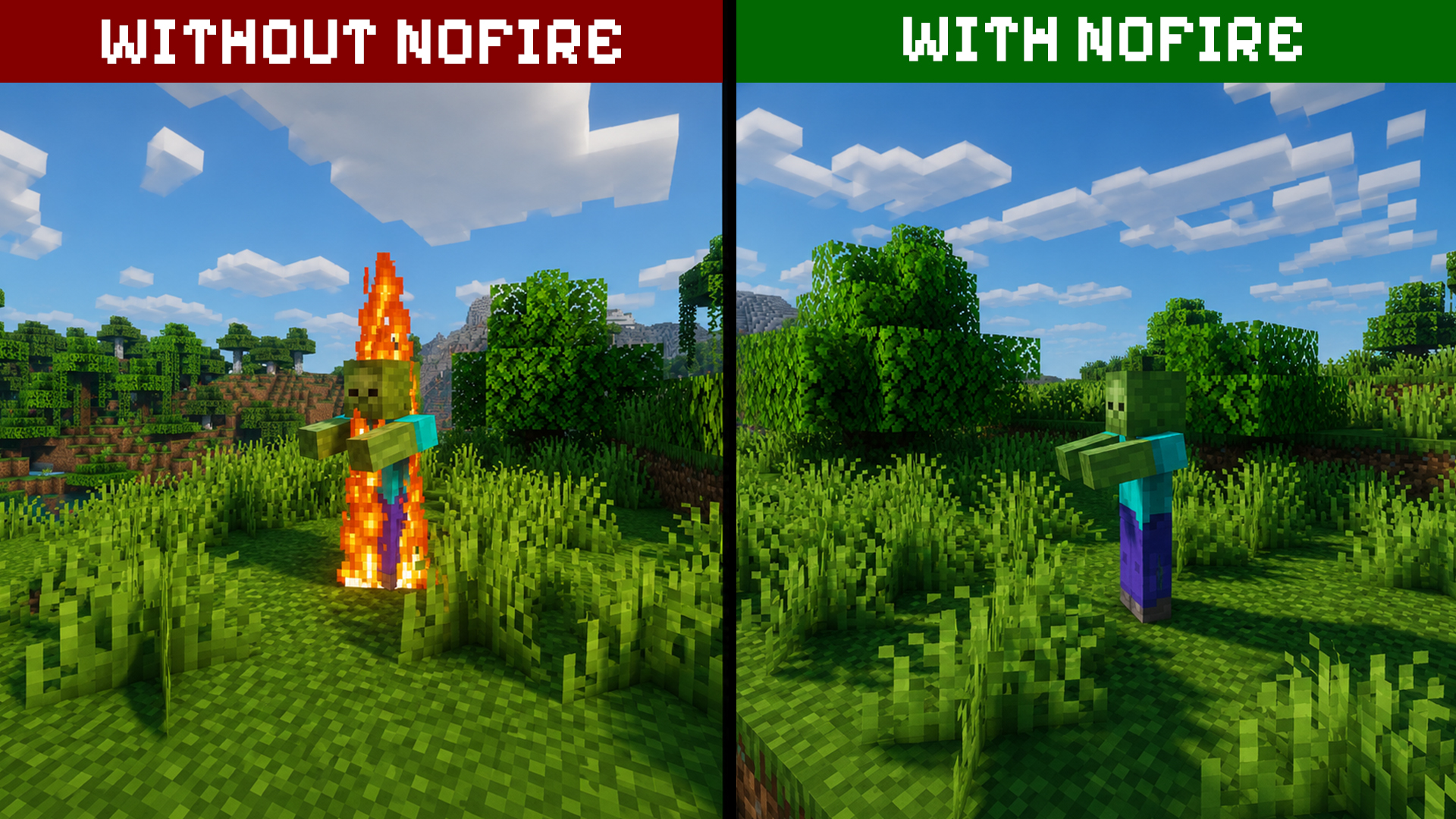
NoFire - clean and lightweight texture pack that removes the annoying fire overlay and keeps your screen clear during fights.
by pingk
Download Claim this project
301 downloads
0 likes
0 followers
Updated Oct 14, 2026
0 hypes
Follow0
64x Miscellaneous
Advertisement Remove ads with Premium →

In NoFire, every fight deserves a clear view.
Fire no longer blocks your screen - just clean visuals, better visibility, and the same Minecraft you know.
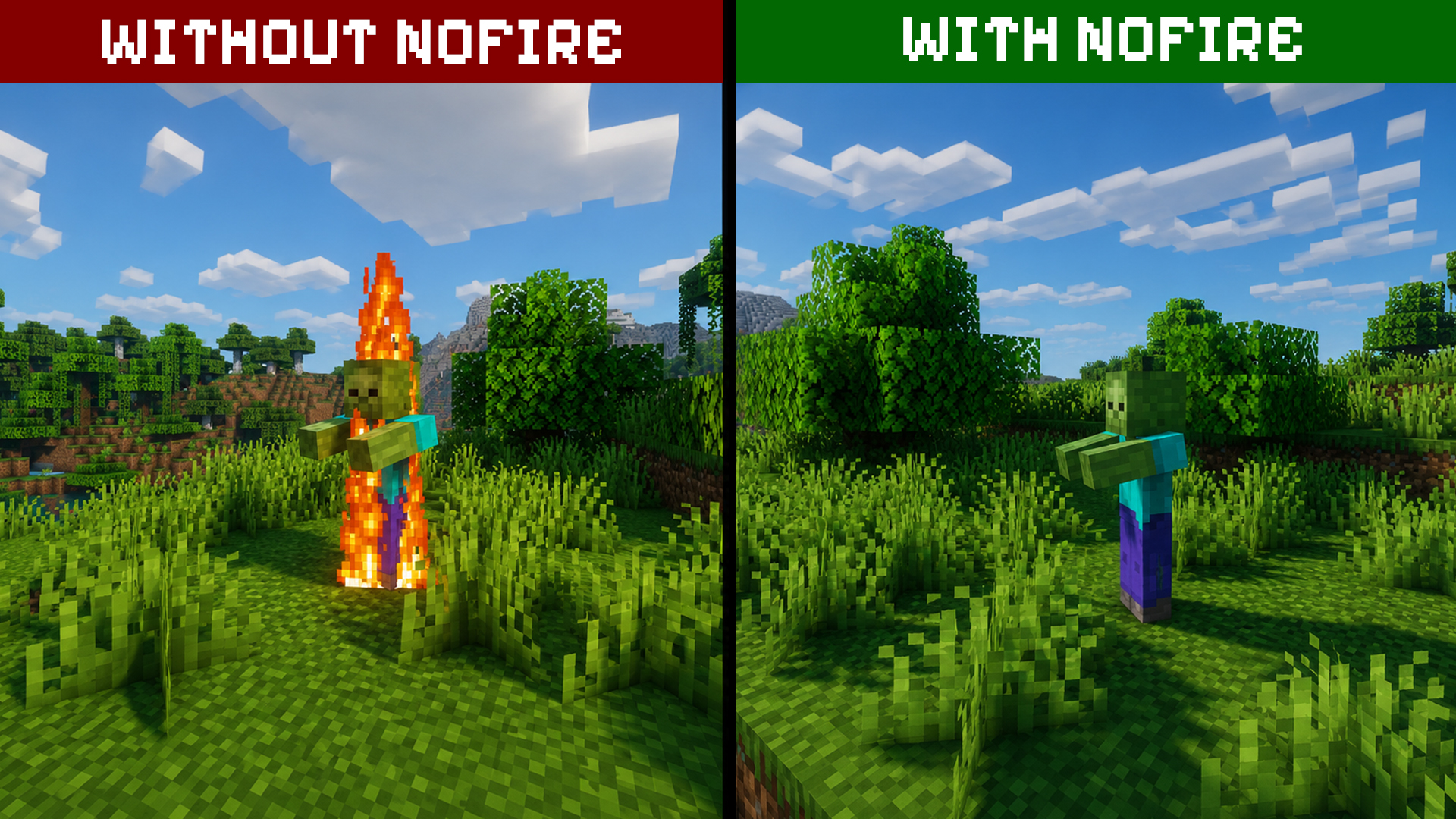
Without/With

The fire overlay is removed for a cleaner view, while everything else remains completely vanilla.

Feature  
Fire Overlay Removed
Gameplay Changes None
PvP Visibility Improved

FAQ

Q: Does NoFire change gameplay or add new content?
A: No - it only removes the fire overlay from your screen. Everything else stays vanilla.

Q: Can I use NoFire with other texture packs?
A: Yes. NoFire is designed to be lightweight and can be used alongside other resource packs.

Real NoFire (by pingk)
MC 1.16.3, 1.13.1, 1.9.3, 1.17.1, 1.9.1, 1.21, 1.16.1, 1.18.1, 1.14.3, 1.15, 1.16, 1.13, 1.16.5, 1.10.2, 1.19.3, 1.20.2, 1.19.4, 1.21.8, 1.8.8, 1.9.4, 1.9.2, 1.14.4, 1.14.1
Release 2026-08-15 Get

Requirements & install

How to use this resource pack in Minecraft
Resolution
64x
Minecraft
1.16.5 – 1.21.8
Install folder
.minecraft/resourcepacks

How to install resource packs

  1. Download the resource pack .zip file (do not extract it).
  2. In Minecraft open Options → Resource Packs → Open Pack Folder.
  3. Drop the .zip into the resourcepacks folder (.minecraft/resourcepacks).
  4. Move the pack to the Selected column and click Done.
Browse more: 16x resource packs 32x resource packs 64x resource packs 128x resource packs 256x resource packs 512x+ resource packs Resource Packs for 1.21.8 All resource packs

More from pingk

Advertisement Remove ads with Premium →

You Might Also Like