Mineuniverse
Resource Packs
Nature Revamp - 3D Models for Plants, Dripstone, Mushrooms, Crimson/Warped Fungus and more!

Nature Revamp - 3D Models for Plants, Dripstone, Mushrooms, Crimson/Warped Fungus and more!

RESOURCE PACK
3D Models for Flowers, Crimson/Warped Fungus and more!
by DarkStormPT
Download Claim this project
Add a badge to your pageLink to Nature Revamp - 3D Models for Plants, Dripstone, Mushrooms, Crimson/Warped Fungus and more! from a README, website or forum post.
Preview: Badge

Badges update automatically and link to the resource pack page on MineUniverse.

68,352 downloads
0 likes
0 followers
Updated Oct 14, 2026
0 hypes
Follow0
16x Miscellaneous Traditional
Advertisement Remove ads with Premium →

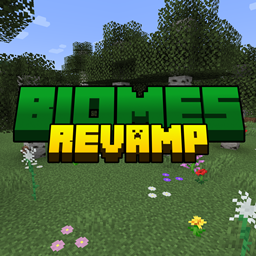
Embark on a transformative journey through Minecraft's landscapes with Nature Revamp, a unique texture pack meticulously crafted to elevate the beauty of your world. Immerse yourself in an enchanting realm where flat blocks spring to life as intricate 3D models, enhancing your gameplay while preserving the beloved vanilla charm.


Key Features:

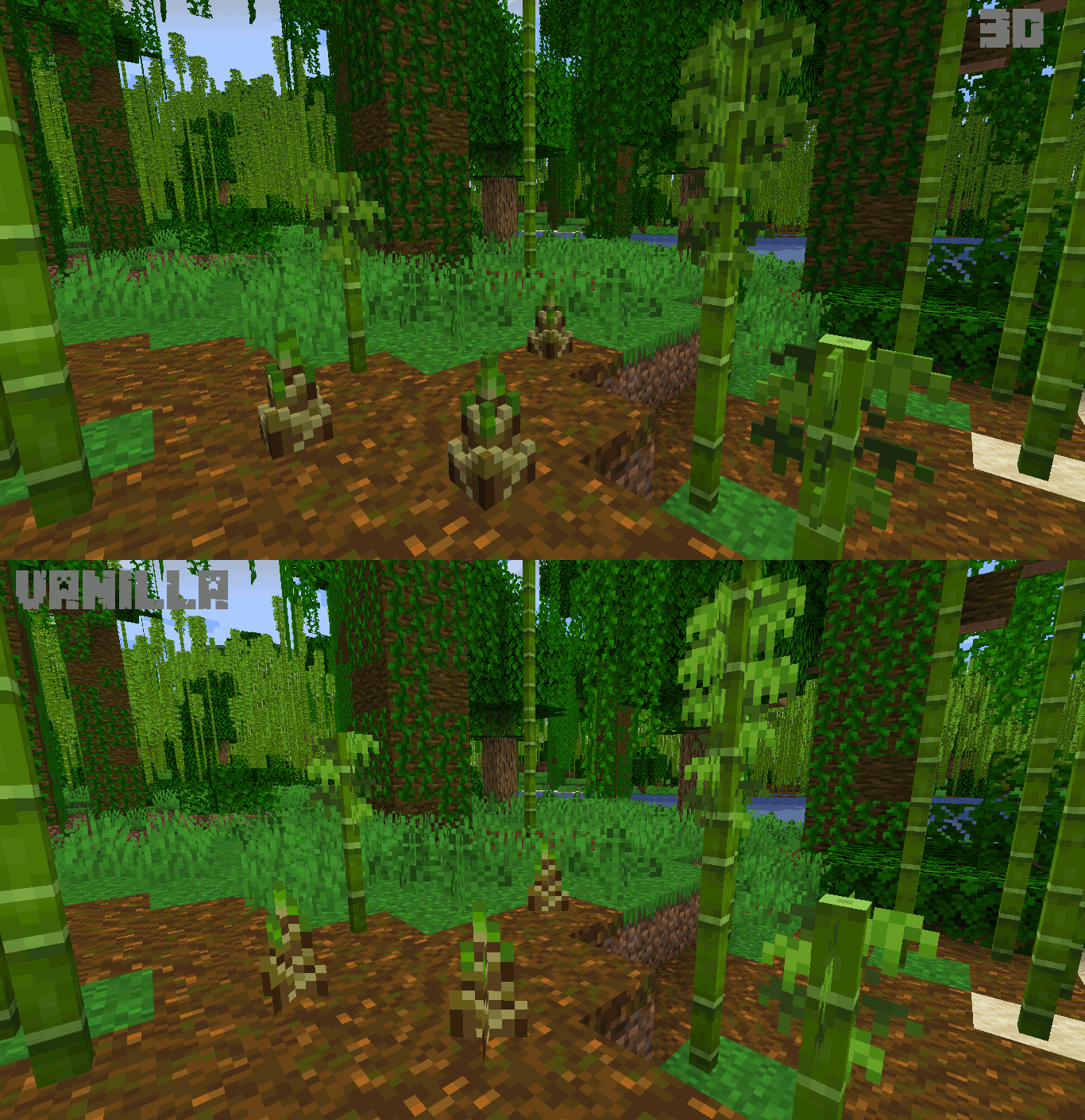
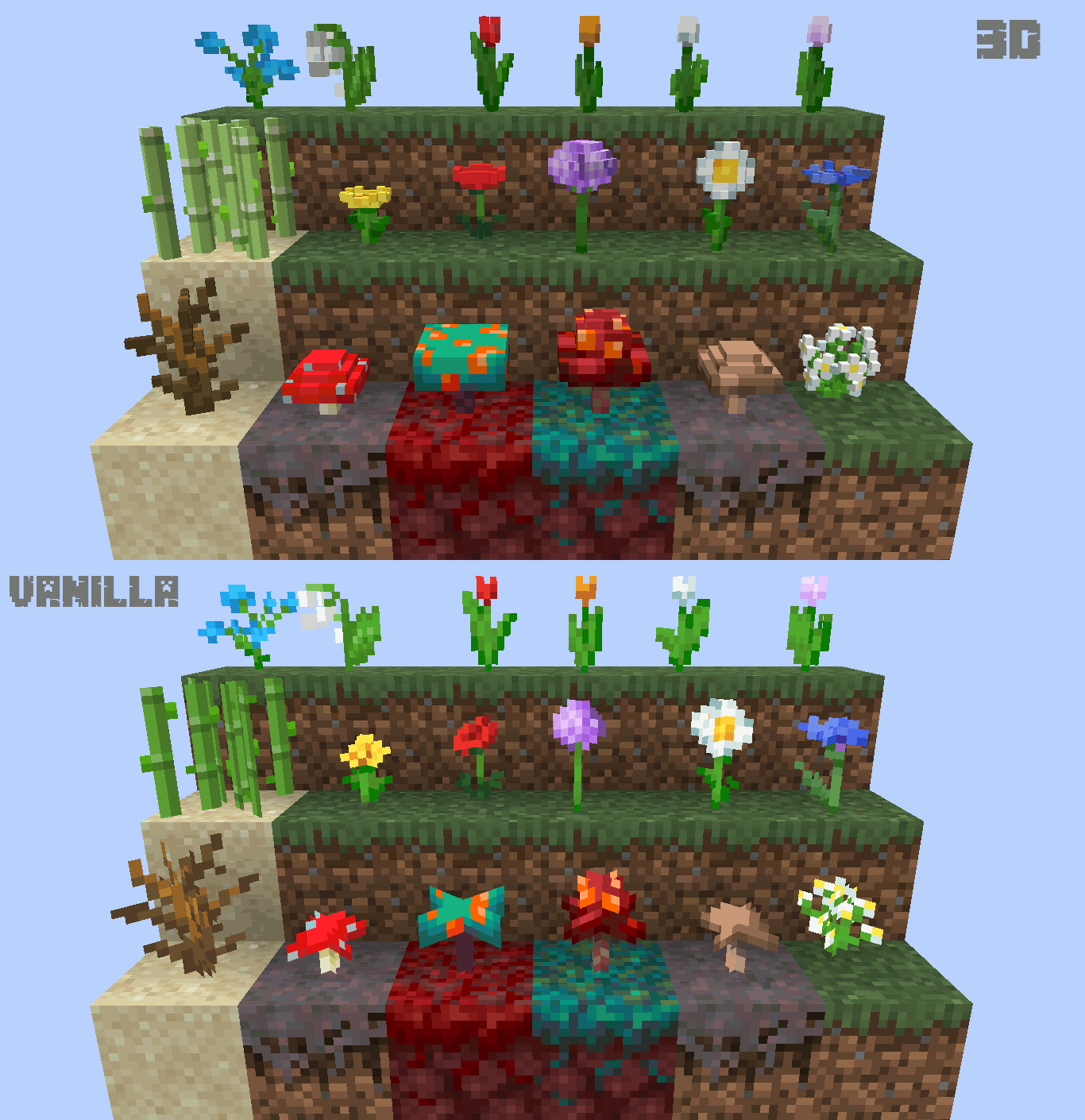
  1. 3D Marvels of Nature: Watch in awe as ordinary plants, mushrooms, and other natural elements are reimagined as stunning 3D models. Nature Revamp introduces a new dimension to your Minecraft experience, bringing depth and realism to the flora that dots your world.

  2. Vanilla Aesthetic Preserved: Experience the magic without sacrificing the familiar charm of Minecraft's vanilla look. Nature Revamp maintains the essence of the game's aesthetic, ensuring that the 3D models seamlessly integrate into the world you know and love.

  3. Immersive Environments: Explore lush forests, vibrant meadows, and diverse biomes, now enhanced with meticulously designed 3D natural elements. The immersive environments crafted by Nature Revamp create a captivating atmosphere that enriches every aspect of your Minecraft adventures.

  4. Compatibility and Continuous Enhancements: Nature Revamp stays in sync with the pulse of Minecraft, offering compatibility with the latest game versions. Expect regular updates that introduce new features, refine 3D models, and provide an evolving visual experience for your Minecraft world.

How to Install:

  • Download Nature Revamp from the CurseForge page.
  • Open Minecraft and navigate to the Resource Packs section.
  • Drag and drop Nature Revamp into the Resource Packs folder.
  • Dive into your revitalized Minecraft world with captivating 3D natural marvels!


Join Our Community: Connect with fellow enthusiasts, share your 3D experiences, and stay informed about the latest developments by joining our vibrant community on Discord: https://discord.gg/eygyQDNVTA

Elevate your Minecraft adventure with Nature Revamp – where 3D wonders seamlessly blend with the timeless allure of the vanilla world. Download now and witness nature as you've never seen it before!


Official Website:

https://darkstormpt.wixsite.com/revamp


Check my other pack Rain Revamp!

Nature Revamp Beta v1.15
MC 1.21.4
Beta 2024-12-07 Get
Nature Revamp Beta 1.14
MC 1.20.4
Beta 2024-01-17 Get
Nature Revamp Beta 1.14
MC 1.20.1, 1.20
Beta 2023-06-29 Get
Nature Revamp Beta 1.13
MC 1.20.1, 1.20
Beta 2023-06-25 Get
Nature Revamp Beta 1.13
MC 1.19.4
Beta 2023-04-28 Get
Nature Revamp Beta 1.12
MC 1.19.3
Beta 2022-12-08 Get
Nature Revamp Beta 1.11
MC 1.19.2, 1.19.1, 1.19
Beta 2022-06-19 Get
Nature Revamp Beta 1.10
MC 1.18.1, 1.18
Beta 2022-01-11 Get
Nature Revamp Beta 1.9
MC 1.18.1, 1.18
Beta 2022-01-10 Get
Nature Revamp Beta 1.8
MC 1.18
Beta 2021-12-03 Get
Nature Revamp Beta 1.8
MC 1.17.1, 1.17
Beta 2021-10-24 Get
Nature Revamp Beta 1.7
MC 1.17.1, 1.17
Beta 2021-06-26 Get
Nature Revamp Beta 1.6
MC 1.16.3, 1.16.5, 1.16.4, 1.16.2
Beta 2021-03-04 Get
Nature Revamp Beta 1.5
MC 1.16.3, 1.16.4, 1.16.2
Beta 2020-12-21 Get
Nature Revamp Beta 1.4
MC 1.16.3, 1.16.4, 1.16.2
Beta 2020-12-20 Get
Nature Revamp Beta v1.3
MC 1.16.3, 1.16.4, 1.16.2
Beta 2020-08-17 Get
Nature Revamp Beta v1.3
MC 1.16.1, 1.15, 1.16, 1.15.2, 1.15.1
Beta 2020-07-25 Get

Requirements & install

How to use this resource pack in Minecraft
Resolution
16x
Minecraft
1.19.1 – 1.21.4
Install folder
.minecraft/resourcepacks

How to install resource packs

  1. Download the resource pack .zip file (do not extract it).
  2. In Minecraft open Options → Resource Packs → Open Pack Folder.
  3. Drop the .zip into the resourcepacks folder (.minecraft/resourcepacks).
  4. Move the pack to the Selected column and click Done.
Browse more: 16x resource packs 32x resource packs 64x resource packs 128x resource packs 256x resource packs 512x+ resource packs Resource Packs for 1.21.4 All resource packs

More from DarkStormPT

Advertisement Remove ads with Premium →

You Might Also Like