Mineuniverse
Resource Packs
[MTR] TGV Duplex

[MTR] TGV Duplex

RESOURCE PACK
TGV Duplex & Thalys addon for Minecraft Transit Railway.
by Dewon2301
Download Claim this project
1,793 downloads
0 likes
Updated Oct 14, 2026
0 hypes
512x and Higher Miscellaneous Modern Traditional
Advertisement Remove ads with Premium →

This addon for Minecraft Transit Railway adds the TGV Duplex to the game.
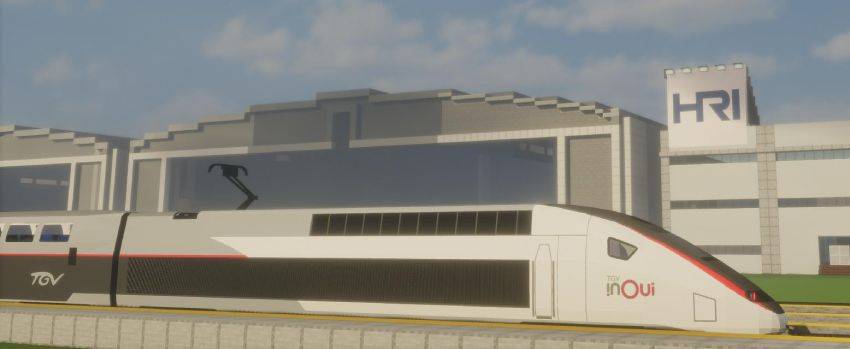
TGV Duplex

Five full-train liveries are provided:

  • TGV Duplex Carmillon
  • TGV Duplex Atlantique (Silver)
  • TGV Duplex Lyria
  • TGV Duplex Ouigo
  • TGV Duplex Ouigo España

And then power cars meant to be coupled with cars from the Atlantique Pack :

  • TGV POS Atlantique
  • TGV POS Lacroix
  • TGV PBKA Thalys
  • TGV PBKA Eurostar

As well as the following power car :

  • TGV Réseau-Duplex

Each car for each livery has at least two versions : An "F" version (forwards) and a "B" version (backwards), determining which way the car will be pointed. Additionally, "CC" version have the coupler closed, while "CO" versions have it open.

There are four types of cars in the pack:

  • Power cars (two pantograph heights are provided : 5 blocks and 6 blocks. Please use the one most adapted to your network)
  • End cars (passenger cars that are meant to go after the power car, and have a special cone on the top. Two per train) (1st and 2nd class)
  • Standard cars (1st and 2nd class)
  • Bar cars (one per train)

Make sure to check the license if you're interested in making other liveries. Additionally, you are allowed to use this ressource pack in servers, let's plays and other creations providing that you give credit.
Enjoy it!

Check out my other TGV packs!

Enjoy!
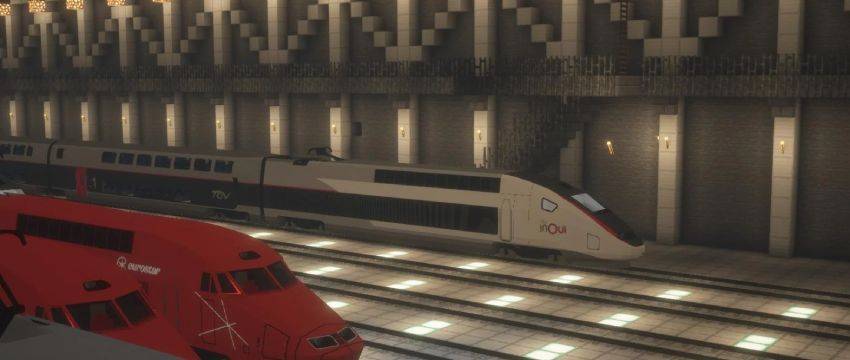
TGV Duplex in a hangar

1.1 for MTR4
MC 1.17.1, 1.19.4, 1.20.1, 1.20.4, 1.18.2, 1.19.2
Release 2026-01-09 Get

Requirements & install

How to use this resource pack in Minecraft
Resolution
512x+
Minecraft
1.17.1 – 1.20.4
Install folder
.minecraft/resourcepacks

How to install resource packs

  1. Download the resource pack .zip file (do not extract it).
  2. In Minecraft open Options → Resource Packs → Open Pack Folder.
  3. Drop the .zip into the resourcepacks folder (.minecraft/resourcepacks).
  4. Move the pack to the Selected column and click Done.

512x packs need a strong GPU and at least 4 GB of RAM for Minecraft; a performance mod such as Sodium is strongly recommended.

Browse more: 16x resource packs 32x resource packs 64x resource packs 128x resource packs 256x resource packs 512x+ resource packs Resource Packs for 1.20.4 All resource packs

More from Dewon2301

Advertisement Remove ads with Premium →

You Might Also Like