Mineuniverse
Resource Packs
Mmnm Devil Fruit Box Rarity Colors

Mmnm Devil Fruit Box Rarity Colors

RESOURCE PACK
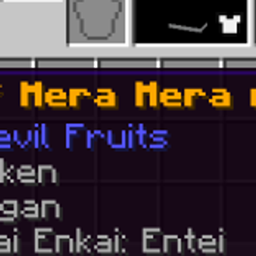
Recolors Devil Fruit names from Mine Mine no Mi's loot boxes to match rarity — gold for the rarest tier, white for mid-tier, bright green for common, with a flickering enchanted-style effect on the top tier.
by Blast1232
Download Claim this project
Add a badge to your pageLink to Mmnm Devil Fruit Box Rarity Colors from a README, website or forum post.
Preview: Badge

Badges update automatically and link to the resource pack page on MineUniverse.

150 downloads
0 likes
0 followers
Updated Oct 14, 2026
0 hypes
Follow0
Font Packs Miscellaneous Mod Support
Advertisement Remove ads with Premium →

A lightweight resource pack for the Mine Mine no Mi mod that gives fruit names distinct rarity colors based on which loot box they drop from:

  • Gold Box fruits — gold, bold, with an obfuscated flicker effect (like enchanted items)
  • Iron Box fruits — white, bold
  • Wooden Box fruits — bright green, bold

Pure resource pack, no datapack or mod changes required — just drop it in your resource packs folder.
Tested on: Minecraft 1.20.1, Forge, Mine Mine no Mi mod.

FruitBoxColors.zip
MC 1.20.1
Release 2026-07-11 Get

Requirements & install

How to use this resource pack in Minecraft
Resolution
Not specified
Minecraft
1.20.1
Install folder
.minecraft/resourcepacks

How to install resource packs

  1. Download the resource pack .zip file (do not extract it).
  2. In Minecraft open Options → Resource Packs → Open Pack Folder.
  3. Drop the .zip into the resourcepacks folder (.minecraft/resourcepacks).
  4. Move the pack to the Selected column and click Done.
Browse more: 16x resource packs 32x resource packs 64x resource packs 128x resource packs 256x resource packs 512x+ resource packs Resource Packs for 1.20.1 All resource packs

More from Blast1232

Advertisement Remove ads with Premium →

You Might Also Like