Mineuniverse
Resource Packs
MISION:BINGO GUI

MISION:BINGO GUI

RESOURCE PACK
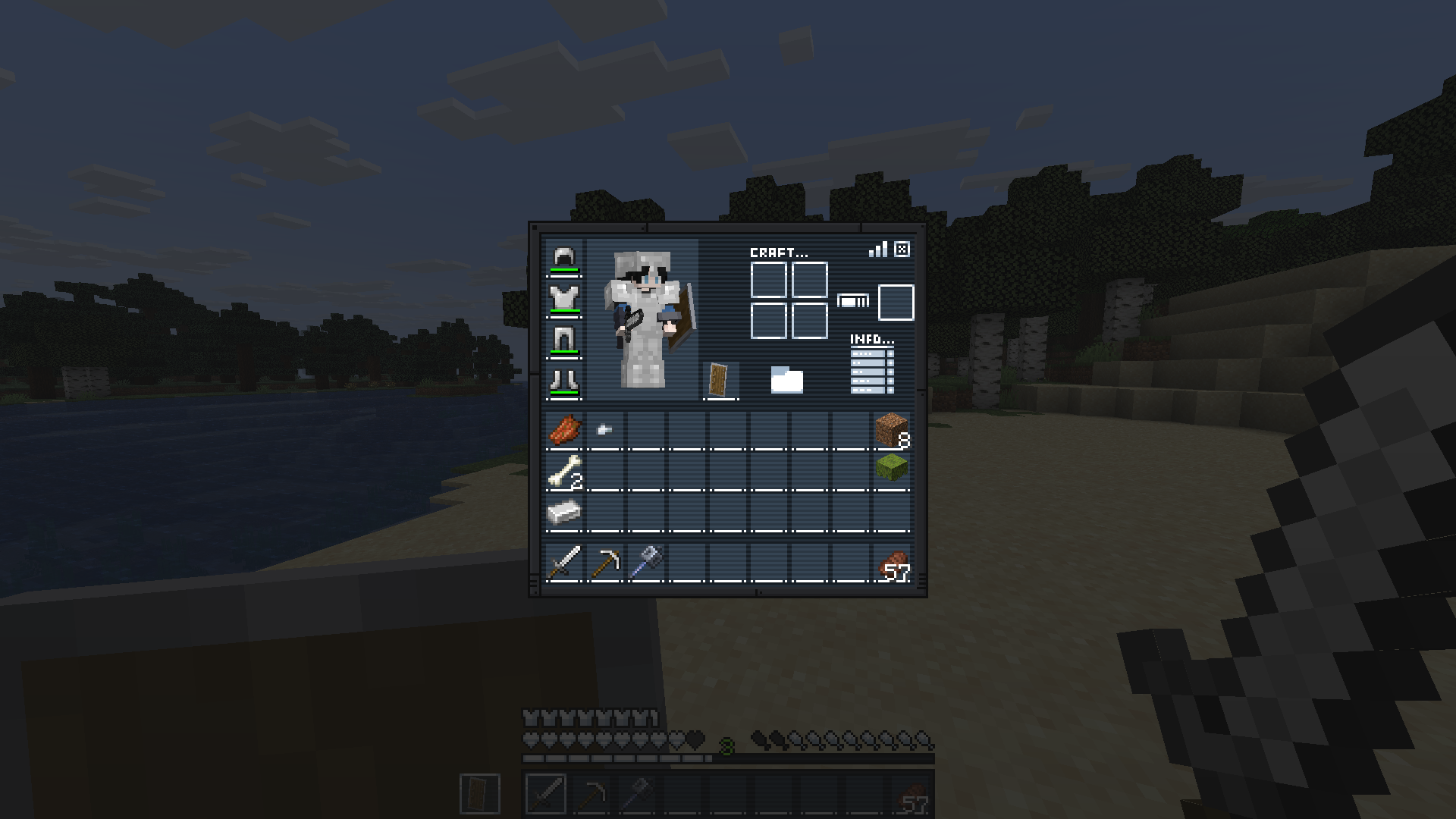
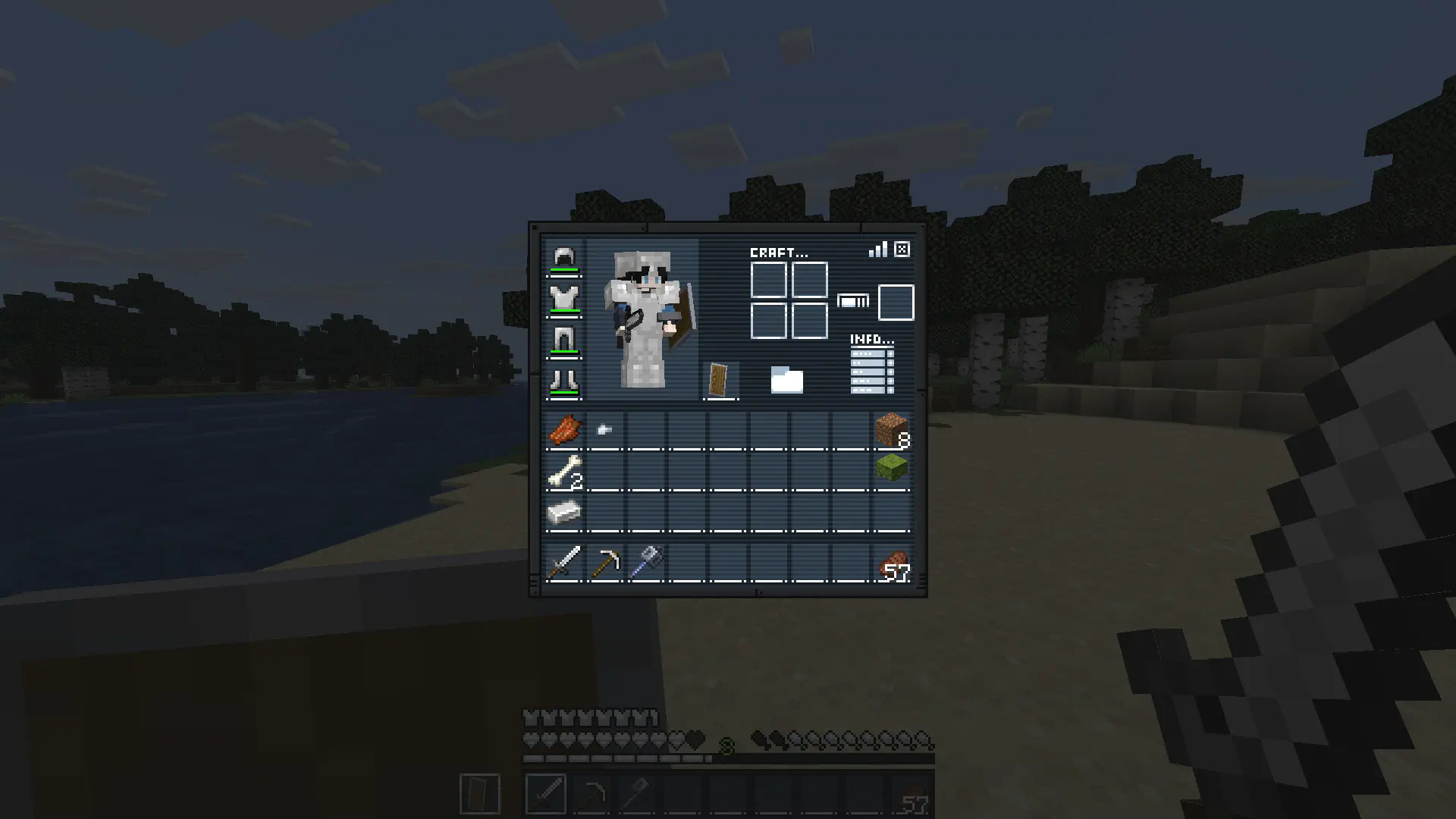
Replaces inventory, recipe book, changes hotbar, hearts and armor icons. Ready for the mission?
by Drift007
Download Claim this project
708 downloads
0 likes
Updated Oct 14, 2026
0 hypes
16x Miscellaneous
Advertisement Remove ads with Premium →

Description

Gear up for the mission.

Mission: Bingo GUI transforms Minecraft’s interface with a complete mission-themed redesign, replacing the inventory, recipe book, hotbar, hearts, and armor icons for a sleek tactical look.

Perfect for players who want a more immersive and stylized HUD experience.

Ready for the mission?


How It Works

This resource pack replaces several default GUI and HUD textures with a custom mission-inspired design.

 

Installation / Usage

  1. Download and install the resource pack
  2. Enable it in Minecraft’s Resource Packs menu
  3. Open your inventory or enter gameplay
  4. Enjoy the new mission-style interface


Included Changes

  • Custom inventory redesign
  • Replaced recipe book interface
  • New hotbar textures
  • Custom heart icons
  • Custom armor icons
  • Full mission-themed HUD aesthetic


In-Game Preview

In game

Mision Bingo Gui v1.3
MC 1.21, 1.21.8, 1.21.5, 1.21.4, 1.21.1, 1.21.6, 1.21.3, 1.21.7, 1.21.2, 1.21.9, 1.21.10, 1.21.11, 26.1, 26.1.1, 26.1.2, 26.2, 26.3
Release 2026-10-10 Get
Mision:B GUI v1.2
MC 1.21, 1.21.8, 1.21.5, 1.21.4, 1.21.1, 1.21.6, 1.21.3, 1.21.7, 1.21.2, 1.21.9, 1.21.10, 1.21.11, 26.1, 26.1.1, 26.1.2
Release 2026-04-12 Get
Mision:B GUI v1.1
MC 1.21, 1.21.8, 1.21.5, 1.21.4, 1.21.1, 1.21.6, 1.21.3, 1.21.7, 1.21.2, 1.21.9, 1.21.10, 1.21.11
Release 2026-04-11 Get
Mision:B GUI v1.0
MC 1.21.5, 1.21.4, 1.21.6, 1.21.7
Release 2026-04-10 Get

Requirements & install

How to use this resource pack in Minecraft
Resolution
16x
Minecraft
1.21.9 – 26.3
Install folder
.minecraft/resourcepacks

How to install resource packs

  1. Download the resource pack .zip file (do not extract it).
  2. In Minecraft open Options → Resource Packs → Open Pack Folder.
  3. Drop the .zip into the resourcepacks folder (.minecraft/resourcepacks).
  4. Move the pack to the Selected column and click Done.
Browse more: 16x resource packs 32x resource packs 64x resource packs 128x resource packs 256x resource packs 512x+ resource packs Resource Packs for 26.3 All resource packs

More from Drift007

Advertisement Remove ads with Premium →

You Might Also Like