Mineuniverse
Resource Packs
Mineralogy Resource Pack

Mineralogy Resource Pack

RESOURCE PACK
Detailed 64× classic textures for Mineralogy’s rocks, ores, construction blocks and matching vanilla stone families, supporting Minecraft 1.10.2 through 26.3 on Forge and NeoForge.
by SkyBlade
Download Claim this project
93 downloads
0 likes
Updated Oct 14, 2026
0 hypes
64x Photo Realistic
Advertisement Remove ads with Premium →

Mineralogy Classic Textures

Mineralogy Classic Textures is an optional 64× visual overhaul for the Minecraft Mineralogy mod.

It restores and maintains Mineralogy’s detailed classic artwork, giving its rocks and construction blocks a more natural, varied appearance than the standard 16× textures.

Features

  • Detailed 64× textures for Mineralogy’s complete collection of rock families.
  • Matching artwork for raw, polished and brick surfaces.
  • Consistent textures across furnaces, slabs, stairs, walls, reliefs and other construction blocks.
  • Updated textures for Mineralogy ores, dusts, fertilizer, crude oil and related items.
  • Matching textures for vanilla andesite, diorite, granite, basalt, smooth basalt and tuff when those blocks represent Mineralogy rock families in newer Minecraft versions.
  • Version-specific downloads covering Minecraft 1.10.2 through 26.3.
  • Compatible with both Forge and NeoForge Mineralogy releases for the listed Minecraft version.

How it changes the game

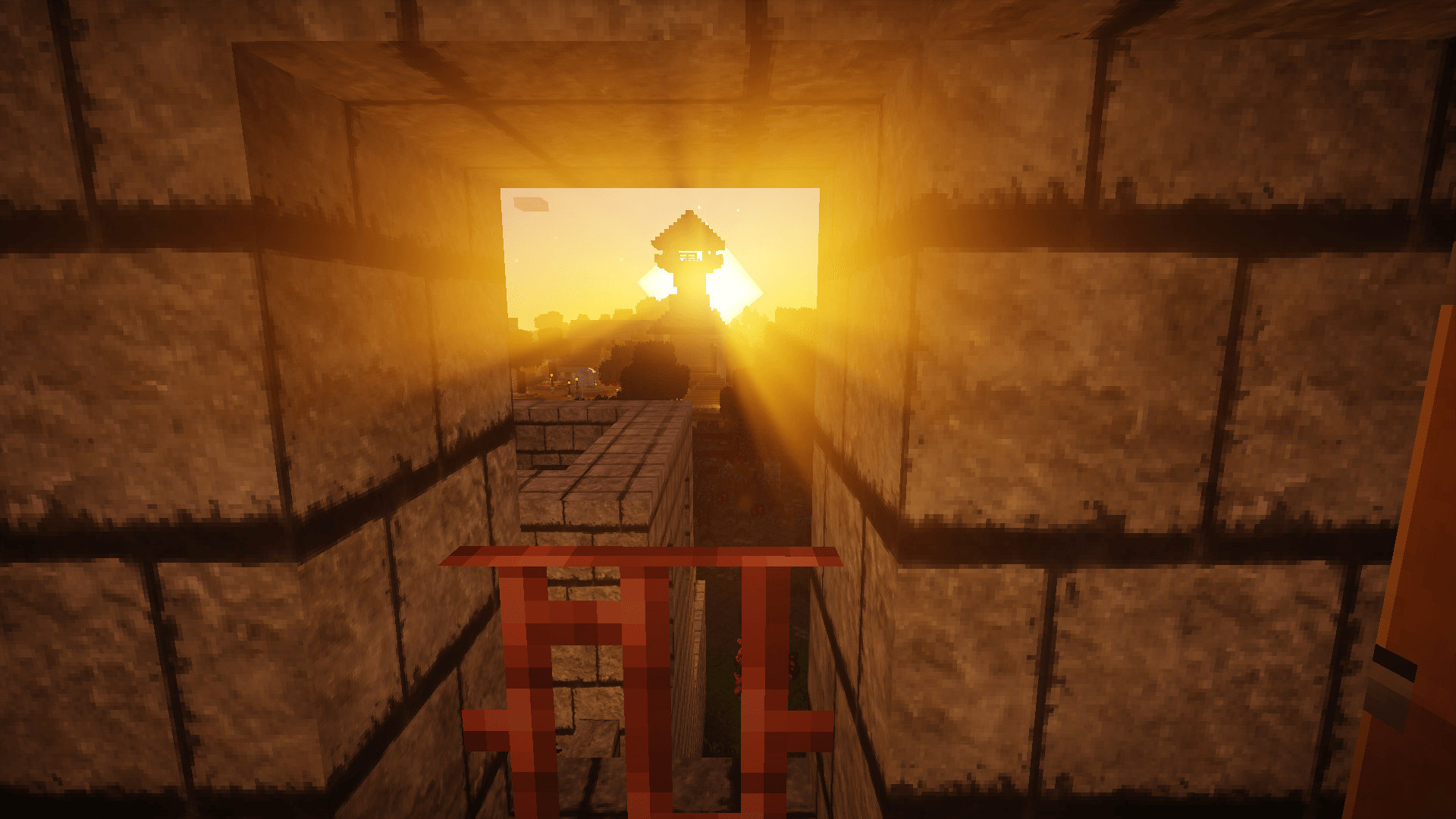
This pack makes Mineralogy’s underground rock layers and constructed buildings look more detailed and visually consistent.

Rock formations have clearer colours and surface patterns, making different materials easier to distinguish while mining. Polished blocks, bricks, furnaces and construction pieces retain the appearance of their source rock, so buildings made from one rock family have a coherent style.

On newer Minecraft versions, some Mineralogy rock families use native Minecraft blocks. The pack also supplies matching textures for those blocks, preventing abrupt visual differences between legacy Mineralogy blocks and their modern vanilla equivalents.

This is a visual resource pack only. It does not change recipes, world generation, block properties, configuration files or saved worlds.

Requirements

The matching version of Minecraft Mineralogy is strongly recommended. Most of this pack’s textures are specifically designed for Mineralogy content.

Credits and licence

The classic Mineralogy artwork was created by FoxNekitsune and DrCyano.

Modern completion textures, compatibility work and resource-pack assembly are maintained by the Minecraft Mod Development community.

Mineralogy Textures 1.18.2 64x
MC 1.18.2
Release 2026-09-18 Get
Mineralogy Textures 1.0.1 1.18.2 64x
MC 1.18.2
Release 2026-09-18 Get
Mineralogy Textures 1.10.2 64x
MC 1.10.2
Release 2026-09-17 Get
Mineralogy Textures 1.12.2 64x
MC 1.12.2
Release 2026-09-17 Get
Mineralogy Textures 1.13.2-1.14.4 64x.zip
MC 1.14.4, 1.13.2
Release 2026-09-17 Get
Mineralogy Textures 1.15.2 64x
MC 1.15.2
Release 2026-09-17 Get
Mineralogy Textures 1.16.5 64x
MC 1.16.5
Release 2026-09-17 Get
Mineralogy Textures 1.17.1 64x
MC 1.17.1
Release 2026-09-17 Get
Mineralogy Textures 1.19.4 64x
MC 1.19.4
Release 2026-09-17 Get
Mineralogy Textures 1.20.1 64x.zip
MC 1.20.1
Release 2026-09-17 Get
Mineralogy Textures 1.20.6 64x
MC 1.20.6
Release 2026-09-17 Get
Mineralogy Textures 1.21.1 64x
MC 1.21.1
Release 2026-09-17 Get
Mineralogy Textures 1.21.11 64x
MC 1.21.11
Release 2026-09-17 Get
Mineralogy Textures 26.1.2 64x
MC 26.1.2
Release 2026-09-17 Get
Mineralogy Textures 26.2 64x
MC 26.2
Release 2026-09-17 Get
Mineralogy Textures 26.3 64x
MC 26.3
Release 2026-09-17 Get

Requirements & install

How to use this resource pack in Minecraft
Resolution
64x
Minecraft
1.19.4 – 26.3
Install folder
.minecraft/resourcepacks

How to install resource packs

  1. Download the resource pack .zip file (do not extract it).
  2. In Minecraft open Options → Resource Packs → Open Pack Folder.
  3. Drop the .zip into the resourcepacks folder (.minecraft/resourcepacks).
  4. Move the pack to the Selected column and click Done.
Browse more: 16x resource packs 32x resource packs 64x resource packs 128x resource packs 256x resource packs 512x+ resource packs Resource Packs for 26.3 All resource packs

More from SkyBlade

Advertisement Remove ads with Premium →

You Might Also Like